mirror of
https://github.com/openimsdk/open-im-server.git
synced 2026-04-30 15:29:20 +08:00
Compare commits
3 Commits
| Author | SHA1 | Date | |
|---|---|---|---|
 Xinwei Xiong(cubxxw) Xinwei Xiong(cubxxw)
|
ea4a068556 | ||
|
Xinwei Xiong(cubxxw)
|
104c78dcf4 | ||
|
Xinwei Xiong(cubxxw)
|
200fbd94a4 |
@@ -0,0 +1,79 @@
|
||||
# Copyright © 2023 OpenIM. All rights reserved.
|
||||
#
|
||||
# Licensed under the Apache License, Version 2.0 (the "License");
|
||||
# you may not use this file except in compliance with the License.
|
||||
# You may obtain a copy of the License at
|
||||
#
|
||||
# http://www.apache.org/licenses/LICENSE-2.0
|
||||
#
|
||||
# Unless required by applicable law or agreed to in writing, software
|
||||
# distributed under the License is distributed on an "AS IS" BASIS,
|
||||
# WITHOUT WARRANTIES OR CONDITIONS OF ANY KIND, either express or implied.
|
||||
# See the License for the specific language governing permissions and
|
||||
# limitations under the License.
|
||||
|
||||
#---------------Infrastructure configuration---------------------#
|
||||
etcd:
|
||||
etcdSchema: openim #默认即可
|
||||
etcdAddr: [ 127.0.0.1:2379 ] #单机部署时,默认即可
|
||||
userName:
|
||||
password:
|
||||
secret: openIM123
|
||||
|
||||
mysql:
|
||||
dbMysqlDatabaseName: admin_chat # 数据库名字 默认即可
|
||||
|
||||
# 默认管理员账号
|
||||
admin:
|
||||
defaultAccount:
|
||||
account: [ "admin1", "admin2" ]
|
||||
defaultPassword: [ "password1", "password2" ]
|
||||
openIMUserID: [ "openIM123456", "openIMAdmin" ]
|
||||
faceURL: [ "", "" ]
|
||||
nickname: [ "admin1", "admin2" ]
|
||||
level: [ 1, 100 ]
|
||||
|
||||
|
||||
adminapi:
|
||||
openImAdminApiPort: [ 10009 ] #管理后台api服务端口,默认即可,需要开放此端口或做nginx转发
|
||||
listenIP: 0.0.0.0
|
||||
|
||||
chatapi:
|
||||
openImChatApiPort: [ 10008 ] #登录注册,默认即可,需要开放此端口或做nginx转发
|
||||
listenIP: 0.0.0.0
|
||||
|
||||
rpcport: # rpc服务端口 默认即可
|
||||
openImAdminPort: [ 30200 ]
|
||||
openImChatPort: [ 30300 ]
|
||||
|
||||
|
||||
rpcregistername: #rpc注册服务名,默认即可
|
||||
openImChatName: Chat
|
||||
openImAdminCMSName: Admin
|
||||
|
||||
chat:
|
||||
codeTTL: 300 #短信验证码有效时间(秒)
|
||||
superVerificationCode: 666666 # 超级验证码
|
||||
alismsverify: #阿里云短信配置,在阿里云申请成功后修改以下四项
|
||||
accessKeyId:
|
||||
accessKeySecret:
|
||||
signName:
|
||||
verificationCodeTemplateCode:
|
||||
|
||||
|
||||
oss:
|
||||
tempDir: enterprise-temp # 临时密钥上传的目录
|
||||
dataDir: enterprise-data # 最终存放目录
|
||||
aliyun:
|
||||
endpoint: https://oss-cn-chengdu.aliyuncs.com
|
||||
accessKeyID: ""
|
||||
accessKeySecret: ""
|
||||
bucket: ""
|
||||
tencent:
|
||||
BucketURL: ""
|
||||
serviceURL: https://cos.COS_REGION.myqcloud.com
|
||||
secretID: ""
|
||||
secretKey: ""
|
||||
sessionToken: ""
|
||||
bucket: ""
|
||||
use: "minio"
|
||||
@@ -0,0 +1,27 @@
|
||||
# Copyright © 2023 OpenIM. All rights reserved.
|
||||
#
|
||||
# Licensed under the Apache License, Version 2.0 (the "License");
|
||||
# you may not use this file except in compliance with the License.
|
||||
# You may obtain a copy of the License at
|
||||
#
|
||||
# http://www.apache.org/licenses/LICENSE-2.0
|
||||
#
|
||||
# Unless required by applicable law or agreed to in writing, software
|
||||
# distributed under the License is distributed on an "AS IS" BASIS,
|
||||
# WITHOUT WARRANTIES OR CONDITIONS OF ANY KIND, either express or implied.
|
||||
# See the License for the specific language governing permissions and
|
||||
# limitations under the License.
|
||||
|
||||
#more datasource-compose.yaml
|
||||
apiVersion: 1
|
||||
|
||||
datasources:
|
||||
- name: Prometheus
|
||||
type: prometheus
|
||||
access: proxy
|
||||
orgId: 1
|
||||
url: http://127.0.0.1:9091
|
||||
basicAuth: false
|
||||
isDefault: true
|
||||
version: 1
|
||||
editable: true
|
||||
Binary file not shown.
File diff suppressed because it is too large
Load Diff
File diff suppressed because it is too large
Load Diff
@@ -0,0 +1,85 @@
|
||||
# Copyright © 2023 OpenIM. All rights reserved.
|
||||
#
|
||||
# Licensed under the Apache License, Version 2.0 (the "License");
|
||||
# you may not use this file except in compliance with the License.
|
||||
# You may obtain a copy of the License at
|
||||
#
|
||||
# http://www.apache.org/licenses/LICENSE-2.0
|
||||
#
|
||||
# Unless required by applicable law or agreed to in writing, software
|
||||
# distributed under the License is distributed on an "AS IS" BASIS,
|
||||
# WITHOUT WARRANTIES OR CONDITIONS OF ANY KIND, either express or implied.
|
||||
# See the License for the specific language governing permissions and
|
||||
# limitations under the License.
|
||||
|
||||
#more prometheus-compose.yml
|
||||
global:
|
||||
scrape_interval: 15s
|
||||
evaluation_interval: 15s
|
||||
external_labels:
|
||||
monitor: 'openIM-monitor'
|
||||
|
||||
scrape_configs:
|
||||
- job_name: 'prometheus'
|
||||
static_configs:
|
||||
- targets: ['localhost:9091']
|
||||
|
||||
- job_name: 'openIM-server'
|
||||
metrics_path: /metrics
|
||||
static_configs:
|
||||
- targets: ['localhost:10002']
|
||||
labels:
|
||||
group: 'api'
|
||||
|
||||
- targets: ['localhost:20110']
|
||||
labels:
|
||||
group: 'user'
|
||||
|
||||
- targets: ['localhost:20120']
|
||||
labels:
|
||||
group: 'friend'
|
||||
|
||||
- targets: ['localhost:20130']
|
||||
labels:
|
||||
group: 'message'
|
||||
|
||||
- targets: ['localhost:20140']
|
||||
labels:
|
||||
group: 'msg-gateway'
|
||||
|
||||
- targets: ['localhost:20150']
|
||||
labels:
|
||||
group: 'group'
|
||||
|
||||
- targets: ['localhost:20160']
|
||||
labels:
|
||||
group: 'auth'
|
||||
|
||||
- targets: ['localhost:20170']
|
||||
labels:
|
||||
group: 'push'
|
||||
|
||||
- targets: ['localhost:20120']
|
||||
labels:
|
||||
group: 'friend'
|
||||
|
||||
|
||||
- targets: ['localhost:20230']
|
||||
labels:
|
||||
group: 'conversation'
|
||||
|
||||
|
||||
- targets: ['localhost:21400', 'localhost:21401', 'localhost:21402', 'localhost:21403']
|
||||
labels:
|
||||
group: 'msg-transfer'
|
||||
|
||||
|
||||
|
||||
|
||||
|
||||
|
||||
- job_name: 'node'
|
||||
scrape_interval: 8s
|
||||
static_configs:
|
||||
- targets: ['localhost:9100']
|
||||
|
||||
@@ -20,6 +20,7 @@ CHANGELOG/
|
||||
|
||||
# Ignore deployment-related files
|
||||
docker-compose.yaml
|
||||
deployments/
|
||||
|
||||
# Ignore assets
|
||||
assets/
|
||||
|
||||
@@ -1,9 +1,23 @@
|
||||
# Copyright © 2023 OpenIM. All rights reserved.
|
||||
#
|
||||
# Licensed under the Apache License, Version 2.0 (the "License");
|
||||
# you may not use this file except in compliance with the License.
|
||||
# You may obtain a copy of the License at
|
||||
#
|
||||
# http://www.apache.org/licenses/LICENSE-2.0
|
||||
#
|
||||
# Unless required by applicable law or agreed to in writing, software
|
||||
# distributed under the License is distributed on an "AS IS" BASIS,
|
||||
# WITHOUT WARRANTIES OR CONDITIONS OF ANY KIND, either express or implied.
|
||||
# See the License for the specific language governing permissions and
|
||||
# limitations under the License.
|
||||
|
||||
# ======================================
|
||||
# ========= Basic Configuration ========
|
||||
# ======================================
|
||||
|
||||
# The user for authentication or system operations.
|
||||
# Default: OPENIM_USER=root
|
||||
# Default: USER=root
|
||||
USER=root
|
||||
|
||||
# Password associated with the specified user for authentication.
|
||||
@@ -16,11 +30,11 @@ MINIO_ENDPOINT=http://172.28.0.1:10005
|
||||
|
||||
# Base URL for the application programming interface (API).
|
||||
# Default: API_URL=http://172.28.0.1:10002
|
||||
API_URL=http://172.28.0.1:10002
|
||||
API_URL=http://14.155.86.214:10002
|
||||
|
||||
# Directory path for storing data files or related information.
|
||||
# Default: DATA_DIR=./
|
||||
DATA_DIR=./
|
||||
DATA_DIR=/root/workspaces/openim/Open-IM-Server
|
||||
|
||||
# Choose the appropriate image address, the default is GITHUB image,
|
||||
# you can choose docker hub, for Chinese users can choose Ali Cloud
|
||||
@@ -41,19 +55,50 @@ DOCKER_BRIDGE_SUBNET=172.28.0.0/16
|
||||
# Default: DOCKER_BRIDGE_GATEWAY=172.28.0.1
|
||||
DOCKER_BRIDGE_GATEWAY=172.28.0.1
|
||||
|
||||
MONGO_NETWORK_ADDRESS=172.28.0.2
|
||||
REDIS_NETWORK_ADDRESS=172.28.0.3
|
||||
KAFKA_NETWORK_ADDRESS=172.28.0.4
|
||||
ZOOKEEPER_NETWORK_ADDRESS=172.28.0.5
|
||||
MINIO_NETWORK_ADDRESS=172.28.0.6
|
||||
OPENIM_WEB_NETWORK_ADDRESS=172.28.0.7
|
||||
OPENIM_SERVER_NETWORK_ADDRESS=172.28.0.8
|
||||
OPENIM_CHAT_NETWORK_ADDRESS=172.28.0.9
|
||||
PROMETHEUS_NETWORK_ADDRESS=172.28.0.10
|
||||
GRAFANA_NETWORK_ADDRESS=172.28.0.11
|
||||
NODE_EXPORTER_NETWORK_ADDRESS=172.28.0.12
|
||||
OPENIM_ADMIN_FRONT_NETWORK_ADDRESS=172.28.0.13
|
||||
ALERT_MANAGER_NETWORK_ADDRESS=172.28.0.14
|
||||
# Address or hostname for the MySQL network.
|
||||
# Default: MYSQL_NETWORK_ADDRESS=172.28.0.2
|
||||
MYSQL_NETWORK_ADDRESS=172.28.0.2
|
||||
|
||||
# Address or hostname for the MongoDB network.
|
||||
# Default: MONGO_NETWORK_ADDRESS=172.28.0.3
|
||||
MONGO_NETWORK_ADDRESS=172.28.0.3
|
||||
|
||||
# Address or hostname for the Redis network.
|
||||
# Default: REDIS_NETWORK_ADDRESS=172.28.0.4
|
||||
REDIS_NETWORK_ADDRESS=172.28.0.4
|
||||
|
||||
# Address or hostname for the Kafka network.
|
||||
# Default: KAFKA_NETWORK_ADDRESS=172.28.0.5
|
||||
KAFKA_NETWORK_ADDRESS=172.28.0.5
|
||||
|
||||
# Address or hostname for the ZooKeeper network.
|
||||
# Default: ZOOKEEPER_NETWORK_ADDRESS=172.28.0.6
|
||||
ZOOKEEPER_NETWORK_ADDRESS=172.28.0.6
|
||||
|
||||
# Address or hostname for the MinIO network.
|
||||
# Default: MINIO_NETWORK_ADDRESS=172.28.0.7
|
||||
MINIO_NETWORK_ADDRESS=172.28.0.7
|
||||
|
||||
# Address or hostname for the OpenIM web network.
|
||||
# Default: OPENIM_WEB_NETWORK_ADDRESS=172.28.0.8
|
||||
OPENIM_WEB_NETWORK_ADDRESS=172.28.0.8
|
||||
|
||||
# Address or hostname for the OpenIM server network.
|
||||
# Default: OPENIM_SERVER_NETWORK_ADDRESS=172.28.0.9
|
||||
OPENIM_SERVER_NETWORK_ADDRESS=172.28.0.9
|
||||
|
||||
# Address or hostname for the OpenIM chat network.
|
||||
# Default: OPENIM_CHAT_NETWORK_ADDRESS=172.28.0.10
|
||||
OPENIM_CHAT_NETWORK_ADDRESS=172.28.0.10
|
||||
|
||||
# Address or hostname for the Prometheus network.
|
||||
# Default: PROMETHEUS_NETWORK_ADDRESS=172.28.0.11
|
||||
PROMETHEUS_NETWORK_ADDRESS=172.28.0.11
|
||||
|
||||
# Address or hostname for the Grafana network.
|
||||
# Default: GRAFANA_NETWORK_ADDRESS=172.28.0.12
|
||||
GRAFANA_NETWORK_ADDRESS=172.28.0.12
|
||||
|
||||
|
||||
# ===============================================
|
||||
# = Component Extension Configuration =
|
||||
@@ -63,24 +108,38 @@ ALERT_MANAGER_NETWORK_ADDRESS=172.28.0.14
|
||||
# ----- ZooKeeper Configuration -----
|
||||
# Address or hostname for the ZooKeeper service.
|
||||
# Default: ZOOKEEPER_ADDRESS=172.28.0.1
|
||||
ZOOKEEPER_ADDRESS=172.28.0.5
|
||||
ZOOKEEPER_ADDRESS=172.28.0.6
|
||||
|
||||
# Port for ZooKeeper service.
|
||||
# Default: ZOOKEEPER_PORT=12181
|
||||
ZOOKEEPER_PORT=12181
|
||||
|
||||
# ----- MySQL Configuration -----
|
||||
|
||||
# Address or hostname for the MySQL service.
|
||||
# Default: MYSQL_ADDRESS=172.28.0.1
|
||||
MYSQL_ADDRESS=172.28.0.2
|
||||
|
||||
# Port on which MySQL database service is running.
|
||||
# Default: MYSQL_PORT=13306
|
||||
MYSQL_PORT=13306
|
||||
|
||||
# Password to authenticate with the MySQL database service.
|
||||
# Default: MYSQL_PASSWORD=openIM123
|
||||
MYSQL_PASSWORD=openIM123
|
||||
|
||||
# ----- MongoDB Configuration -----
|
||||
# Address or hostname for the MongoDB service.
|
||||
# Default: MONGO_ADDRESS=172.28.0.1
|
||||
MONGO_ADDRESS=172.28.0.2
|
||||
MONGO_ADDRESS=172.28.0.3
|
||||
|
||||
# Port on which MongoDB service is running.
|
||||
# Default: MONGO_PORT=37017
|
||||
# MONGO_PORT=37017
|
||||
MONGO_PORT=37017
|
||||
|
||||
# Username to authenticate with the MongoDB service.
|
||||
# Default: MONGO_USERNAME=root
|
||||
# MONGO_USERNAME=root
|
||||
MONGO_USERNAME=root
|
||||
|
||||
# Password to authenticate with the MongoDB service.
|
||||
# Default: MONGO_PASSWORD=openIM123
|
||||
@@ -93,7 +152,7 @@ MONGO_DATABASE=openIM_v3
|
||||
# ----- Redis Configuration -----
|
||||
# Address or hostname for the Redis service.
|
||||
# Default: REDIS_ADDRESS=172.28.0.1
|
||||
REDIS_ADDRESS=172.28.0.3
|
||||
REDIS_ADDRESS=172.28.0.4
|
||||
|
||||
# Port on which Redis in-memory data structure store is running.
|
||||
# Default: REDIS_PORT=16379
|
||||
@@ -106,10 +165,7 @@ REDIS_PASSWORD=openIM123
|
||||
# ----- Kafka Configuration -----
|
||||
# Address or hostname for the Kafka service.
|
||||
# Default: KAFKA_ADDRESS=172.28.0.1
|
||||
KAFKA_ADDRESS=172.28.0.4
|
||||
|
||||
# Kakfa username to authenticate with the Kafka service.
|
||||
# KAFKA_USERNAME=''
|
||||
KAFKA_ADDRESS=172.28.0.5
|
||||
|
||||
# Port on which Kafka distributed streaming platform is running.
|
||||
# Default: KAFKA_PORT=19092
|
||||
@@ -130,7 +186,7 @@ KAFKA_OFFLINEMSG_MONGO_TOPIC=offlineMsgToMongoMysql
|
||||
# ----- MinIO Configuration ----
|
||||
# Address or hostname for the MinIO object storage service.
|
||||
# Default: MINIO_ADDRESS=172.28.0.1
|
||||
MINIO_ADDRESS=172.28.0.6
|
||||
MINIO_ADDRESS=172.28.0.7
|
||||
|
||||
# Port on which MinIO object storage service is running.
|
||||
# Default: MINIO_PORT=10005
|
||||
@@ -138,7 +194,7 @@ MINIO_PORT=10005
|
||||
|
||||
# Access key to authenticate with the MinIO service.
|
||||
# Default: MINIO_ACCESS_KEY=root
|
||||
# MINIO_ACCESS_KEY=root
|
||||
MINIO_ACCESS_KEY=root
|
||||
|
||||
# Secret key corresponding to the access key for MinIO authentication.
|
||||
# Default: MINIO_SECRET_KEY=openIM123
|
||||
@@ -147,7 +203,7 @@ MINIO_SECRET_KEY=openIM123
|
||||
# ----- Prometheus Configuration -----
|
||||
# Address or hostname for the Prometheus service.
|
||||
# Default: PROMETHEUS_ADDRESS=172.28.0.1
|
||||
PROMETHEUS_ADDRESS=172.28.0.10
|
||||
PROMETHEUS_ADDRESS=172.28.0.11
|
||||
|
||||
# Port on which Prometheus service is running.
|
||||
# Default: PROMETHEUS_PORT=19090
|
||||
@@ -156,11 +212,11 @@ PROMETHEUS_PORT=19090
|
||||
# ----- Grafana Configuration -----
|
||||
# Address or hostname for the Grafana service.
|
||||
# Default: GRAFANA_ADDRESS=172.28.0.1
|
||||
GRAFANA_ADDRESS=172.28.0.11
|
||||
GRAFANA_ADDRESS=172.28.0.12
|
||||
|
||||
# Port on which Grafana service is running.
|
||||
# Default: GRAFANA_PORT=13000
|
||||
GRAFANA_PORT=13000
|
||||
# Default: GRAFANA_PORT=3000
|
||||
GRAFANA_PORT=3000
|
||||
|
||||
# ======================================
|
||||
# ============ OpenIM Web ===============
|
||||
@@ -176,7 +232,7 @@ OPENIM_WEB_PORT=11001
|
||||
|
||||
# Address or hostname for the OpenIM web service.
|
||||
# Default: OPENIM_WEB_ADDRESS=172.28.0.1
|
||||
OPENIM_WEB_ADDRESS=172.28.0.7
|
||||
OPENIM_WEB_ADDRESS=172.28.0.8
|
||||
|
||||
# ======================================
|
||||
# ========= OpenIM Server ==============
|
||||
@@ -184,7 +240,7 @@ OPENIM_WEB_ADDRESS=172.28.0.7
|
||||
|
||||
# Address or hostname for the OpenIM server.
|
||||
# Default: OPENIM_SERVER_ADDRESS=172.28.0.1
|
||||
OPENIM_SERVER_ADDRESS=172.28.0.8
|
||||
OPENIM_SERVER_ADDRESS=172.28.0.9
|
||||
|
||||
# Port for the OpenIM WebSockets.
|
||||
# Default: OPENIM_WS_PORT=10001
|
||||
@@ -205,7 +261,7 @@ CHAT_BRANCH=main
|
||||
|
||||
# Address or hostname for the OpenIM chat service.
|
||||
# Default: OPENIM_CHAT_ADDRESS=172.28.0.1
|
||||
OPENIM_CHAT_ADDRESS=172.28.0.9
|
||||
OPENIM_CHAT_ADDRESS=172.28.0.10
|
||||
|
||||
# Port for the OpenIM chat API.
|
||||
# Default: OPENIM_CHAT_API_PORT=10008
|
||||
@@ -227,23 +283,3 @@ SERVER_BRANCH=main
|
||||
# Port for the OpenIM admin API.
|
||||
# Default: OPENIM_ADMIN_API_PORT=10009
|
||||
OPENIM_ADMIN_API_PORT=10009
|
||||
|
||||
# Port for the node exporter.
|
||||
# Default: NODE_EXPORTER_PORT=19100
|
||||
NODE_EXPORTER_PORT=19100
|
||||
|
||||
# Port for the prometheus.
|
||||
# Default: PROMETHEUS_PORT=19090
|
||||
PROMETHEUS_PORT=19090
|
||||
|
||||
# Port for the grafana.
|
||||
# Default: GRAFANA_PORT=13000
|
||||
GRAFANA_PORT=13000
|
||||
|
||||
# Port for the admin front.
|
||||
# Default: OPENIM_ADMIN_FRONT_PORT=11002
|
||||
OPENIM_ADMIN_FRONT_PORT=11002
|
||||
|
||||
# Port for the alertmanager.
|
||||
# Default: ALERT_MANAGER_PORT=19093
|
||||
ALERT_MANAGER_PORT=19093
|
||||
+1
-17
@@ -20,20 +20,4 @@ coverage:
|
||||
paths:
|
||||
- pkg/* # only include coverage in "pkg/" folder
|
||||
informational: true # Always pass check
|
||||
tools: # declare a new status context "tools"
|
||||
paths:
|
||||
- tools/* # only include coverage in "tools/" folder
|
||||
informational: true # Always pass check
|
||||
test: # declare a new status context "test"
|
||||
paths:
|
||||
- test/* # only include coverage in "test/" folder
|
||||
informational: true # Always pass check
|
||||
# internal: # declare a new status context "internal"
|
||||
# paths:
|
||||
# - internal/* # only include coverage in "internal/" folder
|
||||
# informational: true # Always pass check
|
||||
# cmd: # declare a new status context "cmd"
|
||||
# paths:
|
||||
# - cmd/* # only include coverage in "cmd/" folder
|
||||
# informational: true # Always pass check
|
||||
patch: off # disable the commit only checks
|
||||
patch: off # disable the commit only checks
|
||||
@@ -24,49 +24,38 @@ on:
|
||||
types: [created]
|
||||
|
||||
jobs:
|
||||
sync-issue-to-pr:
|
||||
create-pr:
|
||||
runs-on: ubuntu-latest
|
||||
if: github.event.pull_request.base.ref == 'main'
|
||||
# && github.event.pull_request.merged == true
|
||||
steps:
|
||||
- name: Checkout code
|
||||
uses: actions/checkout@v2
|
||||
|
||||
- name: Sync Issue to PR
|
||||
if: github.event_name == 'pull_request' && github.event.pull_request.base.ref == 'main'
|
||||
run: |
|
||||
PR_BODY="${{ github.event.pull_request.body }}"
|
||||
- name: Check out code
|
||||
uses: actions/checkout@v4
|
||||
with:
|
||||
fetch-depth: 0
|
||||
|
||||
ISSUE_NUMBER=$(echo "$PR_BODY" | grep -oP 'Fixes #\K\d+')
|
||||
if [[ -z "$ISSUE_NUMBER" ]]; then
|
||||
echo "No Issue number found."
|
||||
exit 1
|
||||
fi
|
||||
- name: Create PR to release branch
|
||||
run: |
|
||||
ISSUEID=$(gh pr view ${{ github.event.pull_request.number }} --repo $OWNER/$REPO | grep -oP 'Fixes #\K\d+')
|
||||
echo "===========> $ISSUEID"
|
||||
ISSUE=$(gh issue view $ISSUEID --repo $OWNER/$REPO --json labels,assignees,milestone,title)
|
||||
echo "===========> $ISSUE"
|
||||
|
||||
echo "Issue number found: $ISSUE_NUMBER"
|
||||
LABELS=$(echo $ISSUE | jq -r '.labels[] | select(.name) | .name' | jq -R -r -s -c 'split("\n")[:-1] | join(",")')
|
||||
ASSIGNEES=$(echo $ISSUE | jq -r '.assignees[] | select(.login) | .login' | jq -R -s -c 'split("\n")[:-1] | join(",")')
|
||||
MILESTONE=$(echo $ISSUE | jq -r '.milestone | select(.title) | .title')
|
||||
TITLE=$(echo $ISSUE | jq -r '.title')
|
||||
|
||||
# Using GitHub CLI to get issue details
|
||||
gh issue view "$ISSUE_NUMBER" --repo "${{ github.repository }}" --json labels,assignees,milestone,title > issue_data.json
|
||||
gh pr edit ${{ github.event.pull_request.number }} --repo $OWNER/$REPO --add-label "$LABELS" --add-assignee "$ASSIGNEES" --milestone "$MILESTONE"
|
||||
|
||||
# Check if jq is installed
|
||||
if ! command -v jq &> /dev/null; then
|
||||
echo "Installing jq..."
|
||||
sudo apt-get install -y jq
|
||||
fi
|
||||
|
||||
# Parse data with jq
|
||||
LABELS=$(jq -r '.labels | map(.name) | join(",")' issue_data.json)
|
||||
ASSIGNEES=$(jq -r '.assignees | map(.login) | join(",")' issue_data.json)
|
||||
MILESTONE=$(jq -r '.milestone.title' issue_data.json)
|
||||
|
||||
# Check if any of the fields are empty and set them to None
|
||||
LABELS=${LABELS:-None}
|
||||
ASSIGNEES=${ASSIGNEES:-None}
|
||||
MILESTONE=${MILESTONE:-None}
|
||||
|
||||
# Edit the PR with issue details, handling empty fields
|
||||
gh pr edit "${{ github.event.pull_request.number }}" --repo "${{ github.repository }}" \
|
||||
${LABELS:+--add-label "$LABELS"} \
|
||||
${ASSIGNEES:+--add-assignee "$ASSIGNEES"} \
|
||||
${MILESTONE:+--milestone "$MILESTONE"}
|
||||
continue-on-error: true
|
||||
env:
|
||||
GITHUB_TOKEN: ${{ secrets.BOT_GITHUB_TOKEN }}
|
||||
# git checkout -b bot/merge-to-release-$ISSUEID
|
||||
# git push origin bot/merge-to-release-$ISSUEID
|
||||
# gh pr create --base release --head bot/merge-to-release-$ISSUEID --title "Merge main to release" --body ""
|
||||
# gh pr create --base main --head feat/auto-release-pr-624 --title "The bug is fixed" --body "$x" --repo openimsdk/open-im-server --reviewer "cubxxw"
|
||||
continue-on-error: true
|
||||
env:
|
||||
GITHUB_TOKEN: ${{ secrets.BOT_GITHUB_TOKEN }}
|
||||
GH_TOKEN: ${{ github.token }}
|
||||
ISSUE: ${{ github.event.issue.html_url }}
|
||||
OWNER: ${{ github.repository_owner }}
|
||||
REPO: ${{ github.event.repository.name }}
|
||||
|
||||
@@ -39,7 +39,7 @@ jobs:
|
||||
In addition to Slack, we also offer the following ways to get in touch:
|
||||
|
||||
+ <a href="https://join.slack.com/t/openimsdk/shared_invite/zt-22720d66b-o_FvKxMTGXtcnnnHiMqe9Q" target="_blank"><img src="https://img.shields.io/badge/Slack-OpenIM%2B-blueviolet?logo=slack&logoColor=white"></a> We also have Slack channels for you to communicate and discuss. To join, visit https://slack.com/ and join our [👀 Open-IM-Server slack](https://join.slack.com/t/openimsdk/shared_invite/zt-22720d66b-o_FvKxMTGXtcnnnHiMqe9Q) team channel.
|
||||
+ <a href="https://mail.google.com/mail/u/0/?fs=1&tf=cm&to=info@openim.io" target="_blank"><img src="https://img.shields.io/badge/gmail-%40OOpenIMSDKCore?style=social&logo=gmail"></a> Get in touch with us on [Gmail](https://mail.google.com/mail/u/0/?fs=1&tf=cm&to=winxu81@gmail.com). If you have any questions or issues that need resolving, or any suggestions and feedback for our open source projects, please feel free to contact us via email.
|
||||
+ <a href="https://mail.google.com/mail/u/0/?fs=1&tf=cm&to=winxu81@gmail.com" target="_blank"><img src="https://img.shields.io/badge/gmail-%40OOpenIMSDKCore?style=social&logo=gmail"></a> Get in touch with us on [Gmail](https://mail.google.com/mail/u/0/?fs=1&tf=cm&to=winxu81@gmail.com). If you have any questions or issues that need resolving, or any suggestions and feedback for our open source projects, please feel free to contact us via email.
|
||||
+ <a href="https://doc.rentsoft.cn/" target="_blank"><img src="https://img.shields.io/badge/%E5%8D%9A%E5%AE%A2-%40OpenIMSDKCore-blue?style=social&logo=Octopus%20Deploy"></a> Read our [blog](https://doc.rentsoft.cn/). Our blog is a great place to stay up-to-date with Open-IM-Server projects and trends. On the blog, we share our latest developments, tech trends, and other interesting information.
|
||||
+ <a href="https://github.com/OpenIMSDK/OpenIM-Docs/blob/main/docs/images/WechatIMG20.jpeg" target="_blank"><img src="https://img.shields.io/badge/%E5%BE%AE%E4%BF%A1-OpenIMSDKCore-brightgreen?logo=wechat&style=flat-square"></a> Add [Wechat](https://github.com/OpenIMSDK/OpenIM-Docs/blob/main/docs/images/WechatIMG20.jpeg) and indicate that you are a user or developer of Open-IM-Server. We will process your request as soon as possible.
|
||||
|
||||
|
||||
@@ -12,7 +12,7 @@
|
||||
# See the License for the specific language governing permissions and
|
||||
# limitations under the License.
|
||||
|
||||
name: OpenIM Create Tag
|
||||
name: Create Tag
|
||||
|
||||
on:
|
||||
issue_comment:
|
||||
|
||||
@@ -12,7 +12,7 @@
|
||||
# See the License for the specific language governing permissions and
|
||||
# limitations under the License.
|
||||
|
||||
name: Github Rebot for Cherry Pick when PR is merged
|
||||
name: 'Github Rebot for Cherry Pick when PR is merged'
|
||||
on:
|
||||
pull_request_target:
|
||||
types:
|
||||
|
||||
@@ -52,7 +52,6 @@ jobs:
|
||||
type=ref,event=branch
|
||||
type=ref,event=pr
|
||||
type=semver,pattern={{version}}
|
||||
type=semver,pattern=v{{version}}
|
||||
type=semver,pattern={{major}}.{{minor}}
|
||||
type=semver,pattern={{major}}
|
||||
type=sha
|
||||
@@ -88,16 +87,6 @@ jobs:
|
||||
uses: docker/metadata-action@v5.0.0
|
||||
with:
|
||||
images: registry.cn-hangzhou.aliyuncs.com/openimsdk/openim-server
|
||||
# generate Docker tags based on the following events/attributes
|
||||
tags: |
|
||||
type=schedule
|
||||
type=ref,event=branch
|
||||
type=ref,event=pr
|
||||
type=semver,pattern={{version}}
|
||||
type=semver,pattern=v{{version}}
|
||||
type=semver,pattern={{major}}.{{minor}}
|
||||
type=semver,pattern={{major}}
|
||||
type=sha
|
||||
|
||||
- name: Log in to AliYun Docker Hub
|
||||
uses: docker/login-action@v3
|
||||
@@ -137,7 +126,6 @@ jobs:
|
||||
type=ref,event=branch
|
||||
type=ref,event=pr
|
||||
type=semver,pattern={{version}}
|
||||
type=semver,pattern=v{{version}}
|
||||
type=semver,pattern={{major}}.{{minor}}
|
||||
type=semver,pattern={{major}}
|
||||
type=sha
|
||||
|
||||
@@ -0,0 +1,139 @@
|
||||
# Copyright © 2023 OpenIM open source community. All rights reserved.
|
||||
#
|
||||
# Licensed under the Apache License, Version 2.0 (the "License");
|
||||
# you may not use this file except in compliance with the License.
|
||||
# You may obtain a copy of the License at
|
||||
#
|
||||
# http://www.apache.org/licenses/LICENSE-2.0
|
||||
#
|
||||
# Unless required by applicable law or agreed to in writing, software
|
||||
# distributed under the License is distributed on an "AS IS" BASIS,
|
||||
# WITHOUT WARRANTIES OR CONDITIONS OF ANY KIND, either express or implied.
|
||||
# See the License for the specific language governing permissions and
|
||||
# limitations under the License.
|
||||
|
||||
name: Build OpenIM Web Docker image
|
||||
|
||||
on:
|
||||
schedule:
|
||||
- cron: '30 3 * * *'
|
||||
push:
|
||||
branches:
|
||||
- main
|
||||
- release-*
|
||||
tags:
|
||||
- v*
|
||||
workflow_dispatch:
|
||||
|
||||
env:
|
||||
# Common versions
|
||||
GO_VERSION: "1.20"
|
||||
|
||||
jobs:
|
||||
build-openim-web-dockerhub:
|
||||
runs-on: ubuntu-latest
|
||||
steps:
|
||||
- name: Checkout
|
||||
uses: actions/checkout@v4
|
||||
- name: Set up QEMU
|
||||
uses: docker/setup-qemu-action@v3
|
||||
- name: Set up Docker Buildx
|
||||
uses: docker/setup-buildx-action@v3
|
||||
|
||||
# docker.io/openim/openim-web:latest
|
||||
- name: Extract metadata (tags, labels) for Docker
|
||||
id: meta
|
||||
uses: docker/metadata-action@v5.0.0
|
||||
with:
|
||||
images: openim/openim-web
|
||||
# generate Docker tags based on the following events/attributes
|
||||
tags: |
|
||||
type=schedule
|
||||
type=ref,event=branch
|
||||
type=ref,event=pr
|
||||
type=semver,pattern={{version}}
|
||||
type=semver,pattern={{major}}.{{minor}}
|
||||
type=semver,pattern={{major}}
|
||||
type=sha
|
||||
|
||||
- name: Log in to Docker Hub
|
||||
uses: docker/login-action@v3
|
||||
with:
|
||||
username: ${{ secrets.DOCKER_USERNAME }}
|
||||
password: ${{ secrets.DOCKER_PASSWORD }}
|
||||
|
||||
- name: Build and push Docker image
|
||||
uses: docker/build-push-action@v5
|
||||
with:
|
||||
context: .
|
||||
file: ./build/images/openim-tools/openim-web/Dockerfile
|
||||
platforms: linux/amd64,linux/arm64
|
||||
push: ${{ github.event_name != 'pull_request' }}
|
||||
tags: ${{ steps.meta.outputs.tags }}
|
||||
labels: ${{ steps.meta.outputs.labels }}
|
||||
|
||||
build-openim-web-aliyun:
|
||||
runs-on: ubuntu-latest
|
||||
steps:
|
||||
- name: Checkout
|
||||
uses: actions/checkout@v4
|
||||
- name: Set up QEMU
|
||||
uses: docker/setup-qemu-action@v3
|
||||
- name: Set up Docker Buildx
|
||||
uses: docker/setup-buildx-action@v3
|
||||
# registry.cn-hangzhou.aliyuncs.com/openimsdk/openim-web:latest
|
||||
- name: Extract metadata (tags, labels) for Docker
|
||||
id: meta2
|
||||
uses: docker/metadata-action@v5.0.0
|
||||
with:
|
||||
images: registry.cn-hangzhou.aliyuncs.com/openimsdk/openim-web
|
||||
|
||||
- name: Log in to AliYun Docker Hub
|
||||
uses: docker/login-action@v3
|
||||
with:
|
||||
registry: registry.cn-hangzhou.aliyuncs.com
|
||||
username: ${{ secrets.ALIREGISTRY_USERNAME }}
|
||||
password: ${{ secrets.ALIREGISTRY_TOKEN }}
|
||||
|
||||
- name: Build and push Docker image
|
||||
uses: docker/build-push-action@v5
|
||||
with:
|
||||
context: .
|
||||
file: ./build/images/openim-tools/openim-web/Dockerfile
|
||||
platforms: linux/amd64,linux/arm64
|
||||
push: ${{ github.event_name != 'pull_request' }}
|
||||
tags: ${{ steps.meta2.outputs.tags }}
|
||||
labels: ${{ steps.meta2.outputs.labels }}
|
||||
|
||||
build-openim-web-ghcr:
|
||||
runs-on: ubuntu-latest
|
||||
steps:
|
||||
- name: Checkout
|
||||
uses: actions/checkout@v4
|
||||
- name: Set up QEMU
|
||||
uses: docker/setup-qemu-action@v3
|
||||
- name: Set up Docker Buildx
|
||||
uses: docker/setup-buildx-action@v3
|
||||
# ghcr.io/openimsdk/openim-web:latest
|
||||
- name: Extract metadata (tags, labels) for Docker
|
||||
id: meta2
|
||||
uses: docker/metadata-action@v5.0.0
|
||||
with:
|
||||
images: ghcr.io/openimsdk/openim-web
|
||||
|
||||
- name: Log in to GitHub Container Registry
|
||||
uses: docker/login-action@v3
|
||||
with:
|
||||
registry: ghcr.io
|
||||
username: ${{ github.repository_owner }}
|
||||
password: ${{ secrets.GITHUB_TOKEN }}
|
||||
|
||||
- name: Build and push Docker image
|
||||
uses: docker/build-push-action@v5
|
||||
with:
|
||||
context: .
|
||||
file: ./build/images/openim-tools/openim-web/Dockerfile
|
||||
platforms: linux/amd64,linux/arm64
|
||||
push: ${{ github.event_name != 'pull_request' }}
|
||||
tags: ${{ steps.meta2.outputs.tags }}
|
||||
labels: ${{ steps.meta2.outputs.labels }}
|
||||
@@ -12,7 +12,7 @@
|
||||
# See the License for the specific language governing permissions and
|
||||
# limitations under the License.
|
||||
|
||||
name: OpenIM Check Coverage
|
||||
name: Check-Coverage
|
||||
|
||||
on:
|
||||
workflow_dispatch:
|
||||
|
||||
@@ -12,7 +12,7 @@
|
||||
# See the License for the specific language governing permissions and
|
||||
# limitations under the License.
|
||||
|
||||
name: OpenIM CLA Assistant
|
||||
name: "OpenIM CLA Assistant"
|
||||
on:
|
||||
issue_comment:
|
||||
types: [created]
|
||||
@@ -33,7 +33,7 @@ env:
|
||||
OPEN_IM_SERVER_CLA_DOCUMENT: https://github.com/openim-sigs/cla/blob/main/README.md
|
||||
OPEN_IM_SERVER_SIGNATURES_PATH: signatures/${{ github.event.repository.name }}/cla.json
|
||||
|
||||
OPEN_IM_SERVER_ALLOWLIST: kubbot,bot*,bot-*,bot/*,bot-/*,bot,*[bot]
|
||||
OPEN_IM_SERVER_ALLOWLIST: kubbot,bot*
|
||||
|
||||
jobs:
|
||||
CLAAssistant:
|
||||
|
||||
+27
-28
@@ -19,10 +19,6 @@ on:
|
||||
tags:
|
||||
- 'v*.*.0'
|
||||
|
||||
permissions:
|
||||
contents: write
|
||||
actions: write
|
||||
|
||||
jobs:
|
||||
create-branch:
|
||||
runs-on: ubuntu-latest
|
||||
@@ -40,38 +36,41 @@ jobs:
|
||||
- name: Install git-chglog
|
||||
run: make install.git-chglog
|
||||
|
||||
- name: Create Branch and Push
|
||||
env:
|
||||
TAG_NAME: ${{ github.ref_name }}
|
||||
- name: Create Branch
|
||||
run: |
|
||||
TAG_NAME=${GITHUB_REF/refs\/tags\//}
|
||||
IFS='.' read -ra VERSION_PARTS <<< "$TAG_NAME"
|
||||
if [[ "${VERSION_PARTS[2]}" = "0" ]]; then
|
||||
BRANCH_NAME="release-v${VERSION_PARTS[0]}.${VERSION_PARTS[1]}"
|
||||
echo "Creating branch $BRANCH_NAME"
|
||||
git checkout -b "$BRANCH_NAME"
|
||||
git push origin "$BRANCH_NAME"
|
||||
else
|
||||
echo "Not a release tag. Skipping branch creation."
|
||||
fi
|
||||
continue-on-error: true
|
||||
|
||||
- name: Create and Commit CHANGELOG
|
||||
if: endsWith(github.ref_name, '.0')
|
||||
run: |
|
||||
git fetch --all
|
||||
TAG_NAME=${GITHUB_REF#refs/tags/}
|
||||
IFS='.' read -ra VERSION_PARTS <<< "$TAG_NAME"
|
||||
git checkout main
|
||||
cd CHANGELOG
|
||||
git-chglog --tag-filter-pattern "v${VERSION_PARTS[0]}.${VERSION_PARTS[1]}.*" -o "CHANGELOG-${VERSION_PARTS[0]}.${VERSION_PARTS[1]}.md"
|
||||
git add "CHANGELOG-${VERSION_PARTS[0]}.${VERSION_PARTS[1]}.md"
|
||||
git commit -m "Update CHANGELOG for $TAG_NAME" || echo "No changes to commit."
|
||||
continue-on-error: true
|
||||
|
||||
- name: Push CHANGELOG to Main
|
||||
if: steps.create-and-commit-changelog.outputs.changes == 'true'
|
||||
uses: ad-m/github-push-action@v0.6.0
|
||||
- name: Push Changes
|
||||
uses: stefanzweifel/git-auto-commit-action@v5
|
||||
with:
|
||||
github_token: ${{ secrets.BOT_GITHUB_TOKEN }}
|
||||
commit_message: "Auto Commit CHANGELOG"
|
||||
branch: release-v${VERSION_PARTS[0]}.${VERSION_PARTS[1]}
|
||||
env:
|
||||
GITHUB_TOKEN: ${{ secrets.BOT_GITHUB_TOKEN }}
|
||||
|
||||
- name: Create and Push CHANGELOG
|
||||
run: |
|
||||
git checkout main
|
||||
TAG_NAME=${GITHUB_REF/refs\/tags\//}
|
||||
IFS='.' read -ra VERSION_PARTS <<< "$TAG_NAME"
|
||||
if [[ "${VERSION_PARTS[2]}" = "0" ]]; then
|
||||
cd CHANGELOG
|
||||
git-chglog --tag-filter-pattern "v${VERSION_PARTS[0]}.${VERSION_PARTS[1]}.*" -o "CHANGELOG-${VERSION_PARTS[0]}.${VERSION_PARTS[1]}.md"
|
||||
git add "CHANGELOG-${VERSION_PARTS[0]}.${VERSION_PARTS[1]}.md"
|
||||
git commit -m "Update CHANGELOG for $TAG_NAME"
|
||||
fi
|
||||
|
||||
- name: Push Changes
|
||||
uses: stefanzweifel/git-auto-commit-action@v5
|
||||
with:
|
||||
commit_message: "Auto Commit CHANGELOG"
|
||||
branch: main
|
||||
continue-on-error: true
|
||||
env:
|
||||
GITHUB_TOKEN: ${{ secrets.BOT_GITHUB_TOKEN }}
|
||||
@@ -0,0 +1,55 @@
|
||||
# Copyright © 2023 OpenIM open source community. All rights reserved.
|
||||
#
|
||||
# Licensed under the Apache License, Version 2.0 (the "License");
|
||||
# you may not use this file except in compliance with the License.
|
||||
# You may obtain a copy of the License at
|
||||
#
|
||||
# http://www.apache.org/licenses/LICENSE-2.0
|
||||
#
|
||||
# Unless required by applicable law or agreed to in writing, software
|
||||
# distributed under the License is distributed on an "AS IS" BASIS,
|
||||
# WITHOUT WARRANTIES OR CONDITIONS OF ANY KIND, either express or implied.
|
||||
# See the License for the specific language governing permissions and
|
||||
# limitations under the License.
|
||||
|
||||
name: OpenIM Deploy for dev
|
||||
|
||||
on:
|
||||
push:
|
||||
branches:
|
||||
- 'devops' # Only for the dev branch
|
||||
- 'main'
|
||||
paths:
|
||||
- '.github/workflows/*'
|
||||
# - '__test__/**' # dev No immediate testing is required
|
||||
- 'src/**'
|
||||
- 'Dockerfile'
|
||||
- 'docker-compose.yml'
|
||||
- 'bin/*'
|
||||
|
||||
jobs:
|
||||
deploy-dev:
|
||||
runs-on: ubuntu-latest
|
||||
steps:
|
||||
- uses: actions/checkout@v4
|
||||
- name: executing remote ssh commands using password
|
||||
uses: appleboy/ssh-action@v1.0.0
|
||||
env:
|
||||
OWNER: ${{ github.repository_owner }}
|
||||
REPO: ${{ github.event.repository.name }}
|
||||
with:
|
||||
host: "${{ secrets.SG_M1_HOST }}, ${{ secrets.SG_N1_HOST }}, ${{ secrets.SG_N2_HOST}}"
|
||||
username: ${{ secrets.SG_USERNAME }}
|
||||
password: ${{ secrets.SG_PASSWORD }}
|
||||
port: ${{ secrets.SG_PORT }}
|
||||
envs: OWNER,REPO
|
||||
script_stop: true
|
||||
script: |
|
||||
mkdir -p /test/openim
|
||||
cd /test/openim
|
||||
pwd;ls -al
|
||||
echo "OWNER: $OWNER"
|
||||
echo "REPO: $REPO"
|
||||
git clone -b develop https://github.com/${OWNER}/${REPO}.git; cd ${REPO}
|
||||
docker compose up -d
|
||||
continue-on-error: true
|
||||
@@ -2,7 +2,7 @@
|
||||
# Licensed under the MIT License (the "License");
|
||||
# you may not use this file except in compliance with the License.
|
||||
|
||||
name: OpenIM Dependency Review
|
||||
name: Dependency Review
|
||||
on: [pull_request]
|
||||
|
||||
permissions:
|
||||
|
||||
@@ -104,8 +104,8 @@ jobs:
|
||||
with:
|
||||
images: |
|
||||
ghcr.io/openimsdk/openim-api
|
||||
openim/openim-api
|
||||
registry.cn-hangzhou.aliyuncs.com/openimsdk/openim-api
|
||||
docker.io/openimsdk/openim-api
|
||||
registry.cn-shanghai.aliyuncs.com/openimsdk/openim-api
|
||||
|
||||
- name: Build and push Docker image for openim-api
|
||||
uses: docker/build-push-action@v5
|
||||
@@ -125,8 +125,8 @@ jobs:
|
||||
with:
|
||||
images: |
|
||||
ghcr.io/openimsdk/openim-cmdutils
|
||||
openim/openim-cmdutils
|
||||
registry.cn-hangzhou.aliyuncs.com/openimsdk/openim-cmdutils
|
||||
docker.io/openimsdk/openim-cmdutils
|
||||
registry.cn-shanghai.aliyuncs.com/openimsdk/openim-cmdutils
|
||||
|
||||
- name: Build and push Docker image for openim-cmdutils
|
||||
uses: docker/build-push-action@v5
|
||||
@@ -146,8 +146,8 @@ jobs:
|
||||
with:
|
||||
images: |
|
||||
ghcr.io/openimsdk/openim-crontask
|
||||
openim/openim-crontask
|
||||
registry.cn-hangzhou.aliyuncs.com/openimsdk/openim-crontask
|
||||
docker.io/openimsdk/openim-crontask
|
||||
registry.cn-shanghai.aliyuncs.com/openimsdk/openim-crontask
|
||||
|
||||
- name: Build and push Docker image for openim-crontask
|
||||
uses: docker/build-push-action@v5
|
||||
@@ -167,8 +167,8 @@ jobs:
|
||||
with:
|
||||
images: |
|
||||
ghcr.io/openimsdk/openim-msggateway
|
||||
openim/openim-msggateway
|
||||
registry.cn-hangzhou.aliyuncs.com/openimsdk/openim-msggateway
|
||||
docker.io/openimsdk/openim-msggateway
|
||||
registry.cn-shanghai.aliyuncs.com/openimsdk/openim-msggateway
|
||||
|
||||
- name: Build and push Docker image for openim-msggateway
|
||||
uses: docker/build-push-action@v5
|
||||
@@ -188,8 +188,8 @@ jobs:
|
||||
with:
|
||||
images: |
|
||||
ghcr.io/openimsdk/openim-msgtransfer
|
||||
openim/openim-msgtransfer
|
||||
registry.cn-hangzhou.aliyuncs.com/openimsdk/openim-msgtransfer
|
||||
docker.io/openimsdk/openim-msgtransfer
|
||||
registry.cn-shanghai.aliyuncs.com/openimsdk/openim-msgtransfer
|
||||
|
||||
- name: Build and push Docker image for openim-msgtransfer
|
||||
uses: docker/build-push-action@v5
|
||||
@@ -209,8 +209,8 @@ jobs:
|
||||
with:
|
||||
images: |
|
||||
ghcr.io/openimsdk/openim-push
|
||||
openim/openim-push
|
||||
registry.cn-hangzhou.aliyuncs.com/openimsdk/openim-push
|
||||
docker.io/openimsdk/openim-push
|
||||
registry.cn-shanghai.aliyuncs.com/openimsdk/openim-push
|
||||
|
||||
- name: Build and push Docker image for openim-push
|
||||
uses: docker/build-push-action@v5
|
||||
@@ -230,8 +230,8 @@ jobs:
|
||||
with:
|
||||
images: |
|
||||
ghcr.io/openimsdk/openim-rpc-auth
|
||||
openim/openim-rpc-auth
|
||||
registry.cn-hangzhou.aliyuncs.com/openimsdk/openim-rpc-auth
|
||||
docker.io/openimsdk/openim-rpc-auth
|
||||
registry.cn-shanghai.aliyuncs.com/openimsdk/openim-rpc-auth
|
||||
|
||||
- name: Build and push Docker image for openim-rpc-auth
|
||||
uses: docker/build-push-action@v5
|
||||
@@ -251,8 +251,8 @@ jobs:
|
||||
with:
|
||||
images: |
|
||||
ghcr.io/openimsdk/openim-rpc-conversation
|
||||
openim/openim-rpc-conversation
|
||||
registry.cn-hangzhou.aliyuncs.com/openimsdk/openim-rpc-conversation
|
||||
docker.io/openimsdk/openim-rpc-conversation
|
||||
registry.cn-shanghai.aliyuncs.com/openimsdk/openim-rpc-conversation
|
||||
|
||||
- name: Build and push Docker image for openim-rpc-conversation
|
||||
uses: docker/build-push-action@v5
|
||||
@@ -272,8 +272,8 @@ jobs:
|
||||
with:
|
||||
images: |
|
||||
ghcr.io/openimsdk/openim-rpc-friend
|
||||
openim/openim-rpc-friend
|
||||
registry.cn-hangzhou.aliyuncs.com/openimsdk/openim-rpc-friend
|
||||
docker.io/openimsdk/openim-rpc-friend
|
||||
registry.cn-shanghai.aliyuncs.com/openimsdk/openim-rpc-friend
|
||||
|
||||
- name: Build and push Docker image for openim-rpc-friend
|
||||
uses: docker/build-push-action@v5
|
||||
@@ -293,8 +293,8 @@ jobs:
|
||||
with:
|
||||
images: |
|
||||
ghcr.io/openimsdk/openim-rpc-group
|
||||
openim/openim-rpc-group
|
||||
registry.cn-hangzhou.aliyuncs.com/openimsdk/openim-rpc-group
|
||||
docker.io/openimsdk/openim-rpc-group
|
||||
registry.cn-shanghai.aliyuncs.com/openimsdk/openim-rpc-group
|
||||
|
||||
- name: Build and push Docker image for openim-rpc-group
|
||||
uses: docker/build-push-action@v5
|
||||
@@ -314,8 +314,8 @@ jobs:
|
||||
with:
|
||||
images: |
|
||||
ghcr.io/openimsdk/openim-rpc-msg
|
||||
openim/openim-rpc-msg
|
||||
registry.cn-hangzhou.aliyuncs.com/openimsdk/openim-rpc-msg
|
||||
docker.io/openimsdk/openim-rpc-msg
|
||||
registry.cn-shanghai.aliyuncs.com/openimsdk/openim-rpc-msg
|
||||
|
||||
- name: Build and push Docker image for openim-rpc-msg
|
||||
uses: docker/build-push-action@v5
|
||||
@@ -335,8 +335,8 @@ jobs:
|
||||
with:
|
||||
images: |
|
||||
ghcr.io/openimsdk/openim-rpc-third
|
||||
openim/openim-rpc-third
|
||||
registry.cn-hangzhou.aliyuncs.com/openimsdk/openim-rpc-third
|
||||
docker.io/openimsdk/openim-rpc-third
|
||||
registry.cn-shanghai.aliyuncs.com/openimsdk/openim-rpc-third
|
||||
|
||||
- name: Build and push Docker image for openim-rpc-third
|
||||
uses: docker/build-push-action@v5
|
||||
@@ -356,8 +356,8 @@ jobs:
|
||||
with:
|
||||
images: |
|
||||
ghcr.io/openimsdk/openim-rpc-user
|
||||
openim/openim-rpc-user
|
||||
registry.cn-hangzhou.aliyuncs.com/openimsdk/openim-rpc-user
|
||||
docker.io/openimsdk/openim-rpc-user
|
||||
registry.cn-shanghai.aliyuncs.com/openimsdk/openim-rpc-user
|
||||
|
||||
- name: Build and push Docker image for openim-rpc-user
|
||||
uses: docker/build-push-action@v5
|
||||
|
||||
@@ -12,7 +12,7 @@
|
||||
# See the License for the specific language governing permissions and
|
||||
# limitations under the License.
|
||||
|
||||
name: OpenIM Linux System E2E Test
|
||||
name: e2e
|
||||
|
||||
on:
|
||||
workflow_dispatch:
|
||||
@@ -22,9 +22,6 @@ on:
|
||||
# run e2e test every 4 hours
|
||||
- cron: 0 */4 * * *
|
||||
|
||||
env:
|
||||
CALLBACK_ENABLE: true
|
||||
|
||||
jobs:
|
||||
build:
|
||||
name: Test
|
||||
@@ -44,71 +41,4 @@ jobs:
|
||||
|
||||
- name: Create e2e test
|
||||
run: |
|
||||
echo "...test e2e"
|
||||
|
||||
execute-linux-systemd-scripts:
|
||||
name: Execute OpenIM script on ${{ matrix.os }}
|
||||
runs-on: ${{ matrix.os }}
|
||||
environment:
|
||||
name: openim
|
||||
strategy:
|
||||
matrix:
|
||||
go_version: ["1.20"]
|
||||
os: ["ubuntu-latest"]
|
||||
steps:
|
||||
- name: Checkout code
|
||||
uses: actions/checkout@v4
|
||||
|
||||
- name: Set up Go ${{ matrix.go_version }}
|
||||
uses: actions/setup-go@v4
|
||||
with:
|
||||
go-version: ${{ matrix.go_version }}
|
||||
id: go
|
||||
|
||||
- name: Install Task
|
||||
uses: arduino/setup-task@v1
|
||||
with:
|
||||
version: '3.x' # If available, use the latest major version that's compatible
|
||||
repo-token: ${{ secrets.GITHUB_TOKEN }}
|
||||
|
||||
- name: Docker Operations
|
||||
run: |
|
||||
sudo make init
|
||||
sudo docker compose up -d
|
||||
sudo sleep 20
|
||||
|
||||
- name: Module Operations
|
||||
run: |
|
||||
sudo make tidy
|
||||
sudo make tools.verify.go-gitlint
|
||||
|
||||
- name: Build, Start
|
||||
run: |
|
||||
sudo ./scripts/install/install.sh -i
|
||||
|
||||
- name: Exec OpenIM System Status Chack
|
||||
run: |
|
||||
sudo ./scripts/install/install.sh -s
|
||||
|
||||
- name: Exec OpenIM API test
|
||||
run: |
|
||||
sudo make test-api
|
||||
|
||||
- name: Exec OpenIM E2E test
|
||||
run: |
|
||||
sudo make test-e2e
|
||||
|
||||
- name: Exec OpenIM System uninstall
|
||||
run: |
|
||||
sudo ./scripts/install/install.sh -u
|
||||
|
||||
- name: gobenchdata publish
|
||||
uses: bobheadxi/gobenchdata@v1
|
||||
with:
|
||||
PRUNE_COUNT: 30
|
||||
GO_TEST_FLAGS: -cpu 1,2
|
||||
PUBLISH: true
|
||||
PUBLISH_BRANCH: gh-pages
|
||||
env:
|
||||
GITHUB_TOKEN: ${{ secrets.BOT_GITHUB_TOKEN }}
|
||||
continue-on-error: true
|
||||
echo "...test e2e"
|
||||
@@ -12,7 +12,7 @@
|
||||
# See the License for the specific language governing permissions and
|
||||
# limitations under the License.
|
||||
|
||||
name: OpenIM First Interaction
|
||||
name: first-interaction
|
||||
|
||||
on:
|
||||
issues:
|
||||
|
||||
@@ -12,7 +12,7 @@
|
||||
# See the License for the specific language governing permissions and
|
||||
# limitations under the License.
|
||||
|
||||
name: OpenIM Issue Aotu Translator
|
||||
name: 'issue translator'
|
||||
on:
|
||||
issue_comment:
|
||||
types: [created]
|
||||
|
||||
@@ -41,7 +41,7 @@ jobs:
|
||||
# ./*.md all markdown files in the root directory
|
||||
args: --verbose -E -i --no-progress --exclude-path './CHANGELOG' './**/*.md'
|
||||
env:
|
||||
GITHUB_TOKEN: ${{secrets.BOT_GITHUB_TOKEN}}
|
||||
GITHUB_TOKEN: ${{secrets.GH_PAT}}
|
||||
|
||||
- name: Create Issue From File
|
||||
if: env.lychee_exit_code != 0
|
||||
|
||||
@@ -12,13 +12,12 @@
|
||||
# See the License for the specific language governing permissions and
|
||||
# limitations under the License.
|
||||
|
||||
name: OpenIM OpenCommit Action
|
||||
name: 'OpenIM Commit Action'
|
||||
|
||||
on:
|
||||
push:
|
||||
# this list of branches is often enough,
|
||||
# but you may still ignore other public branches
|
||||
branches-ignore: [main master dev development release]
|
||||
branches:
|
||||
- main
|
||||
|
||||
jobs:
|
||||
opencommit:
|
||||
@@ -28,20 +27,20 @@ jobs:
|
||||
permissions: write-all
|
||||
steps:
|
||||
- name: Setup Node.js Environment
|
||||
uses: actions/setup-node@v2
|
||||
uses: actions/setup-node@v3
|
||||
with:
|
||||
node-version: '16'
|
||||
- uses: actions/checkout@v3
|
||||
- uses: actions/checkout@v4
|
||||
with:
|
||||
fetch-depth: 0
|
||||
- uses: di-sukharev/opencommit@github-action-v1.0.4
|
||||
with:
|
||||
GITHUB_TOKEN: ${{ secrets.BOT_GITHUB_TOKEN }}
|
||||
GITHUB_TOKEN: ${{ secrets.GITHUB_TOKEN }}
|
||||
|
||||
env:
|
||||
# set openAI api key in repo actions secrets,
|
||||
# for openAI keys go to: https://platform.openai.com/account/api-keys
|
||||
# for repo secret go to: <your_repo_url>/settings/secrets/actions
|
||||
# for repo secret go to: https://github.com/kuebcub/settings/secrets/actions
|
||||
OCO_OPENAI_API_KEY: ${{ secrets.OPENAI_API_KEY }}
|
||||
|
||||
# customization
|
||||
@@ -49,7 +48,5 @@ jobs:
|
||||
OCO_OPENAI_BASE_PATH: ''
|
||||
OCO_DESCRIPTION: false
|
||||
OCO_EMOJI: false
|
||||
OCO_MODEL: gpt-3.5-turbo-16k
|
||||
OCO_LANGUAGE: en
|
||||
OCO_PROMPT_MODULE: conventional-commit
|
||||
continue-on-error: true
|
||||
OCO_MODEL: gpt-3.5-turbo
|
||||
OCO_LANGUAGE: en
|
||||
@@ -64,8 +64,7 @@ jobs:
|
||||
- name: Install Task
|
||||
uses: arduino/setup-task@v1
|
||||
with:
|
||||
version: '3.x' # If available, use the latest major version that's compatible
|
||||
repo-token: ${{ secrets.GITHUB_TOKEN }}
|
||||
version: 2.x
|
||||
|
||||
- name: Module Operations
|
||||
run: |
|
||||
@@ -123,8 +122,7 @@ jobs:
|
||||
- name: Install Task
|
||||
uses: arduino/setup-task@v1
|
||||
with:
|
||||
version: '3.x' # If available, use the latest major version that's compatible
|
||||
repo-token: ${{ secrets.GITHUB_TOKEN }}
|
||||
version: 2.x
|
||||
- name: Run OpenIM make install start
|
||||
run: |
|
||||
sudo make install
|
||||
@@ -147,33 +145,33 @@ jobs:
|
||||
with:
|
||||
go-version: ${{ matrix.go_version }}
|
||||
id: go
|
||||
|
||||
- name: Install Task
|
||||
uses: arduino/setup-task@v1
|
||||
with:
|
||||
version: '3.x' # If available, use the latest major version that's compatible
|
||||
repo-token: ${{ secrets.GITHUB_TOKEN }}
|
||||
|
||||
version: 2.x
|
||||
- name: Docker Operations
|
||||
run: |
|
||||
sudo make init
|
||||
curl -o docker-compose.yml https://raw.githubusercontent.com/OpenIMSDK/openim-docker/main/example/basic-openim-server-dependency.yml
|
||||
sudo docker compose up -d
|
||||
sudo sleep 20
|
||||
sudo sleep 60
|
||||
|
||||
- name: Module Operations
|
||||
run: |
|
||||
sudo make tidy
|
||||
sudo make tools.verify.go-gitlint
|
||||
|
||||
- name: Build, Start, Check Services and Print Logs
|
||||
- name: Build, Start and Check Services
|
||||
run: |
|
||||
sudo make init && \
|
||||
sudo make build && \
|
||||
sudo make start && \
|
||||
sudo make check || \
|
||||
(echo "An error occurred, printing logs:" && sudo cat ./_output/logs/* 2>/dev/null)
|
||||
sudo make init
|
||||
sudo make build
|
||||
sudo make start
|
||||
sudo make check
|
||||
|
||||
openim-test-build-image:
|
||||
- name: Print OpenIM Logs
|
||||
run: sudo cat ./_output/logs/* 2>/dev/null
|
||||
continue-on-error: true
|
||||
|
||||
openim-build-image:
|
||||
name: Build OpenIM Docker Image
|
||||
runs-on: ubuntu-latest
|
||||
environment:
|
||||
@@ -186,14 +184,10 @@ jobs:
|
||||
with:
|
||||
go-version: ${{ matrix.go_version }}
|
||||
id: go
|
||||
|
||||
- name: Install Task
|
||||
uses: arduino/setup-task@v1
|
||||
with:
|
||||
version: '3.x' # If available, use the latest major version that's compatible
|
||||
repo-token: ${{ secrets.GITHUB_TOKEN }}
|
||||
|
||||
version: 2.x
|
||||
- name: Test Docker Build
|
||||
run: |
|
||||
sudo make init
|
||||
sudo make image
|
||||
@@ -41,10 +41,8 @@ jobs:
|
||||
run: |
|
||||
git config user.name 'openimbot'
|
||||
git config user.email 'openimsdk@qq.com'
|
||||
BRANCH_NAME="auto-pr-$(date +'%Y%m%d%H%M%S')"
|
||||
git checkout -b $BRANCH_NAME
|
||||
|
||||
- uses: actions/setup-node@v4
|
||||
git checkout -b cicd/patch-${{ github.event.number }}
|
||||
- uses: actions/setup-node@v3
|
||||
- name: Setup Go
|
||||
uses: actions/setup-go@v4
|
||||
- name: Run go modules tidy
|
||||
@@ -52,7 +50,6 @@ jobs:
|
||||
sudo make tidy
|
||||
sudo make tools.verify.go-gitlint
|
||||
echo "Run go modules tidy successfully"
|
||||
continue-on-error: true
|
||||
|
||||
- name: Run go format
|
||||
run: |
|
||||
@@ -78,8 +75,13 @@ jobs:
|
||||
echo "Run unit test and get test coverage successfully"
|
||||
continue-on-error: true
|
||||
|
||||
- name: Perform CodeQL Analysis
|
||||
uses: github/codeql-action/analyze@v2
|
||||
# - name: Initialize CodeQL
|
||||
# uses: github/codeql-action/init@v2
|
||||
# with:
|
||||
# languages: go
|
||||
|
||||
# - name: Perform CodeQL Analysis
|
||||
# uses: github/codeql-action/analyze@v2
|
||||
|
||||
- name: OpenIM verify copyright
|
||||
run: |
|
||||
@@ -87,26 +89,31 @@ jobs:
|
||||
sudo make add-copyright
|
||||
echo "OpenIM verify successfully"
|
||||
continue-on-error: true
|
||||
|
||||
|
||||
# - name: Commit code
|
||||
# run: |
|
||||
# git add .
|
||||
# git commit -m "cicd: bump League Patch to cicd/patch-${{ github.event.number }}"
|
||||
|
||||
- name: Create Pull Request
|
||||
uses: peter-evans/create-pull-request@v5
|
||||
with:
|
||||
token: ${{ secrets.BOT_GITHUB_TOKEN }}
|
||||
commit-message: "cicd: bump League Patch"
|
||||
commit-message: "cicd: bump League Patch to cicd/patch-${{ github.event.number }}"
|
||||
title: Bump League Patch to cicd/patch-${{ github.event.number }}
|
||||
author: kubbot <kubbot@3293172751ysy@gmail.com>
|
||||
signoff: false
|
||||
draft: false
|
||||
branch: ''
|
||||
branch: "cicd/patch-${{ github.event.number }}"
|
||||
assignees: cubxxw
|
||||
reviewers: cubxxw
|
||||
delete-branch: true
|
||||
title: "Bump League Patch auto PR: $(date +'%Y%m%d')"
|
||||
body: |
|
||||
Review criteria:
|
||||
|
||||
- [ ] Disenchanter can connect and issue actions
|
||||
|
||||
This is an automated PR. @ $(date +'%Y%m%d')
|
||||
This is an automated PR. @ ${{ github.actor }}
|
||||
<sub>[workflow](https://github.com/openimsdk/open-im-server/blob/main/.github/workflows/pull-request.yml).</sub>
|
||||
base: main
|
||||
labels: |
|
||||
|
||||
@@ -0,0 +1,76 @@
|
||||
# Copyright © 2023 OpenIM. All rights reserved.
|
||||
#
|
||||
# Licensed under the Apache License, Version 2.0 (the "License");
|
||||
# you may not use this file except in compliance with the License.
|
||||
# You may obtain a copy of the License at
|
||||
#
|
||||
# http://www.apache.org/licenses/LICENSE-2.0
|
||||
#
|
||||
# Unless required by applicable law or agreed to in writing, software
|
||||
# distributed under the License is distributed on an "AS IS" BASIS,
|
||||
# WITHOUT WARRANTIES OR CONDITIONS OF ANY KIND, either express or implied.
|
||||
# See the License for the specific language governing permissions and
|
||||
# limitations under the License.
|
||||
|
||||
name: OpenIM executes the script validation code
|
||||
|
||||
on:
|
||||
push:
|
||||
branches:
|
||||
- main
|
||||
paths-ignore:
|
||||
- "docs/**"
|
||||
- "README.md"
|
||||
- "README_zh-CN.md"
|
||||
- "CONTRIBUTING.md"
|
||||
pull_request:
|
||||
branches:
|
||||
- main
|
||||
paths-ignore:
|
||||
- "README.md"
|
||||
- "README_zh-CN.md"
|
||||
- "CONTRIBUTING.md"
|
||||
- "docs/**"
|
||||
|
||||
env:
|
||||
GO_VERSION: "1.19"
|
||||
GOLANGCI_VERSION: "v1.50.1"
|
||||
|
||||
jobs:
|
||||
openim:
|
||||
name: Test with go ${{ matrix.go_version }} on ${{ matrix.os }}
|
||||
runs-on: ${{ matrix.os }}
|
||||
permissions:
|
||||
contents: write
|
||||
environment:
|
||||
name: openim
|
||||
|
||||
strategy:
|
||||
matrix:
|
||||
go_version: ["1.21"]
|
||||
os: [ubuntu-latest]
|
||||
|
||||
steps:
|
||||
- name: Setup
|
||||
uses: actions/checkout@v4
|
||||
|
||||
- name: In ${{ matrix.os }} Execute the script validation code
|
||||
uses: actions/setup-go@v4
|
||||
with:
|
||||
go-version: ${{ matrix.go_version }}
|
||||
id: go
|
||||
|
||||
- name: scripts validation
|
||||
run: |
|
||||
sudo make verify
|
||||
continue-on-error: true
|
||||
|
||||
- name: verify format
|
||||
run: |
|
||||
sudo make format
|
||||
continue-on-error: true
|
||||
|
||||
- name: verify license
|
||||
run: |
|
||||
sudo make verify-copyright
|
||||
continue-on-error: true
|
||||
@@ -29,7 +29,6 @@ tmp/
|
||||
bin/
|
||||
output/
|
||||
_output/
|
||||
deployments/charts/generated-configs/
|
||||
|
||||
### OpenIM Config ###
|
||||
config/config.yaml
|
||||
@@ -391,5 +390,3 @@ Sessionx.vim
|
||||
dist/
|
||||
.env
|
||||
config/config.yaml
|
||||
config/alertmanager.yml
|
||||
config/prometheus.yml
|
||||
+1
-1
@@ -171,7 +171,7 @@ linters-settings:
|
||||
# exclude_godoc_examples: false
|
||||
funlen:
|
||||
lines: 150
|
||||
statements: 80
|
||||
statements: 50
|
||||
gci:
|
||||
# put imports beginning with prefix after 3rd-party packages;
|
||||
# only support one prefix
|
||||
|
||||
@@ -20,7 +20,7 @@ All notable changes to this project will be documented in this file.
|
||||
|
||||
## OpenIM versioning policy
|
||||
|
||||
+ [OpenIM Version](../docs/contrib/version.md)
|
||||
+ [OpenIM Version](../docs/conversions/version.md)
|
||||
|
||||
## command
|
||||
|
||||
|
||||
+1
-1
@@ -60,7 +60,7 @@ representative at an online or offline event.
|
||||
|
||||
Instances of abusive, harassing, or otherwise unacceptable behavior may be
|
||||
reported to the community leaders responsible for enforcement at
|
||||
`security@openim.io`.
|
||||
3293172751nss@gmail.com.
|
||||
All complaints will be reviewed and investigated promptly and fairly.
|
||||
|
||||
All community leaders are obligated to respect the privacy and security of the
|
||||
|
||||
+3
-9
@@ -42,12 +42,6 @@ If you are familiar with [Makefile](./Makefile) , you can easily see the clever
|
||||
|
||||
The [Makefile](./Makefile) is for every developer, even if you don't know how to use the Makefile tool, don't worry, we provide two great commands to get you up to speed with the Makefile architecture, `make help` and `make help-all`, it can reduce problems of the developing environment.
|
||||
|
||||
In accordance with the naming conventions adopted by OpenIM and drawing reference from the Google Naming Conventions as per the guidelines available at https://google.github.io/styleguide/go/, the following expectations for naming practices within the project are set forth:
|
||||
|
||||
+ https://github.com/openimsdk/open-im-server/blob/main/docs/contrib/code-conventions.md
|
||||
+ https://github.com/openimsdk/open-im-server/blob/main/docs/contrib/go-code.md
|
||||
|
||||
|
||||
## Code of ConductCode of Conduct
|
||||
|
||||
#### Code and doc contribution
|
||||
@@ -192,7 +186,7 @@ We divide the problem into security and general problems:
|
||||
|
||||
Security issues are always treated seriously. As our usual principle, we discourage anyone to spread security issues. If you find a security issue of Open-IM-Server, please do not discuss it in public and even do not open a public issue.
|
||||
|
||||
Instead we encourage you to send us a private email to info@openim.io to report this.
|
||||
Instead we encourage you to send us a private email to winxu81@gmail.com to report this.
|
||||
|
||||
#### Reporting general issues
|
||||
|
||||
@@ -276,7 +270,7 @@ You can find some very formal PR in [RFC](https://github.com/openimsdk/open-im-s
|
||||
**🈴 Reviewing PRs:**
|
||||
|
||||
+ Be respectful and constructive
|
||||
+ Assign yourself to the PR (comment `/assign`)
|
||||
+ Assign yourself to the PR
|
||||
+ Check if all checks are passing
|
||||
+ Suggest changes instead of simply commenting on found issues
|
||||
+ If you are unsure about something, ask the author
|
||||
@@ -375,7 +369,7 @@ Our most recommended way to get in touch is through [Slack](https://join.slack.c
|
||||
In addition to Slack, we also offer the following ways to get in touch:
|
||||
|
||||
+ <a href="https://join.slack.com/t/openimsdk/shared_invite/zt-22720d66b-o_FvKxMTGXtcnnnHiMqe9Q" target="_blank"><img src="https://img.shields.io/badge/slack-%40OpenIMSDKCore-informational?logo=slack&style=flat-square"></a>: We also have Slack channels for you to communicate and discuss. To join, visit https://slack.com/ and join our [👀 Open-IM-Server slack](https://join.slack.com/t/openimsdk/shared_invite/zt-22720d66b-o_FvKxMTGXtcnnnHiMqe9Q) team channel.
|
||||
+ <a href="https://mail.google.com/mail/u/0/?fs=1&tf=cm&to=4closetool3@gmail.com" target="_blank"><img src="https://img.shields.io/badge/gmail-%40OOpenIMSDKCore?style=social&logo=gmail"></a>: Get in touch with us on [Gmail](info@openim.io). If you have any questions or issues that need resolving, or any suggestions and feedback for our open source projects, please feel free to contact us via email.
|
||||
+ <a href="https://mail.google.com/mail/u/0/?fs=1&tf=cm&to=4closetool3@gmail.com" target="_blank"><img src="https://img.shields.io/badge/gmail-%40OOpenIMSDKCore?style=social&logo=gmail"></a>: Get in touch with us on [Gmail](winxu81@gmail.com). If you have any questions or issues that need resolving, or any suggestions and feedback for our open source projects, please feel free to contact us via email.
|
||||
+ <a href="https://doc.rentsoft.cn/" target="_blank"><img src="https://img.shields.io/badge/%E5%8D%9A%E5%AE%A2-%40OpenIMSDKCore-blue?style=social&logo=Octopus%20Deploy"></a>: Read our [blog](https://doc.rentsoft.cn/). Our blog is a great place to stay up-to-date with Open-IM-Server projects and trends. On the blog, we share our latest developments, tech trends, and other interesting information.
|
||||
+ <a href="https://github.com/OpenIMSDK/OpenIM-Docs/blob/main/docs/images/WechatIMG20.jpeg" target="_blank"><img src="https://img.shields.io/badge/%E5%BE%AE%E4%BF%A1-OpenIMSDKCore-brightgreen?logo=wechat&style=flat-square"></a>: Add [Wechat](https://github.com/OpenIMSDK/OpenIM-Docs/blob/main/docs/images/WechatIMG20.jpeg) and indicate that you are a user or developer of Open-IM-Server. We will process your request as soon as possible.
|
||||
|
||||
|
||||
+2
-3
@@ -25,8 +25,7 @@ WORKDIR ${SERVER_WORKDIR}
|
||||
|
||||
# Copy scripts and binary files to the production image
|
||||
COPY --from=builder ${OPENIM_SERVER_BINDIR} /openim/openim-server/_output/bin
|
||||
COPY --from=builder ${OPENIM_SERVER_CMDDIR} /openim/openim-server/scripts
|
||||
COPY --from=builder ${SERVER_WORKDIR}/config /openim/openim-server/config
|
||||
COPY --from=builder ${SERVER_WORKDIR}/deployments /openim/openim-server/deployments
|
||||
# COPY --from=builder ${OPENIM_SERVER_CMDDIR} /openim/openim-server/scripts
|
||||
# COPY --from=builder ${SERVER_WORKDIR}/config /openim/openim-server/config
|
||||
|
||||
CMD ["/openim/openim-server/scripts/docker-start-all.sh"]
|
||||
|
||||
@@ -6,7 +6,7 @@
|
||||
|
||||
## all: Run tidy, gen, add-copyright, format, lint, cover, build ✨
|
||||
.PHONY: all
|
||||
all: tidy gen add-copyright verify test-api lint cover restart
|
||||
all: tidy gen add-copyright verify lint cover restart
|
||||
|
||||
# ==============================================================================
|
||||
# Build set
|
||||
@@ -93,7 +93,7 @@ start:
|
||||
stop:
|
||||
@$(MAKE) go.stop
|
||||
|
||||
## restart: Restart openim (make init configuration file is initialized) ✨
|
||||
## restart: Restart openim ✨
|
||||
.PHONY: restart
|
||||
restart: clean stop build init start check
|
||||
|
||||
@@ -166,15 +166,6 @@ test:
|
||||
cover:
|
||||
@$(MAKE) go.test.cover
|
||||
|
||||
## test-api: Run api test. ✨
|
||||
.PHONY: test-api
|
||||
test-api:
|
||||
@$(MAKE) go.test.api
|
||||
|
||||
## test-e2e: Run e2e test
|
||||
test-e2e:
|
||||
@$(MAKE) go.test.e2e
|
||||
|
||||
## updates: Check for updates to go.mod dependencies. ✨
|
||||
.PHONY: updates
|
||||
@$(MAKE) go.updates
|
||||
|
||||
+7
-11
@@ -29,10 +29,6 @@
|
||||
|
||||
</p>
|
||||
|
||||
## 🟢 扫描微信进群交流
|
||||
<img src="./docs/images/Wechat.jpg" width="300">
|
||||
|
||||
|
||||
## Ⓜ️ 关于 OpenIM
|
||||
|
||||
OpenIM 不仅仅是一个开源的即时消息组件,它是你的应用程序生态系统的一个不可或缺的部分。查看下面的图表,了解 AppServer、AppClient、OpenIMServer 和 OpenIMSDK 是如何交互的。
|
||||
@@ -90,22 +86,22 @@ OpenIM 我们的目标是建立一个顶级的开源社区。我们有一套标
|
||||
|
||||
在开始之前,请确保你的更改是有需求的。最好的方法是创建一个[新的讨论](https://github.com/openimsdk/open-im-server/discussions/new/choose) 或 [Slack 通信](https://join.slack.com/t/openimsdk/shared_invite/zt-22720d66b-o_FvKxMTGXtcnnnHiMqe9Q),或者如果你发现一个问题,首先[报告它](https://github.com/openimsdk/open-im-server/issues/new/choose)。
|
||||
|
||||
+ [代码标准](https://github.com/openimsdk/open-im-server/blob/main/docs/contrib/go-code.md)
|
||||
+ [代码标准](https://github.com/openimsdk/open-im-server/blob/main/docs/conversions/go_code.md)
|
||||
|
||||
+ [Docker 镜像标准](https://github.com/openimsdk/open-im-server/blob/main/docs/contrib/images.md)
|
||||
+ [Docker 镜像标准](https://github.com/openimsdk/open-im-server/blob/main/docs/conversions/images.md)
|
||||
|
||||
+ [目录标准](https://github.com/openimsdk/open-im-server/blob/main/docs/contrib/directory.md)
|
||||
+ [目录标准](https://github.com/openimsdk/open-im-server/blob/main/docs/conversions/directory.md)
|
||||
|
||||
+ [提交标准](https://github.com/openimsdk/open-im-server/blob/main/docs/contrib/commit.md)
|
||||
+ [提交标准](https://github.com/openimsdk/open-im-server/blob/main/docs/conversions/commit.md)
|
||||
|
||||
+ [版本控制标准](https://github.com/openimsdk/open-im-server/blob/main/docs/contrib/version.md)
|
||||
+ [版本控制标准](https://github.com/openimsdk/open-im-server/blob/main/docs/conversions/version.md)
|
||||
|
||||
+ [接口标准](https://github.com/openimsdk/open-im-server/blob/main/docs/contrib/interface.md)
|
||||
+ [接口标准](https://github.com/openimsdk/open-im-server/blob/main/docs/conversions/interface.md)
|
||||
|
||||
+ [OpenIM配置和环境变量设置](https://github.com/openimsdk/open-im-server/blob/main/docs/contrib/environment.md)
|
||||
|
||||
> **Note**
|
||||
> 针对中国的用户,阅读我们的 [Docker 镜像标准](https://github.com/openimsdk/open-im-server/blob/main/docs/contrib/images.md) 以便使用国内 aliyun 的镜像地址。OpenIM 也有针对中国的 gitee 同步仓库,你可以在 [gitee.com](https://gitee.com/openimsdk) 上找到它。
|
||||
> 针对中国的用户,阅读我们的 [Docker 镜像标准](https://github.com/openimsdk/open-im-server/blob/main/docs/conversions/images.md) 以便使用国内 aliyun 的镜像地址。OpenIM 也有针对中国的 gitee 同步仓库,你可以在 [gitee.com](https://gitee.com/openimsdk) 上找到它。
|
||||
|
||||
## :link: 链接
|
||||
|
||||
|
||||
@@ -4,27 +4,30 @@
|
||||
</a>
|
||||
</p>
|
||||
|
||||
<div align="center">
|
||||
<h3 align="center" style="border-bottom: none">
|
||||
⭐️ Open source Instant Messaging Server ⭐️ <br>
|
||||
<h3>
|
||||
|
||||
[](https://github.com/openimsdk/open-im-server/stargazers)
|
||||
[](https://github.com/openimsdk/open-im-server/network/members)
|
||||
[](https://app.codecov.io/gh/openimsdk/open-im-server)
|
||||
[](https://goreportcard.com/report/github.com/openimsdk/open-im-server)
|
||||
[](https://pkg.go.dev/github.com/openimsdk/open-im-server/v3)
|
||||
[](https://github.com/openimsdk/open-im-server/blob/main/LICENSE)
|
||||
[](https://join.slack.com/t/openimsdk/shared_invite/zt-22720d66b-o_FvKxMTGXtcnnnHiMqe9Q)
|
||||
[](https://www.bestpractices.dev/projects/8045)
|
||||
[](https://github.com/openimsdk/open-im-server/issues?q=is%3Aissue+is%3Aopen+sort%3Aupdated-desc+label%3A%22good+first+issue%22)
|
||||
[](https://golang.org/)
|
||||
|
||||
[**English**](./README.md) •
|
||||
[**简体中文**](./README-zh_CN.md) •
|
||||
[**Docs**](https://openim.io/en)
|
||||
|
||||
</div>
|
||||
<p align=center>
|
||||
<a href="https://goreportcard.com/report/github.com/openimsdk/open-im-server"><img src="https://goreportcard.com/badge/github.com/openimsdk/open-im-server" alt="A+"></a>
|
||||
<a href="https://github.com/openimsdk/open-im-server/issues?q=is%3Aissue+is%3Aopen+sort%3Aupdated-desc+label%3A%22good+first+issue%22"><img src="https://img.shields.io/github/issues/openimsdk/open-im-server/good%20first%20issue?logo=%22github%22" alt="good first"></a>
|
||||
<a href="https://github.com/openimsdk/open-im-server"><img src="https://img.shields.io/github/stars/openimsdk/open-im-server.svg?style=flat&logo=github&colorB=deeppink&label=stars"></a>
|
||||
<a href="https://join.slack.com/t/openimsdk/shared_invite/zt-22720d66b-o_FvKxMTGXtcnnnHiMqe9Q"><img src="https://img.shields.io/badge/Slack-300%2B-blueviolet?logo=slack&logoColor=white"></a>
|
||||
<a href="https://github.com/openimsdk/open-im-server/blob/main/LICENSE"><img src="https://img.shields.io/badge/license-Apache--2.0-green"></a>
|
||||
<a href="https://golang.org/"><img src="https://img.shields.io/badge/Language-Go-blue.svg"></a>
|
||||
<a href="https://pkg.go.dev/github.com/openimsdk/open-im-server/v3"><img src="https://pkg.go.dev/badge/github.com/openimsdk/open-im-server/v3.svg" alt="Go Reference"></a>
|
||||
</p>
|
||||
|
||||
</p>
|
||||
|
||||
<p align="center">
|
||||
<a href="./README.md"><b> English </b></a> •
|
||||
<a href="./README-zh_CN.md"><b> 简体中文 </b></a> •
|
||||
<a href="https://openim.io/en"><b> Docs </b></a>
|
||||
</p>
|
||||
|
||||
</p>
|
||||
|
||||
## Ⓜ️ About OpenIM
|
||||
|
||||
@@ -58,7 +61,7 @@ It's crafted in Golang and supports cross-platform deployment, ensuring a cohere
|
||||
+ **REST API**: OpenIMServer provides REST API for business systems, aiming to empower your operations with additional functionalities like group creation and message push via backend interfaces.
|
||||
+ **Callbacks**: To expand its utility across varied business forms, OpenIMServer offers callback capabilities. That is, it sends a request to the business server before or after an event occurs, such as sending a message, enriching the interaction and data exchange flow in the communication processes.
|
||||
|
||||
👉 **[Learn More](https://docs.openim.io/guides/introduction/product)**
|
||||
👉 **[Learn More](https://doc.rentsoft.cn/guides/introduction/product)**
|
||||
|
||||
<!--
|
||||
|
||||
@@ -115,7 +118,7 @@ It is recommended to use Docker Compose for deployment, which can easily and qui
|
||||
|
||||
> **Note**
|
||||
>
|
||||
> If you don't know OpenIM's versioning policy, 📚Read our release policy: https://github.com/openimsdk/open-im-server/blob/main/docs/contrib/version.md
|
||||
> If you don't know OpenIM's versioning policy, 📚Read our release policy: https://github.com/openimsdk/open-im-server/blob/main/docs/conversions/version.md
|
||||
|
||||
|
||||
</details>
|
||||
@@ -130,7 +133,7 @@ Ur need `Go 1.20` or higher version, and `make`.
|
||||
go version && make --version || echo "Error: One of the commands failed."
|
||||
```
|
||||
|
||||
Version Details: https://github.com/openimsdk/open-im-server/blob/main/docs/contrib/version.md
|
||||
Version Details: https://github.com/openimsdk/open-im-server/blob/main/docs/conversions/version.md
|
||||
|
||||
You can get the version number from the command below or from [github releases](https://github.com/openimsdk/open-im-server/tags).
|
||||
|
||||
@@ -138,7 +141,7 @@ You can get the version number from the command below or from [github releases](
|
||||
$ curl --silent "https://api.github.com/repos/openimsdk/open-im-server/releases" | jq -r '.[].tag_name'
|
||||
```
|
||||
|
||||
We have our own version management policy, if you are interested in our version management, I recommend reading [📚 OpenIM Version](https://github.com/openimsdk/open-im-server/blob/main/docs/contrib/version.md), We recommend using stable versions such as `v3.3.0` and `v3.2.0` whenever possible. `v3.1.1-alpha.3` as well as `v3.3.0-beta.0` and `v3.2.0-rc.0` are pre-release or beta versions and are not recommended.
|
||||
We have our own version management policy, if you are interested in our version management, I recommend reading [📚 OpenIM Version](https://github.com/openimsdk/open-im-server/blob/main/docs/conversions/version.md), We recommend using stable versions such as `v3.3.0` and `v3.2.0` whenever possible. `v3.1.1-alpha.3` as well as `v3.3.0-beta.0` and `v3.2.0-rc.0` are pre-release or beta versions and are not recommended.
|
||||
|
||||
Set `OPENIM_VERSION` environment variables for the latest `OPENIM_VERSION` number, or replace the `OPENIM_VERSION` for you to install the OpenIM-Server `OPENIM_VERSION`:
|
||||
|
||||
@@ -176,9 +179,8 @@ Read: Configuration center document:https://github.com/openimsdk/open-im-serve
|
||||
</details>
|
||||
-->
|
||||
|
||||
+ **[Source Code Deployment Guide](https://docs.openim.io/guides/gettingStarted/imSourceCodeDeployment)**
|
||||
+ **[Production deployment of Linux systems](https://github.com/openimsdk/open-im-server/blob/main/docs/contrib/install-openim-linux-system.md)**
|
||||
+ **[Docker Deployment Guide](https://docs.openim.io/guides/gettingStarted/dockerCompose)**
|
||||
+ **[Source Code Deployment Guide](https://doc.rentsoft.cn/guides/gettingStarted/imSourceCodeDeployment)**
|
||||
+ **[Docker Deployment Guide](https://doc.rentsoft.cn/guides/gettingStarted/dockerCompose)**
|
||||
+ **[Kubernetes Deployment Guide](https://github.com/openimsdk/open-im-server/tree/main/deployments)**
|
||||
|
||||
<!--
|
||||
@@ -196,42 +198,22 @@ Delve into the heart of Open-IM-Server's functionality with our architecture dia
|
||||
|
||||
## :hammer_and_wrench: To start developing OpenIM
|
||||
|
||||
[](https://vscode.dev/github/openimsdk/open-im-server)
|
||||
|
||||
OpenIM Our goal is to build a top-level open source community. We have a set of standards, in the [Community repository](https://github.com/OpenIMSDK/community).
|
||||
|
||||
If you'd like to contribute to this Open-IM-Server repository, please read our [contributor documentation](https://github.com/openimsdk/open-im-server/blob/main/CONTRIBUTING.md).
|
||||
|
||||
Before you start, please make sure your changes are in demand. The best for that is to create a [new discussion](https://github.com/openimsdk/open-im-server/discussions/new/choose) OR [Slack Communication](https://join.slack.com/t/openimsdk/shared_invite/zt-22720d66b-o_FvKxMTGXtcnnnHiMqe9Q), or if you find an issue, [report it](https://github.com/openimsdk/open-im-server/issues/new/choose) first.
|
||||
|
||||
- [OpenIM API Reference](https://github.com/openimsdk/open-im-server/tree/main/docs/contrib/api.md)
|
||||
- [OpenIM Bash Logging](https://github.com/openimsdk/open-im-server/tree/main/docs/contrib/bash-log.md)
|
||||
- [OpenIM CI/CD Actions](https://github.com/openimsdk/open-im-server/tree/main/docs/contrib/cicd-actions.md)
|
||||
- [OpenIM Code Conventions](https://github.com/openimsdk/open-im-server/tree/main/docs/contrib/code-conventions.md)
|
||||
- [OpenIM Commit Guidelines](https://github.com/openimsdk/open-im-server/tree/main/docs/contrib/commit.md)
|
||||
- [OpenIM Development Guide](https://github.com/openimsdk/open-im-server/tree/main/docs/contrib/development.md)
|
||||
- [OpenIM Directory Structure](https://github.com/openimsdk/open-im-server/tree/main/docs/contrib/directory.md)
|
||||
- [OpenIM Environment Setup](https://github.com/openimsdk/open-im-server/tree/main/docs/contrib/environment.md)
|
||||
- [OpenIM Error Code Reference](https://github.com/openimsdk/open-im-server/tree/main/docs/contrib/error-code.md)
|
||||
- [OpenIM Git Workflow](https://github.com/openimsdk/open-im-server/tree/main/docs/contrib/git-workflow.md)
|
||||
- [OpenIM Git Cherry Pick Guide](https://github.com/openimsdk/open-im-server/tree/main/docs/contrib/gitcherry-pick.md)
|
||||
- [OpenIM GitHub Workflow](https://github.com/openimsdk/open-im-server/tree/main/docs/contrib/github-workflow.md)
|
||||
- [OpenIM Go Code Standards](https://github.com/openimsdk/open-im-server/tree/main/docs/contrib/go-code.md)
|
||||
- [OpenIM Image Guidelines](https://github.com/openimsdk/open-im-server/tree/main/docs/contrib/images.md)
|
||||
- [OpenIM Initial Configuration](https://github.com/openimsdk/open-im-server/tree/main/docs/contrib/init-config.md)
|
||||
- [OpenIM Docker Installation Guide](https://github.com/openimsdk/open-im-server/tree/main/docs/contrib/install-docker.md)
|
||||
- [OpenIM OpenIM Linux System Installation](https://github.com/openimsdk/open-im-server/tree/main/docs/contrib/install-openim-linux-system.md)
|
||||
- [OpenIM Linux Development Guide](https://github.com/openimsdk/open-im-server/tree/main/docs/contrib/linux-development.md)
|
||||
- [OpenIM Local Actions Guide](https://github.com/openimsdk/open-im-server/tree/main/docs/contrib/local-actions.md)
|
||||
- [OpenIM Logging Conventions](https://github.com/openimsdk/open-im-server/tree/main/docs/contrib/logging.md)
|
||||
- [OpenIM Offline Deployment](https://github.com/openimsdk/open-im-server/tree/main/docs/contrib/offline-deployment.md)
|
||||
- [OpenIM Protoc Tools](https://github.com/openimsdk/open-im-server/tree/main/docs/contrib/protoc-tools.md)
|
||||
- [OpenIM Testing Guide](https://github.com/openimsdk/open-im-server/tree/main/docs/contrib/test.md)
|
||||
- [OpenIM Utility Go](https://github.com/openimsdk/open-im-server/tree/main/docs/contrib/util-go.md)
|
||||
- [OpenIM Makefile Utilities](https://github.com/openimsdk/open-im-server/tree/main/docs/contrib/util-makefile.md)
|
||||
- [OpenIM Script Utilities](https://github.com/openimsdk/open-im-server/tree/main/docs/contrib/util-scripts.md)
|
||||
- [OpenIM Versioning](https://github.com/openimsdk/open-im-server/tree/main/docs/contrib/version.md)
|
||||
- [Manage backend and monitor deployment](https://github.com/openimsdk/open-im-server/tree/main/docs/contrib/prometheus-grafana.md)
|
||||
- [Code Standards](https://github.com/openimsdk/open-im-server/blob/main/docs/conversions/go_code.md)
|
||||
- [Docker Images Standards](https://github.com/openimsdk/open-im-server/blob/main/docs/conversions/images.md)
|
||||
- [Directory Standards](https://github.com/openimsdk/open-im-server/blob/main/docs/conversions/directory.md)
|
||||
- [Commit Standards](https://github.com/openimsdk/open-im-server/blob/main/docs/conversions/commit.md)
|
||||
- [Versioning Standards](https://github.com/openimsdk/open-im-server/blob/main/docs/conversions/version.md)
|
||||
- [Interface Standards](https://github.com/openimsdk/open-im-server/blob/main/docs/conversions/api.md)
|
||||
- [Log Standards](https://github.com/openimsdk/open-im-server/blob/main/docs/conversions/logging.md)
|
||||
- [Error Code Standards](https://github.com/openimsdk/open-im-server/blob/main/docs/conversions/error_code.md)
|
||||
- [OpenIM configuration and environment variable Settings](https://github.com/openimsdk/open-im-server/blob/main/docs/contrib/environment.md)
|
||||
|
||||
|
||||
## :busts_in_silhouette: Community
|
||||
|
||||
|
||||
@@ -255,6 +255,131 @@ builds:
|
||||
- "6"
|
||||
- "7"
|
||||
|
||||
- binary: infra
|
||||
id: infra
|
||||
main: ./tools/infra/infra.go
|
||||
goos:
|
||||
- darwin
|
||||
- windows
|
||||
- linux
|
||||
goarch:
|
||||
- s390x
|
||||
- mips64
|
||||
- mips64le
|
||||
- amd64
|
||||
- ppc64le
|
||||
- arm64
|
||||
goarm:
|
||||
- "6"
|
||||
- "7"
|
||||
|
||||
- binary: ncpu
|
||||
id: ncpu
|
||||
main: ./tools/ncpu/ncpu.go
|
||||
goos:
|
||||
- darwin
|
||||
- windows
|
||||
- linux
|
||||
goarch:
|
||||
- s390x
|
||||
- mips64
|
||||
- mips64le
|
||||
- amd64
|
||||
- ppc64le
|
||||
- arm64
|
||||
goarm:
|
||||
- "6"
|
||||
- "7"
|
||||
|
||||
- binary: openim-web
|
||||
id: openim-web
|
||||
main: ./tools/openim-web/openim-web.go
|
||||
goos:
|
||||
- darwin
|
||||
- windows
|
||||
- linux
|
||||
goarch:
|
||||
- s390x
|
||||
- mips64
|
||||
- mips64le
|
||||
- amd64
|
||||
- ppc64le
|
||||
- arm64
|
||||
goarm:
|
||||
- "6"
|
||||
- "7"
|
||||
|
||||
- binary: component
|
||||
id: component
|
||||
main: ./tools/component/component.go
|
||||
goos:
|
||||
- darwin
|
||||
- windows
|
||||
- linux
|
||||
goarch:
|
||||
- s390x
|
||||
- mips64
|
||||
- mips64le
|
||||
- amd64
|
||||
- ppc64le
|
||||
- arm64
|
||||
goarm:
|
||||
- "6"
|
||||
- "7"
|
||||
|
||||
- binary: versionchecker
|
||||
id: versionchecker
|
||||
main: ./tools/versionchecker/versionchecker.go
|
||||
goos:
|
||||
- darwin
|
||||
- windows
|
||||
- linux
|
||||
goarch:
|
||||
- s390x
|
||||
- mips64
|
||||
- mips64le
|
||||
- amd64
|
||||
- ppc64le
|
||||
- arm64
|
||||
goarm:
|
||||
- "6"
|
||||
- "7"
|
||||
|
||||
- binary: changelog
|
||||
id: changelog
|
||||
main: ./tools/changelog/changelog.go
|
||||
goos:
|
||||
- darwin
|
||||
- windows
|
||||
- linux
|
||||
goarch:
|
||||
- s390x
|
||||
- mips64
|
||||
- mips64le
|
||||
- amd64
|
||||
- ppc64le
|
||||
- arm64
|
||||
goarm:
|
||||
- "6"
|
||||
- "7"
|
||||
|
||||
- binary: yamlfmt
|
||||
id: yamlfmt
|
||||
main: ./tools/yamlfmt/yamlfmt.go
|
||||
goos:
|
||||
- darwin
|
||||
- windows
|
||||
- linux
|
||||
goarch:
|
||||
- s390x
|
||||
- mips64
|
||||
- mips64le
|
||||
- amd64
|
||||
- ppc64le
|
||||
- arm64
|
||||
goarm:
|
||||
- "6"
|
||||
- "7"
|
||||
|
||||
# TODO:Need a script, such as the init - release to help binary to find the right directory
|
||||
# ,which can be compiled binary
|
||||
|
||||
@@ -1,17 +1,3 @@
|
||||
# Copyright © 2023 OpenIM. All rights reserved.
|
||||
#
|
||||
# Licensed under the Apache License, Version 2.0 (the "License");
|
||||
# you may not use this file except in compliance with the License.
|
||||
# You may obtain a copy of the License at
|
||||
#
|
||||
# http://www.apache.org/licenses/LICENSE-2.0
|
||||
#
|
||||
# Unless required by applicable law or agreed to in writing, software
|
||||
# distributed under the License is distributed on an "AS IS" BASIS,
|
||||
# WITHOUT WARRANTIES OR CONDITIONS OF ANY KIND, either express or implied.
|
||||
# See the License for the specific language governing permissions and
|
||||
# limitations under the License.
|
||||
|
||||
FROM BASE_IMAGE
|
||||
|
||||
WORKDIR ${SERVER_WORKDIR}
|
||||
|
||||
+16
-42
@@ -18,27 +18,21 @@ import (
|
||||
"context"
|
||||
"fmt"
|
||||
"net"
|
||||
"net/http"
|
||||
_ "net/http/pprof"
|
||||
"os"
|
||||
"os/signal"
|
||||
"strconv"
|
||||
"syscall"
|
||||
"time"
|
||||
|
||||
"github.com/openimsdk/open-im-server/v3/pkg/common/discovery_register"
|
||||
|
||||
"github.com/OpenIMSDK/protocol/constant"
|
||||
"github.com/OpenIMSDK/tools/discoveryregistry"
|
||||
"github.com/OpenIMSDK/tools/log"
|
||||
|
||||
"github.com/openimsdk/open-im-server/v3/internal/api"
|
||||
"github.com/openimsdk/open-im-server/v3/pkg/common/cmd"
|
||||
"github.com/openimsdk/open-im-server/v3/pkg/common/config"
|
||||
"github.com/openimsdk/open-im-server/v3/pkg/common/db/cache"
|
||||
kdisc "github.com/openimsdk/open-im-server/v3/pkg/common/discoveryregister"
|
||||
ginProm "github.com/openimsdk/open-im-server/v3/pkg/common/ginprometheus"
|
||||
"github.com/openimsdk/open-im-server/v3/pkg/common/prommetrics"
|
||||
)
|
||||
|
||||
|
||||
func main() {
|
||||
apiCmd := cmd.NewApiCmd()
|
||||
apiCmd.AddPortFlag()
|
||||
@@ -49,18 +43,19 @@ func main() {
|
||||
}
|
||||
}
|
||||
|
||||
func run(port int, proPort int) error {
|
||||
log.ZInfo(context.Background(), "Openim api port:", "port", port, "proPort", proPort)
|
||||
func run(port int) error {
|
||||
log.ZInfo(context.Background(), "Openim api port:", "port", port)
|
||||
|
||||
if port == 0 || proPort == 0 {
|
||||
err := "port or proPort is empty:" + strconv.Itoa(port) + "," + strconv.Itoa(proPort)
|
||||
if port == 0 {
|
||||
err := "port is empty"
|
||||
log.ZError(context.Background(), err, nil)
|
||||
|
||||
return fmt.Errorf(err)
|
||||
}
|
||||
|
||||
rdb, err := cache.NewRedis()
|
||||
if err != nil {
|
||||
log.ZError(context.Background(), "Failed to initialize Redis", err)
|
||||
|
||||
return err
|
||||
}
|
||||
log.ZInfo(context.Background(), "api start init discov client")
|
||||
@@ -68,32 +63,26 @@ func run(port int, proPort int) error {
|
||||
var client discoveryregistry.SvcDiscoveryRegistry
|
||||
|
||||
// Determine whether zk is passed according to whether it is a clustered deployment
|
||||
client, err = kdisc.NewDiscoveryRegister(config.Config.Envs.Discovery)
|
||||
client, err = discovery_register.NewDiscoveryRegister(config.Config.Envs.Discovery)
|
||||
if err != nil {
|
||||
log.ZError(context.Background(), "Failed to initialize discovery register", err)
|
||||
|
||||
return err
|
||||
}
|
||||
|
||||
if err = client.CreateRpcRootNodes(config.Config.GetServiceNames()); err != nil {
|
||||
log.ZError(context.Background(), "Failed to create RPC root nodes", err)
|
||||
|
||||
return err
|
||||
}
|
||||
|
||||
log.ZInfo(context.Background(), "api register public config to discov")
|
||||
if err = client.RegisterConf2Registry(constant.OpenIMCommonConfigKey, config.Config.EncodeConfig()); err != nil {
|
||||
log.ZError(context.Background(), "Failed to register public config to discov", err)
|
||||
|
||||
return err
|
||||
}
|
||||
|
||||
log.ZInfo(context.Background(), "api register public config to discov success")
|
||||
router := api.NewGinRouter(client, rdb)
|
||||
if config.Config.Prometheus.Enable {
|
||||
p := ginProm.NewPrometheus("app", prommetrics.GetGinCusMetrics("Api"))
|
||||
p.SetListenAddress(fmt.Sprintf(":%d", proPort))
|
||||
p.Use(router)
|
||||
}
|
||||
log.ZInfo(context.Background(), "api init router success")
|
||||
|
||||
var address string
|
||||
if config.Config.Api.ListenIP != "" {
|
||||
address = net.JoinHostPort(config.Config.Api.ListenIP, strconv.Itoa(port))
|
||||
@@ -102,25 +91,10 @@ func run(port int, proPort int) error {
|
||||
}
|
||||
log.ZInfo(context.Background(), "start api server", "address", address, "OpenIM version", config.Version)
|
||||
|
||||
server := http.Server{Addr: address, Handler: router}
|
||||
go func() {
|
||||
err = server.ListenAndServe()
|
||||
if err != nil && err != http.ErrServerClosed {
|
||||
log.ZError(context.Background(), "api run failed", err, "address", address)
|
||||
os.Exit(1)
|
||||
}
|
||||
}()
|
||||
err = router.Run(address)
|
||||
if err != nil {
|
||||
log.ZError(context.Background(), "api run failed", err, "address", address)
|
||||
|
||||
sigs := make(chan os.Signal, 1)
|
||||
signal.Notify(sigs, syscall.SIGINT, syscall.SIGTERM, syscall.SIGQUIT)
|
||||
<-sigs
|
||||
|
||||
ctx, cancel := context.WithTimeout(context.Background(), 15*time.Second)
|
||||
defer cancel()
|
||||
|
||||
// graceful shutdown operation.
|
||||
if err := server.Shutdown(ctx); err != nil {
|
||||
log.ZError(context.Background(), "failed to api-server shutdown", err)
|
||||
return err
|
||||
}
|
||||
|
||||
|
||||
@@ -23,7 +23,6 @@ func main() {
|
||||
msgGatewayCmd.AddWsPortFlag()
|
||||
msgGatewayCmd.AddPortFlag()
|
||||
msgGatewayCmd.AddPrometheusPortFlag()
|
||||
|
||||
if err := msgGatewayCmd.Exec(); err != nil {
|
||||
panic(err.Error())
|
||||
}
|
||||
|
||||
@@ -21,7 +21,6 @@ import (
|
||||
func main() {
|
||||
msgTransferCmd := cmd.NewMsgTransferCmd()
|
||||
msgTransferCmd.AddPrometheusPortFlag()
|
||||
msgTransferCmd.AddTransferProgressFlag()
|
||||
if err := msgTransferCmd.Exec(); err != nil {
|
||||
panic(err.Error())
|
||||
}
|
||||
|
||||
@@ -35,6 +35,26 @@ zookeeper:
|
||||
username: ''
|
||||
password: ''
|
||||
|
||||
###################### Mysql ######################
|
||||
# MySQL configuration
|
||||
# Currently, only single machine setup is supported
|
||||
#
|
||||
# Maximum number of open connections
|
||||
# Maximum number of idle connections
|
||||
# Maximum lifetime in seconds a connection can be reused
|
||||
# Log level: 1=slient, 2=error, 3=warn, 4=info
|
||||
# Slow query threshold in milliseconds
|
||||
mysql:
|
||||
address: [ 172.28.0.1:13306 ]
|
||||
username: root
|
||||
password: openIM123
|
||||
database: openIM_v3
|
||||
maxOpenConn: 1000
|
||||
maxIdleConn: 100
|
||||
maxLifeTime: 60
|
||||
logLevel: 4
|
||||
slowThreshold: 500
|
||||
|
||||
###################### Mongo ######################
|
||||
# MongoDB configuration
|
||||
# If uri is not empty, it will be used directly
|
||||
@@ -115,14 +135,14 @@ api:
|
||||
# minio.signEndpoint is minio public network address
|
||||
object:
|
||||
enable: "minio"
|
||||
apiURL: "http://172.28.0.1:10002"
|
||||
apiURL: "http://14.155.86.214:10002"
|
||||
minio:
|
||||
bucket: "openim"
|
||||
endpoint: "http://172.28.0.1:10005"
|
||||
accessKeyID: "root"
|
||||
secretAccessKey: "openIM123"
|
||||
sessionToken: ''
|
||||
signEndpoint: "http://172.28.0.1:10005"
|
||||
signEndpoint: "http://14.155.86.214:10005"
|
||||
publicRead: false
|
||||
cos:
|
||||
bucketURL: https://temp-1252357374.cos.ap-chengdu.myqcloud.com
|
||||
@@ -138,21 +158,13 @@ object:
|
||||
accessKeySecret: ''
|
||||
sessionToken: ''
|
||||
publicRead: false
|
||||
kodo:
|
||||
endpoint: "http://s3.cn-east-1.qiniucs.com"
|
||||
bucket: "demo-9999999"
|
||||
bucketURL: "http://your.domain.com"
|
||||
accessKeyID: ''
|
||||
accessKeySecret: ''
|
||||
sessionToken: ''
|
||||
publicRead: false
|
||||
|
||||
###################### RPC Port Configuration ######################
|
||||
# RPC service ports
|
||||
# These ports are passed into the program by the script and are not recommended to modify
|
||||
# For launching multiple programs, just fill in multiple ports separated by commas
|
||||
# For example, [10110, 10111]
|
||||
rpcPort:
|
||||
rpcPort:
|
||||
openImUserPort: [ 10110 ]
|
||||
openImFriendPort: [ 10120 ]
|
||||
openImMessagePort: [ 10130 ]
|
||||
@@ -186,7 +198,7 @@ rpcRegisterName:
|
||||
# Whether to output in json format
|
||||
# Whether to include stack trace in logs
|
||||
log:
|
||||
storageLocation: ../logs/
|
||||
storageLocation: /root/workspaces/openim/Open-IM-Server/logs/
|
||||
rotationTime: 24
|
||||
remainRotationCount: 2
|
||||
remainLogLevel: 6
|
||||
@@ -300,7 +312,7 @@ iosPush:
|
||||
# Timeout in seconds
|
||||
# Whether to continue execution if callback fails
|
||||
callback:
|
||||
url: ""
|
||||
url:
|
||||
beforeSendSingleMsg:
|
||||
enable: false
|
||||
timeout: 5
|
||||
@@ -308,7 +320,6 @@ callback:
|
||||
afterSendSingleMsg:
|
||||
enable: false
|
||||
timeout: 5
|
||||
failedContinue: true
|
||||
beforeSendGroupMsg:
|
||||
enable: false
|
||||
timeout: 5
|
||||
@@ -316,7 +327,6 @@ callback:
|
||||
afterSendGroupMsg:
|
||||
enable: false
|
||||
timeout: 5
|
||||
failedContinue: true
|
||||
msgModify:
|
||||
enable: false
|
||||
timeout: 5
|
||||
@@ -324,15 +334,12 @@ callback:
|
||||
userOnline:
|
||||
enable: false
|
||||
timeout: 5
|
||||
failedContinue: true
|
||||
userOffline:
|
||||
enable: false
|
||||
timeout: 5
|
||||
failedContinue: true
|
||||
userKickOff:
|
||||
enable: false
|
||||
timeout: 5
|
||||
failedContinue: true
|
||||
offlinePush:
|
||||
enable: false
|
||||
timeout: 5
|
||||
@@ -357,10 +364,6 @@ callback:
|
||||
enable: false
|
||||
timeout: 5
|
||||
failedContinue: true
|
||||
afterCreateGroup:
|
||||
enable: false
|
||||
timeout: 5
|
||||
failedContinue: true
|
||||
beforeMemberJoinGroup:
|
||||
enable: false
|
||||
timeout: 5
|
||||
@@ -369,130 +372,17 @@ callback:
|
||||
enable: false
|
||||
timeout: 5
|
||||
failedContinue: true
|
||||
afterSetGroupMemberInfo:
|
||||
enable: false
|
||||
timeout: 5
|
||||
failedContinue: true
|
||||
setMessageReactionExtensions:
|
||||
enable: false
|
||||
timeout: 5
|
||||
failedContinue: true
|
||||
quitGroup:
|
||||
enable: false
|
||||
timeout: 5
|
||||
failedContinue: true
|
||||
killGroupMember:
|
||||
enable: false
|
||||
timeout: 5
|
||||
failedContinue: true
|
||||
dismissGroup:
|
||||
enable: false
|
||||
timeout: 5
|
||||
failedContinue: true
|
||||
joinGroup:
|
||||
enable: false
|
||||
timeout: 5
|
||||
failedContinue: true
|
||||
groupMsgRead:
|
||||
enable: false
|
||||
timeout: 5
|
||||
failedContinue: true
|
||||
singleMsgRead:
|
||||
enable: false
|
||||
timeout: 5
|
||||
failedContinue: true
|
||||
updateUserInfo:
|
||||
enable: false
|
||||
timeout: 5
|
||||
failedContinue: true
|
||||
beforeUserRegister:
|
||||
enable: false
|
||||
timeout: 5
|
||||
failedContinue: true
|
||||
afterUserRegister:
|
||||
enable: false
|
||||
timeout: 5
|
||||
failedContinue: true
|
||||
transferGroupOwner:
|
||||
enable: false
|
||||
timeout: 5
|
||||
failedContinue: true
|
||||
beforeSetFriendRemark:
|
||||
enable: false
|
||||
timeout: 5
|
||||
failedContinue: true
|
||||
afterSetFriendRemark:
|
||||
enable: false
|
||||
timeout: 5
|
||||
failedContinue: true
|
||||
afterGroupMsgRead:
|
||||
enable: false
|
||||
timeout: 5
|
||||
failedContinue: true
|
||||
afterGroupMsgRevoke:
|
||||
enable: false
|
||||
timeout: 5
|
||||
failedContinue: true
|
||||
afterJoinGroup:
|
||||
enable: false
|
||||
timeout: 5
|
||||
failedContinue: true
|
||||
beforeInviteUserToGroup:
|
||||
enable: false
|
||||
timeout: 5
|
||||
failedContinue: true
|
||||
joinGroupAfter:
|
||||
enable: false
|
||||
timeout: 5
|
||||
failedContinue: true
|
||||
setGroupInfoAfter:
|
||||
enable: false
|
||||
timeout: 5
|
||||
failedContinue: true
|
||||
setGroupInfoBefore:
|
||||
enable: false
|
||||
timeout: 5
|
||||
failedContinue: true
|
||||
revokeMsgAfter:
|
||||
enable: false
|
||||
timeout: 5
|
||||
failedContinue: true
|
||||
addBlackBefore:
|
||||
enable: false
|
||||
timeout: 5
|
||||
failedContinue: true
|
||||
addFriendAfter:
|
||||
enable: false
|
||||
timeout: 5
|
||||
failedContinue: true
|
||||
addFriendAgreeBefore:
|
||||
enable: false
|
||||
timeout: 5
|
||||
failedContinue: true
|
||||
deleteFriendAfter:
|
||||
enable: false
|
||||
timeout: 5
|
||||
failedContinue: true
|
||||
importFriendsBefore:
|
||||
enable: false
|
||||
timeout: 5
|
||||
failedContinue: true
|
||||
importFriendsAfter:
|
||||
enable: false
|
||||
timeout: 5
|
||||
failedContinue: true
|
||||
removeBlackAfter:
|
||||
enable: false
|
||||
timeout: 5
|
||||
failedContinue: true
|
||||
|
||||
###################### Prometheus ######################
|
||||
# Prometheus configuration for various services
|
||||
# The number of Prometheus ports per service needs to correspond to rpcPort
|
||||
# The number of ports needs to be consistent with msg_transfer_service_num in script/path_info.sh
|
||||
prometheus:
|
||||
enable: false
|
||||
prometheusUrl: 172.28.0.1:13000
|
||||
apiPrometheusPort: [20100]
|
||||
userPrometheusPort: [ 20110 ]
|
||||
friendPrometheusPort: [ 20120 ]
|
||||
messagePrometheusPort: [ 20130 ]
|
||||
@@ -1,16 +0,0 @@
|
||||
{{ define "email.to.html" }}
|
||||
{{ range .Alerts }}
|
||||
<!-- Begin of OpenIM Alert -->
|
||||
<div style="border:1px solid #ccc; padding:10px; margin-bottom:10px;">
|
||||
<h3>OpenIM Alert</h3>
|
||||
<p><strong>Alert Program:</strong> Prometheus Alert</p>
|
||||
<p><strong>Severity Level:</strong> {{ .Labels.severity }}</p>
|
||||
<p><strong>Alert Type:</strong> {{ .Labels.alertname }}</p>
|
||||
<p><strong>Affected Host:</strong> {{ .Labels.instance }}</p>
|
||||
<p><strong>Affected Service:</strong> {{ .Labels.job }}</p>
|
||||
<p><strong>Alert Subject:</strong> {{ .Annotations.summary }}</p>
|
||||
<p><strong>Trigger Time:</strong> {{ .StartsAt.Format "2006-01-02 15:04:05" }}</p>
|
||||
</div>
|
||||
<!-- End of OpenIM Alert -->
|
||||
{{ end }}
|
||||
{{ end }}
|
||||
@@ -1,22 +0,0 @@
|
||||
groups:
|
||||
- name: instance_down
|
||||
rules:
|
||||
- alert: InstanceDown
|
||||
expr: up == 0
|
||||
for: 1m
|
||||
labels:
|
||||
severity: critical
|
||||
annotations:
|
||||
summary: "Instance {{ $labels.instance }} down"
|
||||
description: "{{ $labels.instance }} of job {{ $labels.job }} has been down for more than 1 minutes."
|
||||
|
||||
- name: database_insert_failure_alerts
|
||||
rules:
|
||||
- alert: DatabaseInsertFailed
|
||||
expr: (increase(msg_insert_redis_failed_total[5m]) > 0) or (increase(msg_insert_mongo_failed_total[5m]) > 0)
|
||||
for: 1m
|
||||
labels:
|
||||
severity: critical
|
||||
annotations:
|
||||
summary: "Increase in MsgInsertRedisFailedCounter or MsgInsertMongoFailedCounter detected"
|
||||
description: "Either MsgInsertRedisFailedCounter or MsgInsertMongoFailedCounter has increased in the last 5 minutes, indicating failures in message insert operations to Redis or MongoDB,maybe the redis or mongodb is crash."
|
||||
File diff suppressed because it is too large
Load Diff
@@ -1,36 +0,0 @@
|
||||
# Examples Directory
|
||||
|
||||
Welcome to the `examples` directory of our project! This directory contains a collection of example files that demonstrate various configurations and setups for our software. These examples are designed to provide you with templates that can be used as a starting point for your own configurations.
|
||||
|
||||
## Overview
|
||||
|
||||
In this directory, you'll find examples for a variety of use cases. Each file is a template with default values and configurations that illustrate best practices and typical scenarios. Whether you're just getting started or looking to implement a complex setup, these examples should help you get on the right track.
|
||||
|
||||
## Structure
|
||||
|
||||
Here's a quick overview of what you'll find in this directory:
|
||||
|
||||
+ `env-example.yaml`: Demonstrates how to set up environment variables.
|
||||
+ `openim-example.yaml`: A sample configuration file for the OpenIM application.
|
||||
+ `prometheus-example.yml`: An example Prometheus configuration for monitoring.
|
||||
+ `alertmanager-example.yml`: A template for setting up Alertmanager configurations.
|
||||
|
||||
## How to Use These Examples
|
||||
|
||||
To use these examples, simply copy the relevant file to your working directory and rename it as needed (e.g., removing the `-example` suffix). Then, modify the file according to your requirements.
|
||||
|
||||
### Tips for Using Example Files:
|
||||
|
||||
1. **Read the Comments**: Each file contains comments that explain various sections and settings. Make sure to read these comments for a better understanding of how to customize the file.
|
||||
2. **Check for Required Changes**: Some examples might require mandatory changes (like setting specific environment variables) before they can be used effectively.
|
||||
3. **Version Compatibility**: Ensure that the example files are compatible with the version of the software you are using.
|
||||
|
||||
## Contributing
|
||||
|
||||
If you have a configuration that you believe would be beneficial to others, please feel free to contribute by opening a pull request with your proposed changes. We appreciate contributions that expand our examples with new scenarios and use cases.
|
||||
|
||||
## Support
|
||||
|
||||
If you encounter any issues or have questions regarding the example files, please open an issue on our repository. Our community is here to help you navigate through any challenges you might face.
|
||||
|
||||
Thank you for exploring our examples, and we hope they will be helpful in setting up and configuring your environment!
|
||||
@@ -1,33 +0,0 @@
|
||||
###################### AlertManager Configuration ######################
|
||||
# AlertManager configuration using environment variables
|
||||
#
|
||||
# Resolve timeout
|
||||
# SMTP configuration for sending alerts
|
||||
# Templates for email notifications
|
||||
# Routing configurations for alerts
|
||||
# Receiver configurations
|
||||
global:
|
||||
resolve_timeout: 5m
|
||||
smtp_from: alert@openim.io
|
||||
smtp_smarthost: smtp.163.com:465
|
||||
smtp_auth_username: alert@openim.io
|
||||
smtp_auth_password: YOURAUTHPASSWORD
|
||||
smtp_require_tls: false
|
||||
smtp_hello: xxx监控告警
|
||||
|
||||
templates:
|
||||
- /etc/alertmanager/email.tmpl
|
||||
|
||||
route:
|
||||
group_by: ['alertname']
|
||||
group_wait: 5s
|
||||
group_interval: 5s
|
||||
repeat_interval: 5m
|
||||
receiver: email
|
||||
receivers:
|
||||
- name: email
|
||||
email_configs:
|
||||
- to: 'alert@example.com'
|
||||
html: '{{ template "email.to.html" . }}'
|
||||
headers: { Subject: "[OPENIM-SERVER]Alarm" }
|
||||
send_resolved: true
|
||||
@@ -1,85 +0,0 @@
|
||||
# my global config
|
||||
global:
|
||||
scrape_interval: 15s # Set the scrape interval to every 15 seconds. Default is every 1 minute.
|
||||
evaluation_interval: 15s # Evaluate rules every 15 seconds. The default is every 1 minute.
|
||||
# scrape_timeout is set to the global default (10s).
|
||||
|
||||
# Alertmanager configuration
|
||||
alerting:
|
||||
alertmanagers:
|
||||
- static_configs:
|
||||
- targets: ['172.28.0.1:19093']
|
||||
|
||||
# Load rules once and periodically evaluate them according to the global 'evaluation_interval'.
|
||||
rule_files:
|
||||
- "instance-down-rules.yml"
|
||||
# - "first_rules.yml"
|
||||
# - "second_rules.yml"
|
||||
|
||||
# A scrape configuration containing exactly one endpoint to scrape:
|
||||
# Here it's Prometheus itself.
|
||||
scrape_configs:
|
||||
# The job name is added as a label "job='job_name'"" to any timeseries scraped from this config.
|
||||
# Monitored information captured by prometheus
|
||||
- job_name: 'node-exporter'
|
||||
static_configs:
|
||||
- targets: [ '172.28.0.1:19100' ]
|
||||
labels:
|
||||
namespace: 'default'
|
||||
|
||||
# prometheus fetches application services
|
||||
- job_name: 'openimserver-openim-api'
|
||||
static_configs:
|
||||
- targets: [ '172.28.0.1:20100' ]
|
||||
labels:
|
||||
namespace: 'default'
|
||||
- job_name: 'openimserver-openim-msggateway'
|
||||
static_configs:
|
||||
- targets: [ '172.28.0.1:20140' ]
|
||||
labels:
|
||||
namespace: 'default'
|
||||
- job_name: 'openimserver-openim-msgtransfer'
|
||||
static_configs:
|
||||
- targets: [ 172.28.0.1:21400, 172.28.0.1:21401, 172.28.0.1:21402, 172.28.0.1:21403 ]
|
||||
labels:
|
||||
namespace: 'default'
|
||||
- job_name: 'openimserver-openim-push'
|
||||
static_configs:
|
||||
- targets: [ '172.28.0.1:20170' ]
|
||||
labels:
|
||||
namespace: 'default'
|
||||
- job_name: 'openimserver-openim-rpc-auth'
|
||||
static_configs:
|
||||
- targets: [ '172.28.0.1:20160' ]
|
||||
labels:
|
||||
namespace: 'default'
|
||||
- job_name: 'openimserver-openim-rpc-conversation'
|
||||
static_configs:
|
||||
- targets: [ '172.28.0.1:20230' ]
|
||||
labels:
|
||||
namespace: 'default'
|
||||
- job_name: 'openimserver-openim-rpc-friend'
|
||||
static_configs:
|
||||
- targets: [ '172.28.0.1:20120' ]
|
||||
labels:
|
||||
namespace: 'default'
|
||||
- job_name: 'openimserver-openim-rpc-group'
|
||||
static_configs:
|
||||
- targets: [ '172.28.0.1:20150' ]
|
||||
labels:
|
||||
namespace: 'default'
|
||||
- job_name: 'openimserver-openim-rpc-msg'
|
||||
static_configs:
|
||||
- targets: [ '172.28.0.1:20130' ]
|
||||
labels:
|
||||
namespace: 'default'
|
||||
- job_name: 'openimserver-openim-rpc-third'
|
||||
static_configs:
|
||||
- targets: [ '172.28.0.1:21301' ]
|
||||
labels:
|
||||
namespace: 'default'
|
||||
- job_name: 'openimserver-openim-rpc-user'
|
||||
static_configs:
|
||||
- targets: [ '172.28.0.1:20110' ]
|
||||
labels:
|
||||
namespace: 'default'
|
||||
+1
-62
@@ -81,13 +81,6 @@ $ sudo sealos run labring/kubernetes:v1.25.0 labring/helm:v3.8.2 labring/calico:
|
||||
> $ sealos reset
|
||||
> ```
|
||||
|
||||
If you are local, you can also use Kind and Minikube to test, for example, using Kind:
|
||||
|
||||
```bash
|
||||
$ GO111MODULE="on" go get sigs.k8s.io/kind@v0.11.1
|
||||
$ kind create cluster
|
||||
```
|
||||
|
||||
### Installing helm
|
||||
|
||||
Helm simplifies the deployment and management of Kubernetes applications to a large extent by offering version control and release management through packaging.
|
||||
@@ -106,7 +99,7 @@ $ helm repo add brigade https://openimsdk.github.io/openim-charts
|
||||
|
||||
### OpenIM Image Strategy
|
||||
|
||||
Automated offerings include aliyun, ghcr, docker hub: [Image Documentation](https://github.com/openimsdk/open-im-server/blob/main/docs/contrib/images.md)
|
||||
Automated offerings include aliyun, ghcr, docker hub: [Image Documentation](https://github.com/openimsdk/open-im-server/blob/main/docs/conversions/images.md)
|
||||
|
||||
**Local Test Build Method:**
|
||||
|
||||
@@ -119,57 +112,3 @@ $ make image
|
||||
## Installation
|
||||
|
||||
Explore our Helm-Charts repository and read through: [Helm-Charts Repository](https://github.com/openimsdk/helm-charts)
|
||||
|
||||
|
||||
Using the helm charts repository, you can ignore the following configuration, but if you want to just use the server and scale on top of it, you can go ahead:
|
||||
|
||||
**Use the Helm template to generate the deployment yaml file: `openim-charts.yaml`**
|
||||
|
||||
**Gen Image:**
|
||||
|
||||
```bash
|
||||
../scripts/genconfig.sh ../scripts/install/environment.sh ./templates/helm-image.yaml > ./charts/generated-configs/helm-image.yaml
|
||||
```
|
||||
|
||||
**Gen Charts:**
|
||||
|
||||
```bash
|
||||
for chart in ./charts/*/; do
|
||||
if [[ "$chart" == *"generated-configs"* || "$chart" == *"helmfile.yaml"* ]]; then
|
||||
continue
|
||||
fi
|
||||
|
||||
if [ -f "${chart}values.yaml" ]; then
|
||||
helm template "$chart" -f "./charts/generated-configs/helm-image.yaml" -f "./charts/generated-configs/config.yaml" -f "./charts/generated-configs/notification.yaml" >> openim-charts.yaml
|
||||
else
|
||||
helm template "$chart" >> openim-charts.yaml
|
||||
fi
|
||||
done
|
||||
```
|
||||
|
||||
**Use Helmfile:**
|
||||
|
||||
```bash
|
||||
GO111MODULE=on go get github.com/roboll/helmfile@latest
|
||||
```
|
||||
|
||||
```bash
|
||||
export MONGO_ADDRESS=im-mongo
|
||||
export MONGO_PORT=27017
|
||||
export REDIS_ADDRESS=im-redis-master
|
||||
export REDIS_PORT=6379
|
||||
export KAFKA_ADDRESS=im-kafka
|
||||
export KAFKA_PORT=9092
|
||||
export OBJECT_APIURL="https://openim.server.com/api"
|
||||
export MINIO_ENDPOINT="http://im-minio:9000"
|
||||
export MINIO_SIGN_ENDPOINT="https://openim.server.com/im-minio-api"
|
||||
|
||||
mkdir ./charts/generated-configs
|
||||
../scripts/genconfig.sh ../scripts/install/environment.sh ./templates/openim.yaml > ./charts/generated-configs/config.yaml
|
||||
cp ../config/notification.yaml ./charts/generated-configs/notification.yaml
|
||||
../scripts/genconfig.sh ../scripts/install/environment.sh ./templates/helm-image.yaml > ./charts/generated-configs/helm-image.yaml
|
||||
```
|
||||
|
||||
```bash
|
||||
helmfile apply
|
||||
```
|
||||
|
||||
@@ -0,0 +1,74 @@
|
||||
# Copyright © 2023 OpenIM. All rights reserved.
|
||||
#
|
||||
# Licensed under the Apache License, Version 2.0 (the "License");
|
||||
# you may not use this file except in compliance with the License.
|
||||
# You may obtain a copy of the License at
|
||||
#
|
||||
# http://www.apache.org/licenses/LICENSE-2.0
|
||||
#
|
||||
# Unless required by applicable law or agreed to in writing, software
|
||||
# distributed under the License is distributed on an "AS IS" BASIS,
|
||||
# WITHOUT WARRANTIES OR CONDITIONS OF ANY KIND, either express or implied.
|
||||
# See the License for the specific language governing permissions and
|
||||
# limitations under the License.
|
||||
|
||||
apiVersion: v2
|
||||
name: openim-api
|
||||
description: A Helm chart for Kubernetes
|
||||
|
||||
# A chart can be either an 'application' or a 'library' chart.
|
||||
#
|
||||
# Application charts are a collection of templates that can be packaged into versioned archives
|
||||
# to be deployed.
|
||||
#
|
||||
# Library charts provide useful utilities or functions for the chart developer. They're included as
|
||||
# a dependency of application charts to inject those utilities and functions into the rendering
|
||||
# pipeline. Library charts do not define any templates and therefore cannot be deployed.
|
||||
type: application
|
||||
|
||||
# This is the chart version. This version number should be incremented each time you make changes
|
||||
# to the chart and its templates, including the app version.
|
||||
# Versions are expected to follow Semantic Versioning (https://semver.org/)
|
||||
version: 0.1.0
|
||||
|
||||
# This is the version number of the application being deployed. This version number should be
|
||||
# incremented each time you make changes to the application. Versions are not expected to
|
||||
# follow Semantic Versioning. They should reflect the version the application is using.
|
||||
# It is recommended to use it with quotes.
|
||||
appVersion: "1.16.0"
|
||||
|
||||
icon: https://raw.githubusercontent.com/openimsdk/open-im-server/main/assets/openim-logo-gradient.svg
|
||||
|
||||
maintainers:
|
||||
- name: "OpenIM"
|
||||
url: "https://github.com/openimsdk"
|
||||
|
||||
keywords:
|
||||
- openim
|
||||
- im
|
||||
- chat
|
||||
|
||||
sources:
|
||||
- "https://github.com/openimsdk/open-im-server"
|
||||
- "https://github.com/openimsdk/openim-sdk-core"
|
||||
- "https://github.com/openimsdk/openim-docker"
|
||||
|
||||
dependencies:
|
||||
- name: mysql
|
||||
version: 8.0.25
|
||||
repository: https://charts.bitnami.com/bitnami
|
||||
- name: redis
|
||||
version: 14.6.1
|
||||
repository: https://charts.bitnami.com/bitnami
|
||||
- name: mongodb
|
||||
version: 10.1.0
|
||||
repository: https://charts.bitnami.com/bitnami
|
||||
- name: kafka
|
||||
version: 14.1.0
|
||||
repository: https://charts.bitnami.com/bitnami
|
||||
- name: minio
|
||||
version: 8.1.2
|
||||
repository: https://charts.bitnami.com/bitnami
|
||||
- name: zookeeper
|
||||
version: 5.17.0
|
||||
repository: https://charts.bitnami.com/bitnami
|
||||
@@ -1,20 +0,0 @@
|
||||
{{- define "defaultValues" -}}
|
||||
- ./generated-configs/helm-image.yaml
|
||||
- ./generated-configs/config.yaml
|
||||
- ./generated-configs/notification.yaml
|
||||
{{- end -}}
|
||||
|
||||
{{- define "defaultRelease" -}}
|
||||
namespace: openim
|
||||
chart: ./{{ .name }}
|
||||
values:
|
||||
- ./{{ .name }}/values.yaml
|
||||
{{- template "defaultValues" . }}
|
||||
{{- end -}}
|
||||
|
||||
releases:
|
||||
{{- $apps := list "openim-api" "openim-msggateway" "openim-msgtransfer" "openim-push" "openim-rpc-auth" "openim-rpc-conversation" "openim-rpc-friend" "openim-rpc-group" "openim-rpc-msg" "openim-rpc-third" "openim-rpc-user" }}
|
||||
{{- range $app := $apps }}
|
||||
- name: {{ $app }}
|
||||
{{- template "defaultRelease" dict "name" $app }}
|
||||
{{- end }}
|
||||
@@ -22,18 +22,3 @@ version: 0.1.0
|
||||
# follow Semantic Versioning. They should reflect the version the application is using.
|
||||
# It is recommended to use it with quotes.
|
||||
appVersion: "1.16.0"
|
||||
|
||||
icon: https://raw.githubusercontent.com/openimsdk/open-im-server/main/assets/openim-logo-gradient.svg
|
||||
|
||||
maintainers:
|
||||
- name: "OpenIM"
|
||||
url: "https://github.com/openimsdk"
|
||||
|
||||
keywords:
|
||||
- openim
|
||||
- im
|
||||
- chat
|
||||
|
||||
sources:
|
||||
- "https://github.com/openimsdk/open-im-server"
|
||||
- "https://github.com/openimsdk/helm-charts"
|
||||
@@ -48,10 +48,10 @@ spec:
|
||||
resources:
|
||||
{{- toYaml .Values.resources | nindent 12 }}
|
||||
volumeMounts:
|
||||
- mountPath: /openim/openim-server/config/config.yaml
|
||||
- mountPath: /oepnim/openim-server/config/config.yaml
|
||||
name: config
|
||||
subPath: config.yaml
|
||||
- mountPath: /openim/openim-server/config/
|
||||
- mountPath: /oepnim/openim-server/config/notification.yaml
|
||||
name: config
|
||||
subPath: notification.yaml
|
||||
volumes:
|
||||
|
||||
@@ -22,18 +22,3 @@ version: 0.1.0
|
||||
# follow Semantic Versioning. They should reflect the version the application is using.
|
||||
# It is recommended to use it with quotes.
|
||||
appVersion: "1.16.0"
|
||||
|
||||
icon: https://raw.githubusercontent.com/openimsdk/open-im-server/main/assets/openim-logo-gradient.svg
|
||||
|
||||
maintainers:
|
||||
- name: "OpenIM"
|
||||
url: "https://github.com/openimsdk"
|
||||
|
||||
keywords:
|
||||
- openim
|
||||
- im
|
||||
- chat
|
||||
|
||||
sources:
|
||||
- "https://github.com/openimsdk/open-im-server"
|
||||
- "https://github.com/openimsdk/helm-charts"
|
||||
@@ -1,17 +1,3 @@
|
||||
# Copyright © 2023 OpenIM. All rights reserved.
|
||||
#
|
||||
# Licensed under the Apache License, Version 2.0 (the "License");
|
||||
# you may not use this file except in compliance with the License.
|
||||
# You may obtain a copy of the License at
|
||||
#
|
||||
# http://www.apache.org/licenses/LICENSE-2.0
|
||||
#
|
||||
# Unless required by applicable law or agreed to in writing, software
|
||||
# distributed under the License is distributed on an "AS IS" BASIS,
|
||||
# WITHOUT WARRANTIES OR CONDITIONS OF ANY KIND, either express or implied.
|
||||
# See the License for the specific language governing permissions and
|
||||
# limitations under the License.
|
||||
|
||||
apiVersion: apps/v1
|
||||
kind: Deployment
|
||||
metadata:
|
||||
@@ -65,10 +51,10 @@ spec:
|
||||
resources:
|
||||
{{- toYaml .Values.resources | nindent 12 }}
|
||||
volumeMounts:
|
||||
- mountPath: /openim/openim-server/config/config.yaml
|
||||
- mountPath: /oepnim/openim-server/config/config.yaml
|
||||
name: config
|
||||
subPath: config.yaml
|
||||
- mountPath: /openim/openim-server/config/
|
||||
- mountPath: /oepnim/openim-server/config/notification.yaml
|
||||
name: config
|
||||
subPath: notification.yaml
|
||||
volumes:
|
||||
|
||||
@@ -22,18 +22,3 @@ version: 0.1.0
|
||||
# follow Semantic Versioning. They should reflect the version the application is using.
|
||||
# It is recommended to use it with quotes.
|
||||
appVersion: "1.16.0"
|
||||
|
||||
icon: https://raw.githubusercontent.com/openimsdk/open-im-server/main/assets/openim-logo-gradient.svg
|
||||
|
||||
maintainers:
|
||||
- name: "OpenIM"
|
||||
url: "https://github.com/openimsdk"
|
||||
|
||||
keywords:
|
||||
- openim
|
||||
- im
|
||||
- chat
|
||||
|
||||
sources:
|
||||
- "https://github.com/openimsdk/open-im-server"
|
||||
- "https://github.com/openimsdk/helm-charts"
|
||||
@@ -48,10 +48,10 @@ spec:
|
||||
resources:
|
||||
{{- toYaml .Values.resources | nindent 12 }}
|
||||
volumeMounts:
|
||||
- mountPath: /openim/openim-server/config/config.yaml
|
||||
- mountPath: /oepnim/openim-server/config/config.yaml
|
||||
name: config
|
||||
subPath: config.yaml
|
||||
- mountPath: /openim/openim-server/config/
|
||||
- mountPath: /oepnim/openim-server/config/notification.yaml
|
||||
name: config
|
||||
subPath: notification.yaml
|
||||
volumes:
|
||||
|
||||
@@ -22,18 +22,3 @@ version: 0.1.0
|
||||
# follow Semantic Versioning. They should reflect the version the application is using.
|
||||
# It is recommended to use it with quotes.
|
||||
appVersion: "1.16.0"
|
||||
|
||||
icon: https://raw.githubusercontent.com/openimsdk/open-im-server/main/assets/openim-logo-gradient.svg
|
||||
|
||||
maintainers:
|
||||
- name: "OpenIM"
|
||||
url: "https://github.com/openimsdk"
|
||||
|
||||
keywords:
|
||||
- openim
|
||||
- im
|
||||
- chat
|
||||
|
||||
sources:
|
||||
- "https://github.com/openimsdk/open-im-server"
|
||||
- "https://github.com/openimsdk/helm-charts"
|
||||
|
||||
@@ -48,10 +48,10 @@ spec:
|
||||
resources:
|
||||
{{- toYaml .Values.resources | nindent 12 }}
|
||||
volumeMounts:
|
||||
- mountPath: /openim/openim-server/config/config.yaml
|
||||
- mountPath: /oepnim/openim-server/config/config.yaml
|
||||
name: config
|
||||
subPath: config.yaml
|
||||
- mountPath: /openim/openim-server/config/
|
||||
- mountPath: /oepnim/openim-server/config/notification.yaml
|
||||
name: config
|
||||
subPath: notification.yaml
|
||||
volumes:
|
||||
|
||||
@@ -22,18 +22,3 @@ version: 0.1.0
|
||||
# follow Semantic Versioning. They should reflect the version the application is using.
|
||||
# It is recommended to use it with quotes.
|
||||
appVersion: "1.16.0"
|
||||
|
||||
icon: https://raw.githubusercontent.com/openimsdk/open-im-server/main/assets/openim-logo-gradient.svg
|
||||
|
||||
maintainers:
|
||||
- name: "OpenIM"
|
||||
url: "https://github.com/openimsdk"
|
||||
|
||||
keywords:
|
||||
- openim
|
||||
- im
|
||||
- chat
|
||||
|
||||
sources:
|
||||
- "https://github.com/openimsdk/open-im-server"
|
||||
- "https://github.com/openimsdk/helm-charts"
|
||||
@@ -48,10 +48,10 @@ spec:
|
||||
resources:
|
||||
{{- toYaml .Values.resources | nindent 12 }}
|
||||
volumeMounts:
|
||||
- mountPath: /openim/openim-server/config/config.yaml
|
||||
- mountPath: /oepnim/openim-server/config/config.yaml
|
||||
name: config
|
||||
subPath: config.yaml
|
||||
- mountPath: /openim/openim-server/config/
|
||||
- mountPath: /oepnim/openim-server/config/notification.yaml
|
||||
name: config
|
||||
subPath: notification.yaml
|
||||
volumes:
|
||||
|
||||
@@ -22,18 +22,3 @@ version: 0.1.0
|
||||
# follow Semantic Versioning. They should reflect the version the application is using.
|
||||
# It is recommended to use it with quotes.
|
||||
appVersion: "1.16.0"
|
||||
|
||||
icon: https://raw.githubusercontent.com/openimsdk/open-im-server/main/assets/openim-logo-gradient.svg
|
||||
|
||||
maintainers:
|
||||
- name: "OpenIM"
|
||||
url: "https://github.com/openimsdk"
|
||||
|
||||
keywords:
|
||||
- openim
|
||||
- im
|
||||
- chat
|
||||
|
||||
sources:
|
||||
- "https://github.com/openimsdk/open-im-server"
|
||||
- "https://github.com/openimsdk/helm-charts"
|
||||
|
||||
@@ -48,10 +48,10 @@ spec:
|
||||
resources:
|
||||
{{- toYaml .Values.resources | nindent 12 }}
|
||||
volumeMounts:
|
||||
- mountPath: /openim/openim-server/config/config.yaml
|
||||
- mountPath: /oepnim/openim-server/config/config.yaml
|
||||
name: config
|
||||
subPath: config.yaml
|
||||
- mountPath: /openim/openim-server/config/
|
||||
- mountPath: /oepnim/openim-server/config/notification.yaml
|
||||
name: config
|
||||
subPath: notification.yaml
|
||||
volumes:
|
||||
|
||||
@@ -22,18 +22,3 @@ version: 0.1.0
|
||||
# follow Semantic Versioning. They should reflect the version the application is using.
|
||||
# It is recommended to use it with quotes.
|
||||
appVersion: "1.16.0"
|
||||
|
||||
icon: https://raw.githubusercontent.com/openimsdk/open-im-server/main/assets/openim-logo-gradient.svg
|
||||
|
||||
maintainers:
|
||||
- name: "OpenIM"
|
||||
url: "https://github.com/openimsdk"
|
||||
|
||||
keywords:
|
||||
- openim
|
||||
- im
|
||||
- chat
|
||||
|
||||
sources:
|
||||
- "https://github.com/openimsdk/open-im-server"
|
||||
- "https://github.com/openimsdk/helm-charts"
|
||||
|
||||
@@ -48,10 +48,10 @@ spec:
|
||||
resources:
|
||||
{{- toYaml .Values.resources | nindent 12 }}
|
||||
volumeMounts:
|
||||
- mountPath: /openim/openim-server/config/config.yaml
|
||||
- mountPath: /oepnim/openim-server/config/config.yaml
|
||||
name: config
|
||||
subPath: config.yaml
|
||||
- mountPath: /openim/openim-server/config/
|
||||
- mountPath: /oepnim/openim-server/config/notification.yaml
|
||||
name: config
|
||||
subPath: notification.yaml
|
||||
volumes:
|
||||
|
||||
@@ -22,18 +22,3 @@ version: 0.1.0
|
||||
# follow Semantic Versioning. They should reflect the version the application is using.
|
||||
# It is recommended to use it with quotes.
|
||||
appVersion: "1.16.0"
|
||||
|
||||
icon: https://raw.githubusercontent.com/openimsdk/open-im-server/main/assets/openim-logo-gradient.svg
|
||||
|
||||
maintainers:
|
||||
- name: "OpenIM"
|
||||
url: "https://github.com/openimsdk"
|
||||
|
||||
keywords:
|
||||
- openim
|
||||
- im
|
||||
- chat
|
||||
|
||||
sources:
|
||||
- "https://github.com/openimsdk/open-im-server"
|
||||
- "https://github.com/openimsdk/helm-charts"
|
||||
@@ -48,10 +48,10 @@ spec:
|
||||
resources:
|
||||
{{- toYaml .Values.resources | nindent 12 }}
|
||||
volumeMounts:
|
||||
- mountPath: /openim/openim-server/config/config.yaml
|
||||
- mountPath: /oepnim/openim-server/config/config.yaml
|
||||
name: config
|
||||
subPath: config.yaml
|
||||
- mountPath: /openim/openim-server/config/
|
||||
- mountPath: /oepnim/openim-server/config/notification.yaml
|
||||
name: config
|
||||
subPath: notification.yaml
|
||||
volumes:
|
||||
|
||||
@@ -22,18 +22,3 @@ version: 0.1.0
|
||||
# follow Semantic Versioning. They should reflect the version the application is using.
|
||||
# It is recommended to use it with quotes.
|
||||
appVersion: "1.16.0"
|
||||
|
||||
icon: https://raw.githubusercontent.com/openimsdk/open-im-server/main/assets/openim-logo-gradient.svg
|
||||
|
||||
maintainers:
|
||||
- name: "OpenIM"
|
||||
url: "https://github.com/openimsdk"
|
||||
|
||||
keywords:
|
||||
- openim
|
||||
- im
|
||||
- chat
|
||||
|
||||
sources:
|
||||
- "https://github.com/openimsdk/open-im-server"
|
||||
- "https://github.com/openimsdk/helm-charts"
|
||||
@@ -48,10 +48,10 @@ spec:
|
||||
resources:
|
||||
{{- toYaml .Values.resources | nindent 12 }}
|
||||
volumeMounts:
|
||||
- mountPath: /openim/openim-server/config/config.yaml
|
||||
- mountPath: /oepnim/openim-server/config/config.yaml
|
||||
name: config
|
||||
subPath: config.yaml
|
||||
- mountPath: /openim/openim-server/config/
|
||||
- mountPath: /oepnim/openim-server/config/notification.yaml
|
||||
name: config
|
||||
subPath: notification.yaml
|
||||
volumes:
|
||||
|
||||
@@ -22,18 +22,3 @@ version: 0.1.0
|
||||
# follow Semantic Versioning. They should reflect the version the application is using.
|
||||
# It is recommended to use it with quotes.
|
||||
appVersion: "1.16.0"
|
||||
|
||||
icon: https://raw.githubusercontent.com/openimsdk/open-im-server/main/assets/openim-logo-gradient.svg
|
||||
|
||||
maintainers:
|
||||
- name: "OpenIM"
|
||||
url: "https://github.com/openimsdk"
|
||||
|
||||
keywords:
|
||||
- openim
|
||||
- im
|
||||
- chat
|
||||
|
||||
sources:
|
||||
- "https://github.com/openimsdk/open-im-server"
|
||||
- "https://github.com/openimsdk/helm-charts"
|
||||
@@ -48,10 +48,10 @@ spec:
|
||||
resources:
|
||||
{{- toYaml .Values.resources | nindent 12 }}
|
||||
volumeMounts:
|
||||
- mountPath: /openim/openim-server/config/config.yaml
|
||||
- mountPath: /oepnim/openim-server/config/config.yaml
|
||||
name: config
|
||||
subPath: config.yaml
|
||||
- mountPath: /openim/openim-server/config/
|
||||
- mountPath: /oepnim/openim-server/config/notification.yaml
|
||||
name: config
|
||||
subPath: notification.yaml
|
||||
volumes:
|
||||
|
||||
@@ -22,18 +22,3 @@ version: 0.1.0
|
||||
# follow Semantic Versioning. They should reflect the version the application is using.
|
||||
# It is recommended to use it with quotes.
|
||||
appVersion: "1.16.0"
|
||||
|
||||
icon: https://raw.githubusercontent.com/openimsdk/open-im-server/main/assets/openim-logo-gradient.svg
|
||||
|
||||
maintainers:
|
||||
- name: "OpenIM"
|
||||
url: "https://github.com/openimsdk"
|
||||
|
||||
keywords:
|
||||
- openim
|
||||
- im
|
||||
- chat
|
||||
|
||||
sources:
|
||||
- "https://github.com/openimsdk/open-im-server"
|
||||
- "https://github.com/openimsdk/helm-charts"
|
||||
@@ -48,10 +48,10 @@ spec:
|
||||
resources:
|
||||
{{- toYaml .Values.resources | nindent 12 }}
|
||||
volumeMounts:
|
||||
- mountPath: /openim/openim-server/config/config.yaml
|
||||
- mountPath: /oepnim/openim-server/config/config.yaml
|
||||
name: config
|
||||
subPath: config.yaml
|
||||
- mountPath: /openim/openim-server/config/
|
||||
- mountPath: /oepnim/openim-server/config/notification.yaml
|
||||
name: config
|
||||
subPath: notification.yaml
|
||||
volumes:
|
||||
|
||||
File diff suppressed because it is too large
Load Diff
@@ -1,33 +0,0 @@
|
||||
###################### AlertManager Configuration ######################
|
||||
# AlertManager configuration using environment variables
|
||||
#
|
||||
# Resolve timeout
|
||||
# SMTP configuration for sending alerts
|
||||
# Templates for email notifications
|
||||
# Routing configurations for alerts
|
||||
# Receiver configurations
|
||||
global:
|
||||
resolve_timeout: ${ALERTMANAGER_RESOLVE_TIMEOUT}
|
||||
smtp_from: ${ALERTMANAGER_SMTP_FROM}
|
||||
smtp_smarthost: ${ALERTMANAGER_SMTP_SMARTHOST}
|
||||
smtp_auth_username: ${ALERTMANAGER_SMTP_AUTH_USERNAME}
|
||||
smtp_auth_password: ${ALERTMANAGER_SMTP_AUTH_PASSWORD}
|
||||
smtp_require_tls: ${ALERTMANAGER_SMTP_REQUIRE_TLS}
|
||||
smtp_hello: ${ALERTMANAGER_SMTP_HELLO}
|
||||
|
||||
templates:
|
||||
- /etc/alertmanager/email.tmpl
|
||||
|
||||
route:
|
||||
group_by: ['alertname']
|
||||
group_wait: 5s
|
||||
group_interval: 5s
|
||||
repeat_interval: 5m
|
||||
receiver: email
|
||||
receivers:
|
||||
- name: email
|
||||
email_configs:
|
||||
- to: '${ALERTMANAGER_EMAIL_TO}'
|
||||
html: '{{ template "email.to.html" . }}'
|
||||
headers: { Subject: "[OPENIM-SERVER]Alarm" }
|
||||
send_resolved: true
|
||||
@@ -53,6 +53,19 @@ rpcRegisterName:
|
||||
openImAdminName: ${OPENIM_ADMIN_NAME}
|
||||
openImChatName: ${OPENIM_CHAT_NAME}
|
||||
|
||||
###################### MySQL ######################
|
||||
mysql:
|
||||
# address: [ 127.0.0.1:13306 ] #目前仅支持单机
|
||||
# username: root #用户名
|
||||
# password: openIM123 #密码
|
||||
# database: openIM_v2 #不建议修改
|
||||
# maxOpenConn: 1000 #最大连接数
|
||||
# maxIdleConn: 100 #最大空闲连接数
|
||||
# maxLifeTime: 60 #连接可以重复使用的最长时间(秒)
|
||||
# logLevel: 4 #日志级别 1=slient 2=error 3=warn 4=info
|
||||
# slowThreshold: 500 #慢语句阈值 (毫秒)
|
||||
database: openim_enterprise
|
||||
|
||||
###################### Log ######################
|
||||
log:
|
||||
storageLocation: ../logs/ #存放目录
|
||||
@@ -83,14 +96,7 @@ verifyCode:
|
||||
accessKeySecret: ""
|
||||
signName: ""
|
||||
verificationCodeTemplateCode: ""
|
||||
mail: # 根据对应的发件邮箱更改 sendMail、senderAuthorizationCode、smtpAddr、smtpPort 即可
|
||||
title: ""
|
||||
senderMail: "" # 发送者
|
||||
senderAuthorizationCode: "" # 授权码
|
||||
smtpAddr: "smtp.qq.com" # smtp 服务器地址
|
||||
smtpPort: 25 # smtp 服务器邮件发送端口
|
||||
testDepartMentID: 001
|
||||
imAPIURL: http://127.0.0.1:10002
|
||||
|
||||
|
||||
###################### Proxy Header ######################
|
||||
# 获取ip的header,没有配置直接获取远程地址
|
||||
|
||||
@@ -1,10 +1,24 @@
|
||||
# Copyright © 2023 OpenIM. All rights reserved.
|
||||
#
|
||||
# Licensed under the Apache License, Version 2.0 (the "License");
|
||||
# you may not use this file except in compliance with the License.
|
||||
# You may obtain a copy of the License at
|
||||
#
|
||||
# http://www.apache.org/licenses/LICENSE-2.0
|
||||
#
|
||||
# Unless required by applicable law or agreed to in writing, software
|
||||
# distributed under the License is distributed on an "AS IS" BASIS,
|
||||
# WITHOUT WARRANTIES OR CONDITIONS OF ANY KIND, either express or implied.
|
||||
# See the License for the specific language governing permissions and
|
||||
# limitations under the License.
|
||||
|
||||
# ======================================
|
||||
# ========= Basic Configuration ========
|
||||
# ======================================
|
||||
|
||||
# The user for authentication or system operations.
|
||||
# Default: OPENIM_USER=root
|
||||
USER=${OPENIM_USER}
|
||||
# Default: USER=root
|
||||
USER=${USER}
|
||||
|
||||
# Password associated with the specified user for authentication.
|
||||
# Default: PASSWORD=openIM123
|
||||
@@ -41,19 +55,50 @@ DOCKER_BRIDGE_SUBNET=${DOCKER_BRIDGE_SUBNET}
|
||||
# Default: DOCKER_BRIDGE_GATEWAY=172.28.0.1
|
||||
DOCKER_BRIDGE_GATEWAY=${DOCKER_BRIDGE_GATEWAY}
|
||||
|
||||
# Address or hostname for the MySQL network.
|
||||
# Default: MYSQL_NETWORK_ADDRESS=172.28.0.2
|
||||
MYSQL_NETWORK_ADDRESS=${MYSQL_NETWORK_ADDRESS}
|
||||
|
||||
# Address or hostname for the MongoDB network.
|
||||
# Default: MONGO_NETWORK_ADDRESS=172.28.0.3
|
||||
MONGO_NETWORK_ADDRESS=${MONGO_NETWORK_ADDRESS}
|
||||
|
||||
# Address or hostname for the Redis network.
|
||||
# Default: REDIS_NETWORK_ADDRESS=172.28.0.4
|
||||
REDIS_NETWORK_ADDRESS=${REDIS_NETWORK_ADDRESS}
|
||||
|
||||
# Address or hostname for the Kafka network.
|
||||
# Default: KAFKA_NETWORK_ADDRESS=172.28.0.5
|
||||
KAFKA_NETWORK_ADDRESS=${KAFKA_NETWORK_ADDRESS}
|
||||
|
||||
# Address or hostname for the ZooKeeper network.
|
||||
# Default: ZOOKEEPER_NETWORK_ADDRESS=172.28.0.6
|
||||
ZOOKEEPER_NETWORK_ADDRESS=${ZOOKEEPER_NETWORK_ADDRESS}
|
||||
|
||||
# Address or hostname for the MinIO network.
|
||||
# Default: MINIO_NETWORK_ADDRESS=172.28.0.7
|
||||
MINIO_NETWORK_ADDRESS=${MINIO_NETWORK_ADDRESS}
|
||||
|
||||
# Address or hostname for the OpenIM web network.
|
||||
# Default: OPENIM_WEB_NETWORK_ADDRESS=172.28.0.8
|
||||
OPENIM_WEB_NETWORK_ADDRESS=${OPENIM_WEB_NETWORK_ADDRESS}
|
||||
|
||||
# Address or hostname for the OpenIM server network.
|
||||
# Default: OPENIM_SERVER_NETWORK_ADDRESS=172.28.0.9
|
||||
OPENIM_SERVER_NETWORK_ADDRESS=${OPENIM_SERVER_NETWORK_ADDRESS}
|
||||
|
||||
# Address or hostname for the OpenIM chat network.
|
||||
# Default: OPENIM_CHAT_NETWORK_ADDRESS=172.28.0.10
|
||||
OPENIM_CHAT_NETWORK_ADDRESS=${OPENIM_CHAT_NETWORK_ADDRESS}
|
||||
|
||||
# Address or hostname for the Prometheus network.
|
||||
# Default: PROMETHEUS_NETWORK_ADDRESS=172.28.0.11
|
||||
PROMETHEUS_NETWORK_ADDRESS=${PROMETHEUS_NETWORK_ADDRESS}
|
||||
|
||||
# Address or hostname for the Grafana network.
|
||||
# Default: GRAFANA_NETWORK_ADDRESS=172.28.0.12
|
||||
GRAFANA_NETWORK_ADDRESS=${GRAFANA_NETWORK_ADDRESS}
|
||||
NODE_EXPORTER_NETWORK_ADDRESS=${NODE_EXPORTER_NETWORK_ADDRESS}
|
||||
OPENIM_ADMIN_FRONT_NETWORK_ADDRESS=${OPENIM_ADMIN_FRONT_NETWORK_ADDRESS}
|
||||
ALERT_MANAGER_NETWORK_ADDRESS=${ALERT_MANAGER_NETWORK_ADDRESS}
|
||||
|
||||
|
||||
# ===============================================
|
||||
# = Component Extension Configuration =
|
||||
@@ -69,6 +114,20 @@ ZOOKEEPER_ADDRESS=${ZOOKEEPER_NETWORK_ADDRESS}
|
||||
# Default: ZOOKEEPER_PORT=12181
|
||||
ZOOKEEPER_PORT=${ZOOKEEPER_PORT}
|
||||
|
||||
# ----- MySQL Configuration -----
|
||||
|
||||
# Address or hostname for the MySQL service.
|
||||
# Default: MYSQL_ADDRESS=172.28.0.1
|
||||
MYSQL_ADDRESS=${MYSQL_NETWORK_ADDRESS}
|
||||
|
||||
# Port on which MySQL database service is running.
|
||||
# Default: MYSQL_PORT=13306
|
||||
MYSQL_PORT=${MYSQL_PORT}
|
||||
|
||||
# Password to authenticate with the MySQL database service.
|
||||
# Default: MYSQL_PASSWORD=openIM123
|
||||
MYSQL_PASSWORD=${MYSQL_PASSWORD}
|
||||
|
||||
# ----- MongoDB Configuration -----
|
||||
# Address or hostname for the MongoDB service.
|
||||
# Default: MONGO_ADDRESS=172.28.0.1
|
||||
@@ -76,11 +135,11 @@ MONGO_ADDRESS=${MONGO_NETWORK_ADDRESS}
|
||||
|
||||
# Port on which MongoDB service is running.
|
||||
# Default: MONGO_PORT=37017
|
||||
# MONGO_PORT=${MONGO_PORT}
|
||||
MONGO_PORT=${MONGO_PORT}
|
||||
|
||||
# Username to authenticate with the MongoDB service.
|
||||
# Default: MONGO_USERNAME=root
|
||||
# MONGO_USERNAME=${MONGO_USERNAME}
|
||||
MONGO_USERNAME=${MONGO_USERNAME}
|
||||
|
||||
# Password to authenticate with the MongoDB service.
|
||||
# Default: MONGO_PASSWORD=openIM123
|
||||
@@ -108,9 +167,6 @@ REDIS_PASSWORD=${REDIS_PASSWORD}
|
||||
# Default: KAFKA_ADDRESS=172.28.0.1
|
||||
KAFKA_ADDRESS=${KAFKA_NETWORK_ADDRESS}
|
||||
|
||||
# Kakfa username to authenticate with the Kafka service.
|
||||
# KAFKA_USERNAME=${KAFKA_USERNAME}
|
||||
|
||||
# Port on which Kafka distributed streaming platform is running.
|
||||
# Default: KAFKA_PORT=19092
|
||||
KAFKA_PORT=${KAFKA_PORT}
|
||||
@@ -138,7 +194,7 @@ MINIO_PORT=${MINIO_PORT}
|
||||
|
||||
# Access key to authenticate with the MinIO service.
|
||||
# Default: MINIO_ACCESS_KEY=root
|
||||
# MINIO_ACCESS_KEY=${MINIO_ACCESS_KEY}
|
||||
MINIO_ACCESS_KEY=${MINIO_ACCESS_KEY}
|
||||
|
||||
# Secret key corresponding to the access key for MinIO authentication.
|
||||
# Default: MINIO_SECRET_KEY=openIM123
|
||||
@@ -159,7 +215,7 @@ PROMETHEUS_PORT=${PROMETHEUS_PORT}
|
||||
GRAFANA_ADDRESS=${GRAFANA_NETWORK_ADDRESS}
|
||||
|
||||
# Port on which Grafana service is running.
|
||||
# Default: GRAFANA_PORT=13000
|
||||
# Default: GRAFANA_PORT=3000
|
||||
GRAFANA_PORT=${GRAFANA_PORT}
|
||||
|
||||
# ======================================
|
||||
@@ -227,23 +283,3 @@ SERVER_BRANCH=${SERVER_BRANCH}
|
||||
# Port for the OpenIM admin API.
|
||||
# Default: OPENIM_ADMIN_API_PORT=10009
|
||||
OPENIM_ADMIN_API_PORT=${OPENIM_ADMIN_API_PORT}
|
||||
|
||||
# Port for the node exporter.
|
||||
# Default: NODE_EXPORTER_PORT=19100
|
||||
NODE_EXPORTER_PORT=${NODE_EXPORTER_PORT}
|
||||
|
||||
# Port for the prometheus.
|
||||
# Default: PROMETHEUS_PORT=19090
|
||||
PROMETHEUS_PORT=${PROMETHEUS_PORT}
|
||||
|
||||
# Port for the grafana.
|
||||
# Default: GRAFANA_PORT=13000
|
||||
GRAFANA_PORT=${GRAFANA_PORT}
|
||||
|
||||
# Port for the admin front.
|
||||
# Default: OPENIM_ADMIN_FRONT_PORT=11002
|
||||
OPENIM_ADMIN_FRONT_PORT=${OPENIM_ADMIN_FRONT_PORT}
|
||||
|
||||
# Port for the alertmanager.
|
||||
# Default: ALERT_MANAGER_PORT=19093
|
||||
ALERT_MANAGER_PORT=${ALERT_MANAGER_PORT}
|
||||
@@ -1,89 +0,0 @@
|
||||
#This configuration file is used to override the use of the value.yaml variable.
|
||||
#Currently, only the configuration with ingressName as nginx is provided.
|
||||
#If it is another gateway such as istio or treafik, please modify the corresponding gateway requirements
|
||||
image:
|
||||
repository: ${IMAGE_REGISTRY}/openim-api
|
||||
pullPolicy: Always
|
||||
tag: "${SERVER_IMAGE_TAG}"
|
||||
ingress:
|
||||
enabled: true
|
||||
className: "nginx"
|
||||
annotations:
|
||||
nginx.ingress.kubernetes.io/use-regex: "true"
|
||||
nginx.ingress.kubernetes.io/rewrite-target: /$2
|
||||
hosts:
|
||||
- host: openim.server.com # your hostname
|
||||
paths:
|
||||
- path: /api(/|$)(.*)
|
||||
pathType: ImplementationSpecific
|
||||
tls:
|
||||
- secretName: webapitls #your hostname tls
|
||||
hosts:
|
||||
- openim.server.com
|
||||
|
||||
openim-msggateway:
|
||||
image:
|
||||
repository: ${IMAGE_REGISTRY}/openim-msggateway
|
||||
tag: "${SERVER_IMAGE_TAG}"
|
||||
pullPolicy: Always
|
||||
ingress:
|
||||
enabled: true
|
||||
className: "nginx"
|
||||
annotations:
|
||||
nginx.ingress.kubernetes.io/use-regex: "true"
|
||||
nginx.ingress.kubernetes.io/rewrite-target: /$2
|
||||
hosts:
|
||||
- host: openim.server.com # your hostname
|
||||
paths:
|
||||
- path: /msg_gateway(/|$)(.*)
|
||||
pathType: ImplementationSpecific
|
||||
tls:
|
||||
- secretName: webapitls #your hostname tls
|
||||
hosts:
|
||||
- openim.server.com
|
||||
|
||||
openim-msgtransfer:
|
||||
image:
|
||||
repository: ${IMAGE_REGISTRY}/openim-msgtransfer
|
||||
tag: "${SERVER_IMAGE_TAG}"
|
||||
pullPolicy: Always
|
||||
openim-push:
|
||||
image:
|
||||
repository: ${IMAGE_REGISTRY}/openim-push
|
||||
tag: "${SERVER_IMAGE_TAG}"
|
||||
pullPolicy: Always
|
||||
openim-rpc-auth:
|
||||
image:
|
||||
repository: ${IMAGE_REGISTRY}/openim-rpc-auth
|
||||
tag: "${SERVER_IMAGE_TAG}"
|
||||
pullPolicy: Always
|
||||
openim-rpc-conversation:
|
||||
image:
|
||||
repository: ${IMAGE_REGISTRY}/openim-rpc-conversation
|
||||
tag: "${SERVER_IMAGE_TAG}"
|
||||
pullPolicy: Always
|
||||
openim-rpc-friend:
|
||||
image:
|
||||
repository: ${IMAGE_REGISTRY}/openim-rpc-friend
|
||||
tag: "${SERVER_IMAGE_TAG}"
|
||||
pullPolicy: Always
|
||||
openim-rpc-group:
|
||||
image:
|
||||
repository: ${IMAGE_REGISTRY}/openim-rpc-group
|
||||
tag: "${SERVER_IMAGE_TAG}"
|
||||
pullPolicy: Always
|
||||
openim-rpc-msg:
|
||||
image:
|
||||
repository: ${IMAGE_REGISTRY}/openim-rpc-msg
|
||||
tag: "${SERVER_IMAGE_TAG}"
|
||||
pullPolicy: Always
|
||||
openim-rpc-third:
|
||||
image:
|
||||
repository: ${IMAGE_REGISTRY}/openim-rpc-third
|
||||
tag: "${SERVER_IMAGE_TAG}"
|
||||
pullPolicy: Always
|
||||
openim-rpc-user:
|
||||
image:
|
||||
repository: ${IMAGE_REGISTRY}/openim-rpc-user
|
||||
tag: "${SERVER_IMAGE_TAG}"
|
||||
pullPolicy: Always
|
||||
@@ -1,6 +1,6 @@
|
||||
[Unit]
|
||||
Description=${SERVER_NAME} for OpenIM
|
||||
Documentation=https://github.com/openimsdk/open-im-server/blob/main/deployment/README.md
|
||||
Documentation=https://github.com/openimsdk/open-im-server/blob/main/deployment/init/README.md
|
||||
|
||||
[Service]
|
||||
WorkingDirectory=${OPENIM_DATA_DIR}
|
||||
|
||||
@@ -1,7 +0,0 @@
|
||||
[Unit]
|
||||
Description=Unified target for OpenIM servers
|
||||
Requires=openim-api.service openim-push.service openim-rpc-group.service openim-crontask.service openim-rpc-auth.service openim-rpc-msg.service openim-msggateway.service openim-rpc-conversation.service openim-rpc-third.service openim-msgtransfer.service openim-rpc-friend.service openim-rpc-user.service
|
||||
After=openim-api.service openim-push.service openim-rpc-group.service openim-crontask.service openim-rpc-auth.service openim-rpc-msg.service openim-msggateway.service openim-rpc-conversation.service openim-rpc-third.service openim-msgtransfer.service openim-rpc-friend.service openim-rpc-user.service
|
||||
|
||||
[Install]
|
||||
WantedBy=multi-user.target
|
||||
@@ -35,22 +35,35 @@ zookeeper:
|
||||
username: ${ZOOKEEPER_USERNAME}
|
||||
password: ${ZOOKEEPER_PASSWORD}
|
||||
|
||||
###################### Mysql ######################
|
||||
# MySQL configuration
|
||||
# Currently, only single machine setup is supported
|
||||
#
|
||||
# Maximum number of open connections
|
||||
# Maximum number of idle connections
|
||||
# Maximum lifetime in seconds a connection can be reused
|
||||
# Log level: 1=slient, 2=error, 3=warn, 4=info
|
||||
# Slow query threshold in milliseconds
|
||||
mysql:
|
||||
address: [ ${MYSQL_ADDRESS}:${MYSQL_PORT} ]
|
||||
username: ${MYSQL_USERNAME}
|
||||
password: ${MYSQL_PASSWORD}
|
||||
database: ${MYSQL_DATABASE}
|
||||
maxOpenConn: ${MYSQL_MAX_OPEN_CONN}
|
||||
maxIdleConn: ${MYSQL_MAX_IDLE_CONN}
|
||||
maxLifeTime: ${MYSQL_MAX_LIFETIME}
|
||||
logLevel: ${MYSQL_LOG_LEVEL}
|
||||
slowThreshold: ${MYSQL_SLOW_THRESHOLD}
|
||||
|
||||
###################### Mongo ######################
|
||||
# MongoDB configuration
|
||||
|
||||
# If uri is not empty, it will be used directly for the MongoDB connection.
|
||||
# This is a complete MongoDB URI string.
|
||||
# Example: mongodb://user:password@host1:port1,host2:port2/dbname?options
|
||||
mongo:
|
||||
uri: ${MONGO_URI}
|
||||
|
||||
# List of MongoDB server addresses.
|
||||
# Used for constructing the MongoDB URI if 'uri' above is empty.
|
||||
# For a standalone setup, specify the address of the single server.
|
||||
# For a sharded cluster, specify the addresses of the Mongos servers.
|
||||
# Example: [ '172.28.0.1:37017', '172.28.0.2:37017' ]
|
||||
# If uri is not empty, it will be used directly
|
||||
#
|
||||
# MongoDB address for standalone setup, Mongos address for sharded cluster setup
|
||||
# Default MongoDB database name
|
||||
# Maximum connection pool size
|
||||
mongo:
|
||||
uri: ${MONGO_URI}
|
||||
address: [ ${MONGO_ADDRESS}:${MONGO_PORT} ]
|
||||
database: ${MONGO_DATABASE}
|
||||
username: ${MONGO_USERNAME}
|
||||
@@ -145,21 +158,13 @@ object:
|
||||
accessKeySecret: ${OSS_ACCESS_KEY_SECRET}
|
||||
sessionToken: ${OSS_SESSION_TOKEN}
|
||||
publicRead: ${OSS_PUBLIC_READ}
|
||||
kodo:
|
||||
endpoint: "${KODO_ENDPOINT}"
|
||||
bucket: "${KODO_BUCKET}"
|
||||
bucketURL: "${KODO_BUCKET_URL}"
|
||||
accessKeyID: ${KODO_ACCESS_KEY_ID}
|
||||
accessKeySecret: ${KODO_ACCESS_KEY_SECRET}
|
||||
sessionToken: ${KODO_SESSION_TOKEN}
|
||||
publicRead: ${KODO_PUBLIC_READ}
|
||||
|
||||
###################### RPC Port Configuration ######################
|
||||
# RPC service ports
|
||||
# These ports are passed into the program by the script and are not recommended to modify
|
||||
# For launching multiple programs, just fill in multiple ports separated by commas
|
||||
# For example, [10110, 10111]
|
||||
rpcPort:
|
||||
rpcPort:
|
||||
openImUserPort: [ ${OPENIM_USER_PORT} ]
|
||||
openImFriendPort: [ ${OPENIM_FRIEND_PORT} ]
|
||||
openImMessagePort: [ ${OPENIM_MESSAGE_PORT} ]
|
||||
@@ -307,199 +312,77 @@ iosPush:
|
||||
# Timeout in seconds
|
||||
# Whether to continue execution if callback fails
|
||||
callback:
|
||||
url: ""
|
||||
url:
|
||||
beforeSendSingleMsg:
|
||||
enable: ${CALLBACK_ENABLE}
|
||||
timeout: ${CALLBACK_TIMEOUT}
|
||||
failedContinue: ${CALLBACK_FAILED_CONTINUE}
|
||||
enable: false
|
||||
timeout: 5
|
||||
failedContinue: true
|
||||
afterSendSingleMsg:
|
||||
enable: ${CALLBACK_ENABLE}
|
||||
timeout: ${CALLBACK_TIMEOUT}
|
||||
failedContinue: ${CALLBACK_FAILED_CONTINUE}
|
||||
enable: false
|
||||
timeout: 5
|
||||
beforeSendGroupMsg:
|
||||
enable: ${CALLBACK_ENABLE}
|
||||
timeout: ${CALLBACK_TIMEOUT}
|
||||
failedContinue: ${CALLBACK_FAILED_CONTINUE}
|
||||
enable: false
|
||||
timeout: 5
|
||||
failedContinue: true
|
||||
afterSendGroupMsg:
|
||||
enable: ${CALLBACK_ENABLE}
|
||||
timeout: ${CALLBACK_TIMEOUT}
|
||||
failedContinue: ${CALLBACK_FAILED_CONTINUE}
|
||||
enable: false
|
||||
timeout: 5
|
||||
msgModify:
|
||||
enable: ${CALLBACK_ENABLE}
|
||||
timeout: ${CALLBACK_TIMEOUT}
|
||||
failedContinue: ${CALLBACK_FAILED_CONTINUE}
|
||||
enable: false
|
||||
timeout: 5
|
||||
failedContinue: true
|
||||
userOnline:
|
||||
enable: ${CALLBACK_ENABLE}
|
||||
timeout: ${CALLBACK_TIMEOUT}
|
||||
failedContinue: ${CALLBACK_FAILED_CONTINUE}
|
||||
enable: false
|
||||
timeout: 5
|
||||
userOffline:
|
||||
enable: ${CALLBACK_ENABLE}
|
||||
timeout: ${CALLBACK_TIMEOUT}
|
||||
failedContinue: ${CALLBACK_FAILED_CONTINUE}
|
||||
enable: false
|
||||
timeout: 5
|
||||
userKickOff:
|
||||
enable: ${CALLBACK_ENABLE}
|
||||
timeout: ${CALLBACK_TIMEOUT}
|
||||
failedContinue: ${CALLBACK_FAILED_CONTINUE}
|
||||
enable: false
|
||||
timeout: 5
|
||||
offlinePush:
|
||||
enable: ${CALLBACK_ENABLE}
|
||||
timeout: ${CALLBACK_TIMEOUT}
|
||||
failedContinue: ${CALLBACK_FAILED_CONTINUE}
|
||||
enable: false
|
||||
timeout: 5
|
||||
failedContinue: true
|
||||
onlinePush:
|
||||
enable: ${CALLBACK_ENABLE}
|
||||
timeout: ${CALLBACK_TIMEOUT}
|
||||
failedContinue: ${CALLBACK_FAILED_CONTINUE}
|
||||
enable: false
|
||||
timeout: 5
|
||||
failedContinue: true
|
||||
superGroupOnlinePush:
|
||||
enable: ${CALLBACK_ENABLE}
|
||||
timeout: ${CALLBACK_TIMEOUT}
|
||||
failedContinue: ${CALLBACK_FAILED_CONTINUE}
|
||||
enable: false
|
||||
timeout: 5
|
||||
failedContinue: true
|
||||
beforeAddFriend:
|
||||
enable: ${CALLBACK_ENABLE}
|
||||
timeout: ${CALLBACK_TIMEOUT}
|
||||
failedContinue: ${CALLBACK_FAILED_CONTINUE}
|
||||
enable: false
|
||||
timeout: 5
|
||||
failedContinue: true
|
||||
beforeUpdateUserInfo:
|
||||
enable: ${CALLBACK_ENABLE}
|
||||
timeout: ${CALLBACK_TIMEOUT}
|
||||
failedContinue: ${CALLBACK_FAILED_CONTINUE}
|
||||
enable: false
|
||||
timeout: 5
|
||||
failedContinue: true
|
||||
beforeCreateGroup:
|
||||
enable: ${CALLBACK_ENABLE}
|
||||
timeout: ${CALLBACK_TIMEOUT}
|
||||
failedContinue: ${CALLBACK_FAILED_CONTINUE}
|
||||
afterCreateGroup:
|
||||
enable: ${CALLBACK_ENABLE}
|
||||
timeout: ${CALLBACK_TIMEOUT}
|
||||
failedContinue: ${CALLBACK_FAILED_CONTINUE}
|
||||
enable: false
|
||||
timeout: 5
|
||||
failedContinue: true
|
||||
beforeMemberJoinGroup:
|
||||
enable: ${CALLBACK_ENABLE}
|
||||
timeout: ${CALLBACK_TIMEOUT}
|
||||
failedContinue: ${CALLBACK_FAILED_CONTINUE}
|
||||
enable: false
|
||||
timeout: 5
|
||||
failedContinue: true
|
||||
beforeSetGroupMemberInfo:
|
||||
enable: ${CALLBACK_ENABLE}
|
||||
timeout: ${CALLBACK_TIMEOUT}
|
||||
failedContinue: ${CALLBACK_FAILED_CONTINUE}
|
||||
afterSetGroupMemberInfo:
|
||||
enable: ${CALLBACK_ENABLE}
|
||||
timeout: ${CALLBACK_TIMEOUT}
|
||||
failedContinue: ${CALLBACK_FAILED_CONTINUE}
|
||||
enable: false
|
||||
timeout: 5
|
||||
failedContinue: true
|
||||
setMessageReactionExtensions:
|
||||
enable: ${CALLBACK_ENABLE}
|
||||
timeout: ${CALLBACK_TIMEOUT}
|
||||
failedContinue: ${CALLBACK_FAILED_CONTINUE}
|
||||
quitGroup:
|
||||
enable: ${CALLBACK_ENABLE}
|
||||
timeout: ${CALLBACK_TIMEOUT}
|
||||
failedContinue: ${CALLBACK_FAILED_CONTINUE}
|
||||
killGroupMember:
|
||||
enable: ${CALLBACK_ENABLE}
|
||||
timeout: ${CALLBACK_TIMEOUT}
|
||||
failedContinue: ${CALLBACK_FAILED_CONTINUE}
|
||||
dismissGroup:
|
||||
enable: ${CALLBACK_ENABLE}
|
||||
timeout: ${CALLBACK_TIMEOUT}
|
||||
failedContinue: ${CALLBACK_FAILED_CONTINUE}
|
||||
joinGroup:
|
||||
enable: ${CALLBACK_ENABLE}
|
||||
timeout: ${CALLBACK_TIMEOUT}
|
||||
failedContinue: ${CALLBACK_FAILED_CONTINUE}
|
||||
groupMsgRead:
|
||||
enable: ${CALLBACK_ENABLE}
|
||||
timeout: ${CALLBACK_TIMEOUT}
|
||||
failedContinue: ${CALLBACK_FAILED_CONTINUE}
|
||||
singleMsgRead:
|
||||
enable: ${CALLBACK_ENABLE}
|
||||
timeout: ${CALLBACK_TIMEOUT}
|
||||
failedContinue: ${CALLBACK_FAILED_CONTINUE}
|
||||
updateUserInfo:
|
||||
enable: ${CALLBACK_ENABLE}
|
||||
timeout: ${CALLBACK_TIMEOUT}
|
||||
failedContinue: ${CALLBACK_FAILED_CONTINUE}
|
||||
beforeUserRegister:
|
||||
enable: ${CALLBACK_ENABLE}
|
||||
timeout: ${CALLBACK_TIMEOUT}
|
||||
failedContinue: ${CALLBACK_FAILED_CONTINUE}
|
||||
afterUserRegister:
|
||||
enable: ${CALLBACK_ENABLE}
|
||||
timeout: ${CALLBACK_TIMEOUT}
|
||||
failedContinue: ${CALLBACK_FAILED_CONTINUE}
|
||||
transferGroupOwner:
|
||||
enable: ${CALLBACK_ENABLE}
|
||||
timeout: ${CALLBACK_TIMEOUT}
|
||||
failedContinue: ${CALLBACK_FAILED_CONTINUE}
|
||||
beforeSetFriendRemark:
|
||||
enable: ${CALLBACK_ENABLE}
|
||||
timeout: ${CALLBACK_TIMEOUT}
|
||||
failedContinue: ${CALLBACK_FAILED_CONTINUE}
|
||||
afterSetFriendRemark:
|
||||
enable: ${CALLBACK_ENABLE}
|
||||
timeout: ${CALLBACK_TIMEOUT}
|
||||
failedContinue: ${CALLBACK_FAILED_CONTINUE}
|
||||
afterGroupMsgRead:
|
||||
enable: ${CALLBACK_ENABLE}
|
||||
timeout: ${CALLBACK_TIMEOUT}
|
||||
failedContinue: ${CALLBACK_FAILED_CONTINUE}
|
||||
afterGroupMsgRevoke:
|
||||
enable: ${CALLBACK_ENABLE}
|
||||
timeout: ${CALLBACK_TIMEOUT}
|
||||
failedContinue: ${CALLBACK_FAILED_CONTINUE}
|
||||
afterJoinGroup:
|
||||
enable: ${CALLBACK_ENABLE}
|
||||
timeout: ${CALLBACK_TIMEOUT}
|
||||
failedContinue: ${CALLBACK_FAILED_CONTINUE}
|
||||
beforeInviteUserToGroup:
|
||||
enable: ${CALLBACK_ENABLE}
|
||||
timeout: ${CALLBACK_TIMEOUT}
|
||||
failedContinue: ${CALLBACK_FAILED_CONTINUE}
|
||||
joinGroupAfter:
|
||||
enable: ${CALLBACK_ENABLE}
|
||||
timeout: ${CALLBACK_TIMEOUT}
|
||||
failedContinue: ${CALLBACK_FAILED_CONTINUE}
|
||||
setGroupInfoAfter:
|
||||
enable: ${CALLBACK_ENABLE}
|
||||
timeout: ${CALLBACK_TIMEOUT}
|
||||
failedContinue: ${CALLBACK_FAILED_CONTINUE}
|
||||
setGroupInfoBefore:
|
||||
enable: ${CALLBACK_ENABLE}
|
||||
timeout: ${CALLBACK_TIMEOUT}
|
||||
failedContinue: ${CALLBACK_FAILED_CONTINUE}
|
||||
revokeMsgAfter:
|
||||
enable: ${CALLBACK_ENABLE}
|
||||
timeout: ${CALLBACK_TIMEOUT}
|
||||
failedContinue: ${CALLBACK_FAILED_CONTINUE}
|
||||
addBlackBefore:
|
||||
enable: ${CALLBACK_ENABLE}
|
||||
timeout: ${CALLBACK_TIMEOUT}
|
||||
failedContinue: ${CALLBACK_FAILED_CONTINUE}
|
||||
addFriendAfter:
|
||||
enable: ${CALLBACK_ENABLE}
|
||||
timeout: ${CALLBACK_TIMEOUT}
|
||||
failedContinue: ${CALLBACK_FAILED_CONTINUE}
|
||||
addFriendAgreeBefore:
|
||||
enable: ${CALLBACK_ENABLE}
|
||||
timeout: ${CALLBACK_TIMEOUT}
|
||||
failedContinue: ${CALLBACK_FAILED_CONTINUE}
|
||||
deleteFriendAfter:
|
||||
enable: ${CALLBACK_ENABLE}
|
||||
timeout: ${CALLBACK_TIMEOUT}
|
||||
failedContinue: ${CALLBACK_FAILED_CONTINUE}
|
||||
importFriendsBefore:
|
||||
enable: ${CALLBACK_ENABLE}
|
||||
timeout: ${CALLBACK_TIMEOUT}
|
||||
failedContinue: ${CALLBACK_FAILED_CONTINUE}
|
||||
importFriendsAfter:
|
||||
enable: ${CALLBACK_ENABLE}
|
||||
timeout: ${CALLBACK_TIMEOUT}
|
||||
failedContinue: ${CALLBACK_FAILED_CONTINUE}
|
||||
removeBlackAfter:
|
||||
enable: ${CALLBACK_ENABLE}
|
||||
timeout: ${CALLBACK_TIMEOUT}
|
||||
failedContinue: ${CALLBACK_FAILED_CONTINUE}
|
||||
enable: false
|
||||
timeout: 5
|
||||
failedContinue: true
|
||||
|
||||
###################### Prometheus ######################
|
||||
# Prometheus configuration for various services
|
||||
# The number of Prometheus ports per service needs to correspond to rpcPort
|
||||
# The number of ports needs to be consistent with msg_transfer_service_num in script/path_info.sh
|
||||
prometheus:
|
||||
enable: ${PROMETHEUS_ENABLE}
|
||||
prometheusUrl: ${PROMETHEUS_URL}
|
||||
apiPrometheusPort: [${API_PROM_PORT}]
|
||||
userPrometheusPort: [ ${USER_PROM_PORT} ]
|
||||
friendPrometheusPort: [ ${FRIEND_PROM_PORT} ]
|
||||
messagePrometheusPort: [ ${MESSAGE_PROM_PORT} ]
|
||||
@@ -510,4 +393,4 @@ prometheus:
|
||||
conversationPrometheusPort: [ ${CONVERSATION_PROM_PORT} ]
|
||||
rtcPrometheusPort: [ ${RTC_PROM_PORT} ]
|
||||
thirdPrometheusPort: [ ${THIRD_PROM_PORT} ]
|
||||
messageTransferPrometheusPort: [ ${MSG_TRANSFER_PROM_PORT} ] # List of ports
|
||||
messageTransferPrometheusPort: [ ${MSG_TRANSFER_PROM_PORT} ] # List of ports
|
||||
@@ -1,85 +0,0 @@
|
||||
# my global config
|
||||
global:
|
||||
scrape_interval: 15s # Set the scrape interval to every 15 seconds. Default is every 1 minute.
|
||||
evaluation_interval: 15s # Evaluate rules every 15 seconds. The default is every 1 minute.
|
||||
# scrape_timeout is set to the global default (10s).
|
||||
|
||||
# Alertmanager configuration
|
||||
alerting:
|
||||
alertmanagers:
|
||||
- static_configs:
|
||||
- targets: ['${ALERT_MANAGER_ADDRESS}:${ALERT_MANAGER_PORT}']
|
||||
|
||||
# Load rules once and periodically evaluate them according to the global 'evaluation_interval'.
|
||||
rule_files:
|
||||
- "instance-down-rules.yml"
|
||||
# - "first_rules.yml"
|
||||
# - "second_rules.yml"
|
||||
|
||||
# A scrape configuration containing exactly one endpoint to scrape:
|
||||
# Here it's Prometheus itself.
|
||||
scrape_configs:
|
||||
# The job name is added as a label "job='job_name'"" to any timeseries scraped from this config.
|
||||
# Monitored information captured by prometheus
|
||||
- job_name: 'node-exporter'
|
||||
static_configs:
|
||||
- targets: [ '${NODE_EXPORTER_ADDRESS}:${NODE_EXPORTER_PORT}' ]
|
||||
labels:
|
||||
namespace: 'default'
|
||||
|
||||
# prometheus fetches application services
|
||||
- job_name: 'openimserver-openim-api'
|
||||
static_configs:
|
||||
- targets: [ '${OPENIM_SERVER_ADDRESS}:${API_PROM_PORT}' ]
|
||||
labels:
|
||||
namespace: 'default'
|
||||
- job_name: 'openimserver-openim-msggateway'
|
||||
static_configs:
|
||||
- targets: [ '${OPENIM_SERVER_ADDRESS}:${MSG_GATEWAY_PROM_PORT}' ]
|
||||
labels:
|
||||
namespace: 'default'
|
||||
- job_name: 'openimserver-openim-msgtransfer'
|
||||
static_configs:
|
||||
- targets: [ ${MSG_TRANSFER_PROM_ADDRESS_PORT} ]
|
||||
labels:
|
||||
namespace: 'default'
|
||||
- job_name: 'openimserver-openim-push'
|
||||
static_configs:
|
||||
- targets: [ '${OPENIM_SERVER_ADDRESS}:${PUSH_PROM_PORT}' ]
|
||||
labels:
|
||||
namespace: 'default'
|
||||
- job_name: 'openimserver-openim-rpc-auth'
|
||||
static_configs:
|
||||
- targets: [ '${OPENIM_SERVER_ADDRESS}:${AUTH_PROM_PORT}' ]
|
||||
labels:
|
||||
namespace: 'default'
|
||||
- job_name: 'openimserver-openim-rpc-conversation'
|
||||
static_configs:
|
||||
- targets: [ '${OPENIM_SERVER_ADDRESS}:${CONVERSATION_PROM_PORT}' ]
|
||||
labels:
|
||||
namespace: 'default'
|
||||
- job_name: 'openimserver-openim-rpc-friend'
|
||||
static_configs:
|
||||
- targets: [ '${OPENIM_SERVER_ADDRESS}:${FRIEND_PROM_PORT}' ]
|
||||
labels:
|
||||
namespace: 'default'
|
||||
- job_name: 'openimserver-openim-rpc-group'
|
||||
static_configs:
|
||||
- targets: [ '${OPENIM_SERVER_ADDRESS}:${GROUP_PROM_PORT}' ]
|
||||
labels:
|
||||
namespace: 'default'
|
||||
- job_name: 'openimserver-openim-rpc-msg'
|
||||
static_configs:
|
||||
- targets: [ '${OPENIM_SERVER_ADDRESS}:${MESSAGE_PROM_PORT}' ]
|
||||
labels:
|
||||
namespace: 'default'
|
||||
- job_name: 'openimserver-openim-rpc-third'
|
||||
static_configs:
|
||||
- targets: [ '${OPENIM_SERVER_ADDRESS}:${THIRD_PROM_PORT}' ]
|
||||
labels:
|
||||
namespace: 'default'
|
||||
- job_name: 'openimserver-openim-rpc-user'
|
||||
static_configs:
|
||||
- targets: [ '${OPENIM_SERVER_ADDRESS}:${USER_PROM_PORT}' ]
|
||||
labels:
|
||||
namespace: 'default'
|
||||
+137
-116
@@ -7,181 +7,202 @@ networks:
|
||||
ipam:
|
||||
driver: default
|
||||
config:
|
||||
- subnet: '${DOCKER_BRIDGE_SUBNET:-172.28.0.0/16}'
|
||||
gateway: '${DOCKER_BRIDGE_GATEWAY:-172.28.0.1}'
|
||||
- subnet: '${DOCKER_BRIDGE_SUBNET}'
|
||||
gateway: '${DOCKER_BRIDGE_GATEWAY}'
|
||||
|
||||
services:
|
||||
mongodb:
|
||||
image: mongo:${MONGODB_IMAGE_VERSION-6.0.2}
|
||||
mysql:
|
||||
image: mysql:5.7
|
||||
ports:
|
||||
- "${MONGO_PORT:-37017}:27017"
|
||||
container_name: mongo
|
||||
command: --wiredTigerCacheSizeGB 1 --auth
|
||||
- "${MYSQL_PORT}:3306"
|
||||
container_name: mysql
|
||||
volumes:
|
||||
- "${DATA_DIR:-./}/components/mongodb/data/db:/data/db"
|
||||
- "${DATA_DIR:-./}/components/mongodb/data/logs:/data/logs"
|
||||
- "${DATA_DIR:-./}/components/mongodb/data/conf:/etc/mongo"
|
||||
- ./scripts/mongo-init.sh:/docker-entrypoint-initdb.d/mongo-init.sh:ro
|
||||
- "${DATA_DIR}/components/mysql/data:/var/lib/mysql"
|
||||
- "/etc/localtime:/etc/localtime"
|
||||
environment:
|
||||
- TZ=Asia/Shanghai
|
||||
- wiredTigerCacheSizeGB=1
|
||||
- MONGO_INITDB_ROOT_USERNAME=${MONGO_USERNAME:-root}
|
||||
- MONGO_INITDB_ROOT_PASSWORD=${MONGO_PASSWORD:-openIM123}
|
||||
- MONGO_INITDB_DATABASE=${MONGO_DATABASE:-openIM_v3}
|
||||
MYSQL_ROOT_PASSWORD: "${MYSQL_PASSWORD}"
|
||||
restart: always
|
||||
networks:
|
||||
server:
|
||||
ipv4_address: ${MONGO_NETWORK_ADDRESS:-172.28.0.2}
|
||||
ipv4_address: ${MYSQL_NETWORK_ADDRESS}
|
||||
|
||||
mongodb:
|
||||
image: mongo:6.0.2
|
||||
ports:
|
||||
- "${MONGO_PORT}:27017"
|
||||
container_name: mongo
|
||||
command: --wiredTigerCacheSizeGB 1 --auth
|
||||
volumes:
|
||||
- "${DATA_DIR}/components/mongodb/data/db:/data/db"
|
||||
- "${DATA_DIR}/components/mongodb/data/logs:/data/logs"
|
||||
- "${DATA_DIR}/components/mongodb/data/conf:/etc/mongo"
|
||||
- ./scripts/mongo-init.sh:/docker-entrypoint-initdb.d/mongo-init.sh:ro"
|
||||
environment:
|
||||
- TZ=Asia/Shanghai
|
||||
- wiredTigerCacheSizeGB=1
|
||||
- MONGO_INITDB_ROOT_USERNAME=${MONGO_USERNAME}
|
||||
- MONGO_INITDB_ROOT_PASSWORD=${MONGO_PASSWORD}
|
||||
- MONGO_INITDB_DATABASE=${MONGO_DATABASE}
|
||||
restart: always
|
||||
networks:
|
||||
server:
|
||||
ipv4_address: ${MONGO_NETWORK_ADDRESS}
|
||||
|
||||
redis:
|
||||
image: redis:${REDIS_IMAGE_VERSION:-7.0.0}
|
||||
image: redis:7.0.0
|
||||
container_name: redis
|
||||
ports:
|
||||
- "${REDIS_PORT:-16379}:6379"
|
||||
- "${REDIS_PORT}:6379"
|
||||
volumes:
|
||||
- "${DATA_DIR:-./}/components/redis/data:/data"
|
||||
- "${DATA_DIR:-./}/components/redis/config/redis.conf:/usr/local/redis/config/redis.conf"
|
||||
- "${DATA_DIR}/components/redis/data:/data"
|
||||
- "${DATA_DIR}/components/redis/config/redis.conf:/usr/local/redis/config/redis.conf"
|
||||
environment:
|
||||
TZ: Asia/Shanghai
|
||||
restart: always
|
||||
sysctls:
|
||||
net.core.somaxconn: 1024
|
||||
command: redis-server --requirepass ${REDIS_PASSWORD:-openIM123} --appendonly yes
|
||||
command: redis-server --requirepass ${REDIS_PASSWORD} --appendonly yes
|
||||
networks:
|
||||
server:
|
||||
ipv4_address: ${REDIS_NETWORK_ADDRESS:-172.28.0.3}
|
||||
ipv4_address: ${REDIS_NETWORK_ADDRESS}
|
||||
|
||||
zookeeper:
|
||||
image: bitnami/zookeeper:${ZOOKEEPER_IMAGE_VERSION:-3.8}
|
||||
container_name: zookeeper
|
||||
ports:
|
||||
- "${ZOOKEEPER_PORT:-12181}:2181"
|
||||
volumes:
|
||||
- "/etc/localtime:/etc/localtime"
|
||||
environment:
|
||||
- ALLOW_ANONYMOUS_LOGIN=yes
|
||||
- TZ="Asia/Shanghai"
|
||||
restart: always
|
||||
networks:
|
||||
image: bitnami/zookeeper:3.8
|
||||
container_name: zookeeper
|
||||
ports:
|
||||
- "${ZOOKEEPER_PORT}:2181"
|
||||
volumes:
|
||||
- "/etc/localtime:/etc/localtime"
|
||||
environment:
|
||||
- ALLOW_ANONYMOUS_LOGIN=yes
|
||||
- TZ="Asia/Shanghai"
|
||||
restart: always
|
||||
networks:
|
||||
server:
|
||||
ipv4_address: ${ZOOKEEPER_NETWORK_ADDRESS:-172.28.0.5}
|
||||
ipv4_address: ${ZOOKEEPER_NETWORK_ADDRESS}
|
||||
|
||||
kafka:
|
||||
image: 'bitnami/kafka:${KAFKA_IMAGE_VERSION:-3.5.1}'
|
||||
image: 'bitnami/kafka:3.5.1'
|
||||
container_name: kafka
|
||||
user: root
|
||||
restart: always
|
||||
user: ${KAFKA_USER:-root}
|
||||
ports:
|
||||
- "${KAFKA_PORT:-19094}:9094"
|
||||
- "${KAFKA_PORT}:9094"
|
||||
volumes:
|
||||
- ./scripts/create-topic.sh:/opt/bitnami/kafka/create-topic.sh
|
||||
- "${DATA_DIR:-./}/components/kafka:/bitnami/kafka"
|
||||
- ./scripts/create_topic.sh:/opt/bitnami/kafka/create_topic.sh
|
||||
- ${DATA_DIR}/components/kafka:/bitnami/kafka
|
||||
command: >
|
||||
bash -c "/opt/bitnami/scripts/kafka/run.sh & sleep 5; /opt/bitnami/kafka/create-topic.sh; wait"
|
||||
bash -c "
|
||||
/opt/bitnami/scripts/kafka/run.sh & sleep 5; /opt/bitnami/kafka/create_topic.sh; wait
|
||||
"
|
||||
environment:
|
||||
- TZ=Asia/Shanghai
|
||||
- KAFKA_CFG_NODE_ID=0
|
||||
- KAFKA_CFG_PROCESS_ROLES=controller,broker
|
||||
- KAFKA_CFG_CONTROLLER_QUORUM_VOTERS=0@<your_host>:9093
|
||||
- KAFKA_CFG_LISTENERS=PLAINTEXT://:9092,CONTROLLER://:9093,EXTERNAL://:9094
|
||||
- KAFKA_CFG_ADVERTISED_LISTENERS=PLAINTEXT://kafka:9092,EXTERNAL://${DOCKER_BRIDGE_GATEWAY:-172.28.0.1}:${KAFKA_PORT:-19094}
|
||||
- KAFKA_CFG_ADVERTISED_LISTENERS=PLAINTEXT://kafka:9092,EXTERNAL://${DOCKER_BRIDGE_GATEWAY}:${KAFKA_PORT}
|
||||
- KAFKA_CFG_LISTENER_SECURITY_PROTOCOL_MAP=CONTROLLER:PLAINTEXT,EXTERNAL:PLAINTEXT,PLAINTEXT:PLAINTEXT
|
||||
- KAFKA_CFG_CONTROLLER_LISTENER_NAMES=CONTROLLER
|
||||
networks:
|
||||
server:
|
||||
ipv4_address: ${KAFKA_NETWORK_ADDRESS:-172.28.0.4}
|
||||
ipv4_address: ${KAFKA_NETWORK_ADDRESS}
|
||||
|
||||
minio:
|
||||
image: minio/minio:${MINIO_IMAGE_VERSION:-latest}
|
||||
image: minio/minio
|
||||
ports:
|
||||
- "${MINIO_PORT:-10005}:9000"
|
||||
- "${MINIO_PORT}:9000"
|
||||
- "9090:9090"
|
||||
container_name: minio
|
||||
volumes:
|
||||
- "${DATA_DIR:-./}/components/mnt/data:/data"
|
||||
- "${DATA_DIR:-./}/components/mnt/config:/root/.minio"
|
||||
- "${DATA_DIR}/components/mnt/data:/data"
|
||||
- "${DATA_DIR}/components/mnt/config:/root/.minio"
|
||||
environment:
|
||||
MINIO_ROOT_USER: "${MINIO_ACCESS_KEY:-root}"
|
||||
MINIO_ROOT_PASSWORD: "${MINIO_SECRET_KEY:-openIM123}"
|
||||
MINIO_ROOT_USER: "${MINIO_ACCESS_KEY}"
|
||||
MINIO_ROOT_PASSWORD: "${MINIO_SECRET_KEY}"
|
||||
restart: always
|
||||
command: minio server /data --console-address ':9090'
|
||||
networks:
|
||||
server:
|
||||
ipv4_address: ${MINIO_NETWORK_ADDRESS:-172.28.0.6}
|
||||
ipv4_address: ${MINIO_NETWORK_ADDRESS}
|
||||
|
||||
openim-web:
|
||||
image: ${IMAGE_REGISTRY:-ghcr.io/openimsdk}/openim-web:${OPENIM_WEB_IMAGE_VERSION:-latest}
|
||||
# image: ghcr.io/openimsdk/openim-web:latest
|
||||
# image: registry.cn-hangzhou.aliyuncs.com/openimsdk/openim-web:latest
|
||||
# image: openim/openim-web:latest
|
||||
image: ${IMAGE_REGISTRY}/openim-web:latest
|
||||
container_name: openim-web
|
||||
environment:
|
||||
- OPENIM_WEB_DIST_PATH=${OPENIM_WEB_DIST_PATH:-/app/dist}
|
||||
- OPENIM_WEB_PORT=${OPENIM_WEB_PORT:-11001}
|
||||
- OPENIM_WEB_DIST_PATH=${OPENIM_WEB_DIST_PATH}
|
||||
- OPENIM_WEB_PORT=${OPENIM_WEB_PORT}
|
||||
restart: always
|
||||
ports:
|
||||
- "${OPENIM_WEB_PORT:-11001}:11001"
|
||||
- "${OPENIM_WEB_PORT}:11001"
|
||||
networks:
|
||||
server:
|
||||
ipv4_address: ${OPENIM_WEB_NETWORK_ADDRESS:-172.28.0.7}
|
||||
ipv4_address: ${OPENIM_WEB_NETWORK_ADDRESS}
|
||||
|
||||
# Uncomment and configure the following services as needed
|
||||
# openim-admin:
|
||||
# image: ${IMAGE_REGISTRY:-ghcr.io/openimsdk}/openim-admin-front:v3.4.0
|
||||
# container_name: openim-admin
|
||||
# restart: always
|
||||
# ports:
|
||||
# - "${OPENIM_ADMIN_FRONT_PORT:-11002}:80"
|
||||
# networks:
|
||||
# server:
|
||||
# ipv4_address: ${OPENIM_ADMIN_FRONT_NETWORK_ADDRESS:-172.28.0.13}
|
||||
# openim-server:
|
||||
# # image: ghcr.io/openimsdk/openim-server:main
|
||||
# # image: registry.cn-hangzhou.aliyuncs.com/openimsdk/openim-server:main
|
||||
# # image: openim/openim-server:main
|
||||
# image: ${IMAGE_REGISTRY}/openim-server:main
|
||||
# # build: .
|
||||
# container_name: openim-server
|
||||
# ports:
|
||||
# - ${OPENIM_WS_PORT}:10001
|
||||
# - ${API_OPENIM_PORT}:10002
|
||||
# healthcheck:
|
||||
# test: ["CMD", "/openim/openim-server/scripts/check-all.sh"]
|
||||
# interval: 300s
|
||||
# timeout: 10s
|
||||
# retries: 5
|
||||
# volumes:
|
||||
# - ./logs:/openim/openim-server/logs
|
||||
# - ./_output/logs:/openim/openim-server/_output/logs
|
||||
# - ./config:/openim/openim-server/config
|
||||
# - ./scripts:/openim/openim-server/scripts
|
||||
# restart: always
|
||||
# depends_on:
|
||||
# - kafka
|
||||
# - mysql
|
||||
# - mongodb
|
||||
# - redis
|
||||
# - minio
|
||||
# logging:
|
||||
# driver: json-file
|
||||
# options:
|
||||
# max-size: "1g"
|
||||
# max-file: "2"
|
||||
# networks:
|
||||
# server:
|
||||
# ipv4_address: ${OPENIM_SERVER_NETWORK_ADDRESS}
|
||||
|
||||
# prometheus:
|
||||
# image: prom/prometheus
|
||||
# container_name: prometheus
|
||||
# hostname: prometheus
|
||||
# restart: always
|
||||
# volumes:
|
||||
# - ./config/prometheus.yml:/etc/prometheus/prometheus.yml
|
||||
# - ./config/instance-down-rules.yml:/etc/prometheus/instance-down-rules.yml
|
||||
# ports:
|
||||
# - "${PROMETHEUS_PORT:-19090}:9090"
|
||||
# networks:
|
||||
# server:
|
||||
# ipv4_address: ${PROMETHEUS_NETWORK_ADDRESS:-172.28.0.10}
|
||||
# prometheus:
|
||||
# image: prom/prometheus
|
||||
# volumes:
|
||||
# - ./.docker-compose_cfg/prometheus-compose.yml:/etc/prometheus/prometheus.yml
|
||||
# container_name: prometheus
|
||||
# ports:
|
||||
# - ${PROMETHEUS_PORT}:9091
|
||||
# depends_on:
|
||||
# - openim-server
|
||||
# command: --web.listen-address=:9091 --config.file="/etc/prometheus/prometheus.yml"
|
||||
# networks:
|
||||
# openim-server:
|
||||
# ipv4_address: ${PROMETHEUS_NETWORK_ADDRESS}
|
||||
|
||||
# alertmanager:
|
||||
# image: prom/alertmanager
|
||||
# container_name: alertmanager
|
||||
# hostname: alertmanager
|
||||
# restart: always
|
||||
# volumes:
|
||||
# - ./config/alertmanager.yml:/etc/alertmanager/alertmanager.yml
|
||||
# - ./config/email.tmpl:/etc/alertmanager/email.tmpl
|
||||
# ports:
|
||||
# - "${ALERT_MANAGER_PORT:-19093}:9093"
|
||||
# networks:
|
||||
# server:
|
||||
# ipv4_address: ${ALERT_MANAGER_NETWORK_ADDRESS:-172.28.0.14}
|
||||
|
||||
# grafana:
|
||||
# image: grafana/grafana
|
||||
# container_name: grafana
|
||||
# hostname: grafana
|
||||
# user: root
|
||||
# restart: always
|
||||
# ports:
|
||||
# - "${GRAFANA_PORT:-13000}:3000"
|
||||
# volumes:
|
||||
# - ${DATA_DIR:-./}/components/grafana:/var/lib/grafana
|
||||
# networks:
|
||||
# server:
|
||||
# ipv4_address: ${GRAFANA_NETWORK_ADDRESS:-172.28.0.11}
|
||||
|
||||
# node-exporter:
|
||||
# image: quay.io/prometheus/node-exporter
|
||||
# container_name: node-exporter
|
||||
# hostname: node-exporter
|
||||
# restart: always
|
||||
# ports:
|
||||
# - "${NODE_EXPORTER_PORT:-19100}:9100"
|
||||
# networks:
|
||||
# server:
|
||||
# ipv4_address: ${NODE_EXPORTER_NETWORK_ADDRESS:-172.28.0.12}
|
||||
# grafana:
|
||||
# image: grafana/grafana
|
||||
# volumes:
|
||||
# - ./.docker-compose_cfg/datasource-compose.yaml:/etc/grafana/provisioning/datasources/datasource.yaml
|
||||
# - ./.docker-compose_cfg/grafana.ini:/etc/grafana/grafana.ini
|
||||
# - ./.docker-compose_cfg/node-exporter-full_rev1.json:/var/lib/grafana/dashboards/node-exporter-full_rev1.json
|
||||
# container_name: grafana
|
||||
# ports:
|
||||
# - ${GRAFANA_PORT}:3000
|
||||
# depends_on:
|
||||
# - prometheus
|
||||
# networks:
|
||||
# openim-server:
|
||||
# ipv4_address: ${GRAFANA_NETWORK_ADDRESS}
|
||||
|
||||
+7
-7
@@ -2,28 +2,28 @@
|
||||
# Each line is a file pattern followed by one or more owners.
|
||||
|
||||
# README files
|
||||
README.md @openimsdk/openim @cubxxw @openimsdk/bot @Bloomingg @FGadvancer @skiffer-git @rfyiamcool @withchao
|
||||
README.md @openimsdk/openim @cubxxw @openimsdk/bot @Bloomingg @FGadvancer @skiffer-git @wangchuxiao-dev @withchao
|
||||
|
||||
# Contributing guidelines
|
||||
CONTRIBUTING.md @cubxxw @openimsdk/bot @Bloomingg @FGadvancer @skiffer-git @rfyiamcool @withchao
|
||||
CONTRIBUTING.md @cubxxw @openimsdk/bot @Bloomingg @FGadvancer @skiffer-git @wangchuxiao-dev @withchao
|
||||
|
||||
# License files
|
||||
LICENSE @cubxxw @openimsdk/bot @Bloomingg @FGadvancer @skiffer-git @rfyiamcool @withchao
|
||||
LICENSE @cubxxw @openimsdk/bot @Bloomingg @FGadvancer @skiffer-git @wangchuxiao-dev @withchao
|
||||
|
||||
# Makefile
|
||||
Makefile @cubxxw @openimsdk/bot @Bloomingg @FGadvancer @skiffer-git @rfyiamcool @withchao
|
||||
Makefile @cubxxw @openimsdk/bot @Bloomingg @FGadvancer @skiffer-git @wangchuxiao-dev @withchao
|
||||
|
||||
# These owners will be the default owners for everything in
|
||||
# the repo. Unless a later match takes precedence,
|
||||
# @cubxxw and @openimsdk/bot will be requested for
|
||||
# review when someone opens a pull request.
|
||||
* @openimsdk/openim @cubxxw @openimsdk/bot @Bloomingg @FGadvancer @skiffer-git @rfyiamcool @withchao
|
||||
* @openimsdk/openim @cubxxw @openimsdk/bot @Bloomingg @FGadvancer @skiffer-git @wangchuxiao-dev @withchao
|
||||
|
||||
# Order is important; the last matching pattern takes the most
|
||||
# precedence. When someone opens a pull request that only
|
||||
# modifies JS files, only @js-owner and not the global
|
||||
# owner(s) will be requested for a review.
|
||||
*.js @cubxxw @openimsdk/bot @Bloomingg @FGadvancer @skiffer-git @rfyiamcool @withchao
|
||||
*.js @cubxxw @openimsdk/bot @Bloomingg @FGadvancer @skiffer-git @wangchuxiao-dev @withchao
|
||||
|
||||
# You can also use email addresses if you prefer. They'll be
|
||||
# used to look up users just like we do for commit author
|
||||
@@ -35,7 +35,7 @@ Makefile @cubxxw @openimsdk/bot @Bloomingg @FGadvancer @skiffer-git @rfyiam
|
||||
# be identified in the format @org/team-name. Teams must have
|
||||
# explicit write access to the repository. In this example,
|
||||
# the OpenIMSDK team in the github organization owns all .txt files.
|
||||
*.txt @cubxxw @openimsdk/bot @Bloomingg @FGadvancer @skiffer-git @rfyiamcool @withchao
|
||||
*.txt @cubxxw @openimsdk/bot @Bloomingg @FGadvancer @skiffer-git @wangchuxiao-dev @withchao
|
||||
|
||||
# The `docs/*` pattern will match files like
|
||||
# `docs/getting-started.md` but not further nested files like
|
||||
|
||||
+26
-26
@@ -5,7 +5,7 @@ Welcome to the OpenIM Documentation hub! This center provides a comprehensive ra
|
||||
## Table of Contents
|
||||
|
||||
1. [Contrib](https://github.com/openimsdk/open-im-server/blob/main/docs/contrib) - Guidance on contributing and configurations for developers
|
||||
2. [Conversions](https://github.com/openimsdk/open-im-server/blob/main/docs/contrib) - Coding conventions, logging policies, and other transformation tools
|
||||
2. [Conversions](https://github.com/openimsdk/open-im-server/blob/main/docs/conversions) - Coding conventions, logging policies, and other transformation tools
|
||||
|
||||
------
|
||||
|
||||
@@ -13,34 +13,34 @@ Welcome to the OpenIM Documentation hub! This center provides a comprehensive ra
|
||||
|
||||
This section offers developers a detailed guide on how to contribute code, set up their environment, and follow the associated processes.
|
||||
|
||||
- [Code Conventions](https://github.com/openimsdk/open-im-server/blob/main/docs/contrib/code-conventions.md) - Rules and conventions for writing code in OpenIM.
|
||||
- [Code Conventions](https://github.com/openimsdk/open-im-server/blob/main/docs/contrib/code_conventions.md) - Rules and conventions for writing code in OpenIM.
|
||||
- [Development Guide](https://github.com/openimsdk/open-im-server/blob/main/docs/contrib/development.md) - A guide on how to carry out development within OpenIM.
|
||||
- [Git Cherry Pick](https://github.com/openimsdk/open-im-server/blob/main/docs/contrib/gitcherry-pick.md) - Guidelines on cherry-picking operations.
|
||||
- [Git Workflow](https://github.com/openimsdk/open-im-server/blob/main/docs/contrib/git-workflow.md) - The git workflow in OpenIM.
|
||||
- [Initialization Configurations](https://github.com/openimsdk/open-im-server/blob/main/docs/contrib/init-config.md) - Guidance on setting up and initializing OpenIM.
|
||||
- [Docker Installation](https://github.com/openimsdk/open-im-server/blob/main/docs/contrib/install-docker.md) - How to install Docker on your machine.
|
||||
- [Linux Development Environment](https://github.com/openimsdk/open-im-server/blob/main/docs/contrib/linux-development.md) - Guide to set up the development environment on Linux.
|
||||
- [Local Actions](https://github.com/openimsdk/open-im-server/blob/main/docs/contrib/local-actions.md) - Guidelines on how to carry out certain common actions locally.
|
||||
- [Git Cherry Pick](https://github.com/openimsdk/open-im-server/blob/main/docs/contrib/git_cherry-pick.md) - Guidelines on cherry-picking operations.
|
||||
- [Git Workflow](https://github.com/openimsdk/open-im-server/blob/main/docs/contrib/git_workflow.md) - The git workflow in OpenIM.
|
||||
- [Initialization Configurations](https://github.com/openimsdk/open-im-server/blob/main/docs/contrib/init_config.md) - Guidance on setting up and initializing OpenIM.
|
||||
- [Docker Installation](https://github.com/openimsdk/open-im-server/blob/main/docs/contrib/install_docker.md) - How to install Docker on your machine.
|
||||
- [Linux Development Environment](https://github.com/openimsdk/open-im-server/blob/main/docs/contrib/linux_development.md) - Guide to set up the development environment on Linux.
|
||||
- [Local Actions](https://github.com/openimsdk/open-im-server/blob/main/docs/contrib/local_actions.md) - Guidelines on how to carry out certain common actions locally.
|
||||
- [Offline Deployment](https://github.com/openimsdk/open-im-server/blob/main/docs/contrib/offline-deployment.md) - Methods of deploying OpenIM offline.
|
||||
- [Protoc Tools](https://github.com/openimsdk/open-im-server/blob/main/docs/contrib/protoc-tools.md) - Guide on using protoc tools.
|
||||
- [Go Tools](https://github.com/openimsdk/open-im-server/blob/main/docs/contrib/util-go.md) - Tools and libraries in OpenIM for Go.
|
||||
- [Makefile Tools](https://github.com/openimsdk/open-im-server/blob/main/docs/contrib/util-makefile.md) - Best practices and tools for Makefile.
|
||||
- [Script Tools](https://github.com/openimsdk/open-im-server/blob/main/docs/contrib/util-scripts.md) - Best practices and tools for scripts.
|
||||
- [Protoc Tools](https://github.com/openimsdk/open-im-server/blob/main/docs/contrib/protoc_tools.md) - Guide on using protoc tools.
|
||||
- [Go Tools](https://github.com/openimsdk/open-im-server/blob/main/docs/contrib/util_go.md) - Tools and libraries in OpenIM for Go.
|
||||
- [Makefile Tools](https://github.com/openimsdk/open-im-server/blob/main/docs/contrib/util_makefile.md) - Best practices and tools for Makefile.
|
||||
- [Script Tools](https://github.com/openimsdk/open-im-server/blob/main/docs/contrib/util_scripts.md) - Best practices and tools for scripts.
|
||||
|
||||
## Conversions
|
||||
|
||||
This section introduces various conventions and policies within OpenIM, encompassing code, logs, versions, and more.
|
||||
|
||||
- [API Conversions](https://github.com/openimsdk/open-im-server/blob/main/docs/contrib/api.md) - Guidelines and methods for API conversions.
|
||||
- [Logging Policy](https://github.com/openimsdk/open-im-server/blob/main/docs/contrib/bash-log.md) - Logging policies and conventions in OpenIM.
|
||||
- [CI/CD Actions](https://github.com/openimsdk/open-im-server/blob/main/docs/contrib/cicd-actions.md) - Procedures and conventions for CI/CD.
|
||||
- [Commit Conventions](https://github.com/openimsdk/open-im-server/blob/main/docs/contrib/commit.md) - Conventions for code commits in OpenIM.
|
||||
- [Directory Conventions](https://github.com/openimsdk/open-im-server/blob/main/docs/contrib/directory.md) - Directory structure and conventions within OpenIM.
|
||||
- [Error Codes](https://github.com/openimsdk/open-im-server/blob/main/docs/contrib/error-code.md) - List and descriptions of error codes.
|
||||
- [Go Code Conversions](https://github.com/openimsdk/open-im-server/blob/main/docs/contrib/go-code.md) - Conventions and conversions for Go code.
|
||||
- [Docker Image Strategy](https://github.com/openimsdk/open-im-server/blob/main/docs/contrib/images.md) - Management strategies for OpenIM Docker images, spanning multiple architectures and image repositories.
|
||||
- [Logging Conventions](https://github.com/openimsdk/open-im-server/blob/main/docs/contrib/logging.md) - Further detailed conventions on logging.
|
||||
- [Version Conventions](https://github.com/openimsdk/open-im-server/blob/main/docs/contrib/version.md) - Naming and management strategies for OpenIM versions.
|
||||
- [API Conversions](https://github.com/openimsdk/open-im-server/blob/main/docs/conversions/api.md) - Guidelines and methods for API conversions.
|
||||
- [Logging Policy](https://github.com/openimsdk/open-im-server/blob/main/docs/conversions/bash_log.md) - Logging policies and conventions in OpenIM.
|
||||
- [CI/CD Actions](https://github.com/openimsdk/open-im-server/blob/main/docs/conversions/cicd_actions.md) - Procedures and conventions for CI/CD.
|
||||
- [Commit Conventions](https://github.com/openimsdk/open-im-server/blob/main/docs/conversions/commit.md) - Conventions for code commits in OpenIM.
|
||||
- [Directory Conventions](https://github.com/openimsdk/open-im-server/blob/main/docs/conversions/directory.md) - Directory structure and conventions within OpenIM.
|
||||
- [Error Codes](https://github.com/openimsdk/open-im-server/blob/main/docs/conversions/error_code.md) - List and descriptions of error codes.
|
||||
- [Go Code Conversions](https://github.com/openimsdk/open-im-server/blob/main/docs/conversions/go_code.md) - Conventions and conversions for Go code.
|
||||
- [Docker Image Strategy](https://github.com/openimsdk/open-im-server/blob/main/docs/conversions/images.md) - Management strategies for OpenIM Docker images, spanning multiple architectures and image repositories.
|
||||
- [Logging Conventions](https://github.com/openimsdk/open-im-server/blob/main/docs/conversions/logging.md) - Further detailed conventions on logging.
|
||||
- [Version Conventions](https://github.com/openimsdk/open-im-server/blob/main/docs/conversions/version.md) - Naming and management strategies for OpenIM versions.
|
||||
|
||||
|
||||
## For Developers, Contributors, and Community Maintainers
|
||||
@@ -49,7 +49,7 @@ This section introduces various conventions and policies within OpenIM, encompas
|
||||
|
||||
If you're a developer or someone keen on contributing:
|
||||
|
||||
- Familiarize yourself with our [Code Conventions](https://github.com/openimsdk/open-im-server/blob/main/docs/contrib/code-conventions.md) and [Git Workflow](https://github.com/openimsdk/open-im-server/blob/main/docs/contrib/git-workflow.md) to ensure smooth contributions.
|
||||
- Familiarize yourself with our [Code Conventions](https://github.com/openimsdk/open-im-server/blob/main/docs/contrib/code_conventions.md) and [Git Workflow](https://github.com/openimsdk/open-im-server/blob/main/docs/contrib/git_workflow.md) to ensure smooth contributions.
|
||||
- Dive into the [Development Guide](https://github.com/openimsdk/open-im-server/blob/main/docs/contrib/development.md) to get a hang of the development practices in OpenIM.
|
||||
|
||||
### Community Maintainers
|
||||
@@ -57,11 +57,11 @@ If you're a developer or someone keen on contributing:
|
||||
As a community maintainer:
|
||||
|
||||
- Ensure that contributions align with the standards outlined in our documentation.
|
||||
- Regularly review the [Logging Policy](https://github.com/openimsdk/open-im-server/blob/main/docs/contrib/bash-log.md) and [Error Codes](https://github.com/openimsdk/open-im-server/blob/main/docs/contrib/error-code.md) to stay updated.
|
||||
- Regularly review the [Logging Policy](https://github.com/openimsdk/open-im-server/blob/main/docs/conversions/bash_log.md) and [Error Codes](https://github.com/openimsdk/open-im-server/blob/main/docs/conversions/error_code.md) to stay updated.
|
||||
|
||||
## For Users
|
||||
|
||||
Users should pay particular attention to:
|
||||
|
||||
- [Docker Installation](https://github.com/openimsdk/open-im-server/blob/main/docs/contrib/install-docker.md) - Necessary if you're planning to use Docker images of OpenIM.
|
||||
- [Docker Image Strategy](https://github.com/openimsdk/open-im-server/blob/main/docs/contrib/images.md) - To understand the different images available and how to choose the right one for your architecture.
|
||||
- [Docker Installation](https://github.com/openimsdk/open-im-server/blob/main/docs/contrib/install_docker.md) - Necessary if you're planning to use Docker images of OpenIM.
|
||||
- [Docker Image Strategy](https://github.com/openimsdk/open-im-server/blob/main/docs/conversions/images.md) - To understand the different images available and how to choose the right one for your architecture.
|
||||
@@ -1,42 +0,0 @@
|
||||
# Contrib Documentation Index
|
||||
|
||||
## 📚 General Information
|
||||
- [📄 README](https://github.com/openimsdk/open-im-server/tree/main/docs/contrib/README.md) - General introduction to the contribution documentation.
|
||||
- [📑 Development Guide](https://github.com/openimsdk/open-im-server/tree/main/docs/contrib/development.md) - Guidelines for setting up a development environment.
|
||||
|
||||
## 🛠 Setup and Installation
|
||||
- [🌍 Environment Setup](https://github.com/openimsdk/open-im-server/tree/main/docs/contrib/environment.md) - Instructions on setting up the development environment.
|
||||
- [🐳 Docker Installation Guide](https://github.com/openimsdk/open-im-server/tree/main/docs/contrib/install-docker.md) - Steps to install Docker for container management.
|
||||
- [🔧 OpenIM Linux System Installation](https://github.com/openimsdk/open-im-server/tree/main/docs/contrib/install-openim-linux-system.md) - Guide for installing OpenIM on a Linux system.
|
||||
|
||||
## 💻 Development Practices
|
||||
- [👨💻 Code Conventions](https://github.com/openimsdk/open-im-server/tree/main/docs/contrib/code-conventions.md) - Coding standards to follow for consistency.
|
||||
- [📐 Directory Structure](https://github.com/openimsdk/open-im-server/tree/main/docs/contrib/directory.md) - Explanation of the repository's directory layout.
|
||||
- [🔀 Git Workflow](https://github.com/openimsdk/open-im-server/tree/main/docs/contrib/git-workflow.md) - The workflow for using Git in this project (note the file extension error).
|
||||
- [💾 GitHub Workflow](https://github.com/openimsdk/open-im-server/tree/main/docs/contrib/github-workflow.md) - Workflow guidelines for GitHub.
|
||||
|
||||
## 🧪 Testing and Deployment
|
||||
- [⚙️ CI/CD Actions](https://github.com/openimsdk/open-im-server/tree/main/docs/contrib/cicd-actions.md) - Continuous integration and deployment configurations.
|
||||
- [🚀 Offline Deployment](https://github.com/openimsdk/open-im-server/tree/main/docs/contrib/offline-deployment.md) - How to deploy the application offline.
|
||||
|
||||
## 🔧 Utilities and Tools
|
||||
- [📦 Protoc Tools](https://github.com/openimsdk/open-im-server/tree/main/docs/contrib/protoc-tools.md) - Protobuf compiler-related utilities.
|
||||
- [🔨 Utility Go](https://github.com/openimsdk/open-im-server/tree/main/docs/contrib/util-go.md) - Go utilities and helper functions.
|
||||
- [🛠 Makefile Utilities](https://github.com/openimsdk/open-im-server/tree/main/docs/contrib/util-makefile.md) - Makefile scripts for automation.
|
||||
- [📜 Script Utilities](https://github.com/openimsdk/open-im-server/tree/main/docs/contrib/util-scripts.md) - Utility scripts for development.
|
||||
|
||||
## 📋 Standards and Conventions
|
||||
- [🚦 Commit Guidelines](https://github.com/openimsdk/open-im-server/tree/main/docs/contrib/commit.md) - Standards for writing commit messages.
|
||||
- [✅ Testing Guide](https://github.com/openimsdk/open-im-server/tree/main/docs/contrib/test.md) - Guidelines and conventions for writing tests.
|
||||
- [📈 Versioning](https://github.com/openimsdk/open-im-server/tree/main/docs/contrib/version.md) - Version management for the project.
|
||||
|
||||
## 🖼 Additional Resources
|
||||
- [🌐 API Reference](https://github.com/openimsdk/open-im-server/tree/main/docs/contrib/api.md) - Detailed API documentation.
|
||||
- [📚 Go Code Standards](https://github.com/openimsdk/open-im-server/tree/main/docs/contrib/go-code.md) - Go programming language standards.
|
||||
- [🖼 Image Guidelines](https://github.com/openimsdk/open-im-server/tree/main/docs/contrib/images.md) - Guidelines for image assets.
|
||||
|
||||
## 🐛 Troubleshooting
|
||||
- [🔍 Error Code Reference](https://github.com/openimsdk/open-im-server/tree/main/docs/contrib/error-code.md) - List of error codes and their meanings.
|
||||
- [🐚 Bash Logging](https://github.com/openimsdk/open-im-server/tree/main/docs/contrib/bash-log.md) - Logging standards for bash scripts.
|
||||
- [📈 Logging Conventions](https://github.com/openimsdk/open-im-server/tree/main/docs/contrib/logging.md) - Conventions for application logging.
|
||||
- [🛠 Local Actions Guide](https://github.com/openimsdk/open-im-server/tree/main/docs/contrib/local-actions.md) - How to perform local actions for troubleshooting.
|
||||
@@ -24,48 +24,7 @@
|
||||
- Do not use uppercase characters, underscores, or dashes in package names.
|
||||
- Please consider parent directory name when choosing a package name. For example, `pkg/controllers/autoscaler/foo.go` should say `package autoscaler` not `package autoscalercontroller`.
|
||||
- Unless there's a good reason, the `package foo` line should match the name of the directory in which the `.go` file exists.
|
||||
- Importers can use a different name if they need to disambiguate.Ⓜ️
|
||||
|
||||
## OpenIM Naming Conventions Guide
|
||||
|
||||
Welcome to the OpenIM Naming Conventions Guide. This document outlines the best practices and standardized naming conventions that our project follows to maintain clarity, consistency, and alignment with industry standards, specifically taking cues from the Google Naming Conventions.
|
||||
|
||||
### 1. General File Naming
|
||||
|
||||
Files within the OpenIM project should adhere to the following rules:
|
||||
|
||||
+ Both hyphens (`-`) and underscores (`_`) are acceptable in file names.
|
||||
+ Underscores (`_`) are preferred for general files to enhance readability and compatibility.
|
||||
+ For example: `data_processor.py`, `user_profile_generator.go`
|
||||
|
||||
### 2. Special File Types
|
||||
|
||||
#### a. Script and Markdown Files
|
||||
|
||||
+ Bash scripts and Markdown files should use hyphens (`-`) to facilitate better searchability and compatibility in web browsers.
|
||||
+ For example: `deploy-script.sh`, `project-overview.md`
|
||||
|
||||
#### b. Uppercase Markdown Documentation
|
||||
|
||||
+ Markdown files with uppercase names, such as `README`, may include underscores (`_`) to separate words if necessary.
|
||||
+ For example: `README_SETUP.md`, `CONTRIBUTING_GUIDELINES.md`
|
||||
|
||||
### 3. Directory Naming
|
||||
|
||||
+ Directories must use hyphens (`-`) exclusively to maintain a clean and organized file structure.
|
||||
+ For example: `image-assets`, `user-data`
|
||||
|
||||
### 4. Configuration Files
|
||||
|
||||
+ Configuration files, including but not limited to `.yaml` files, should use hyphens (`-`).
|
||||
+ For example: `app-config.yaml`, `logging-config.yaml`
|
||||
|
||||
### Best Practices
|
||||
|
||||
+ Keep names concise but descriptive enough to convey the file's purpose or contents at a glance.
|
||||
+ Avoid using spaces in names; use hyphens or underscores instead to improve compatibility across different operating systems and environments.
|
||||
+ Stick to lowercase naming where possible for consistency and to prevent issues with case-sensitive systems.
|
||||
+ Include version numbers or dates in file names if the file is subject to updates, following the format: `project-plan-v1.2.md` or `backup-2023-03-15.sql`.
|
||||
- Importers can use a different name if they need to disambiguate.
|
||||
|
||||
## Directory and file conventions
|
||||
|
||||
+21
-24
@@ -37,7 +37,6 @@
|
||||
* 2.20. [Prometheus Configuration](#PrometheusConfiguration-1)
|
||||
* 2.20.1. [General Configuration](#GeneralConfiguration)
|
||||
* 2.20.2. [Service-Specific Prometheus Ports](#Service-SpecificPrometheusPorts)
|
||||
* 2.21. [Qiniu Cloud Kodo Configuration](#QiniuCloudKODOConfiguration)
|
||||
|
||||
## 0. <a name='TableofContents'></a>OpenIM Config File
|
||||
|
||||
@@ -137,13 +136,13 @@ For convenience, configuration through modifying environment variables is recomm
|
||||
export PASSWORD="openIM123"
|
||||
```
|
||||
|
||||
+ OPENIM_USER
|
||||
+ USER
|
||||
|
||||
+ **Description**: Username for mysql, mongodb, redis, and minio.
|
||||
+ **Default**: `root`
|
||||
|
||||
```bash
|
||||
export OPENIM_USER="root"
|
||||
export USER="root"
|
||||
```
|
||||
|
||||
+ API_URL
|
||||
@@ -151,7 +150,7 @@ For convenience, configuration through modifying environment variables is recomm
|
||||
+ **Description**: API address.
|
||||
+ **Note**: If the server has an external IP, it will be automatically obtained. For internal networks, set this variable to the IP serving internally.
|
||||
|
||||
```bash
|
||||
```
|
||||
export API_URL="http://ip:10002"
|
||||
```
|
||||
|
||||
@@ -296,6 +295,19 @@ Feel free to explore the MinIO documentation for more advanced configurations an
|
||||
| `ZOOKEEPER_USERNAME` | `""` | Username for Zookeeper. |
|
||||
| `ZOOKEEPER_PASSWORD` | `""` | Password for Zookeeper. |
|
||||
|
||||
### 2.6. <a name='MySQLConfiguration'></a>MySQL Configuration
|
||||
|
||||
**Description**: Configuration for MySQL, including port, address, and credentials.
|
||||
|
||||
| Parameter | Example Value | Description |
|
||||
| ---------------- | ------------------------ | ------------------- |
|
||||
| `MYSQL_PORT` | `"13306"` | Port for MySQL. |
|
||||
| `MYSQL_ADDRESS` | Docker Bridge Gateway IP | Address for MySQL. |
|
||||
| `MYSQL_USERNAME` | User-defined | Username for MySQL. |
|
||||
| `MYSQL_PASSWORD` | User-defined | Password for MySQL. |
|
||||
|
||||
Note: The configurations for other services (e.g., MONGO, REDIS, KAFKA, etc.) follow a similar pattern to MySQL and can be documented in a similar manner.
|
||||
|
||||
### 2.7. <a name='MongoDBConfiguration'></a>MongoDB Configuration
|
||||
|
||||
This section involves setting up MongoDB, including its port, address, and credentials.
|
||||
@@ -400,7 +412,7 @@ Configuration for Grafana, including its port and address.
|
||||
|
||||
| Parameter | Example Value | Description |
|
||||
| --------------- | -------------------------- | --------------------- |
|
||||
| GRAFANA_PORT | "13000" | Port used by Grafana. |
|
||||
| GRAFANA_PORT | "3000" | Port used by Grafana. |
|
||||
| GRAFANA_ADDRESS | "${DOCKER_BRIDGE_GATEWAY}" | Address for Grafana. |
|
||||
|
||||
### 2.16. <a name='RPCPortConfigurationVariables'></a>RPC Port Configuration Variables
|
||||
@@ -454,7 +466,7 @@ This section involves configuring the log settings, including storage location,
|
||||
This section involves setting up additional configuration variables for Websocket, Push Notifications, and Chat.
|
||||
|
||||
| Parameter | Example Value | Description |
|
||||
|-------------------------|-------------------|------------------------------------|
|
||||
| ----------------------- | ----------------- | ---------------------------------- |
|
||||
| WEBSOCKET_MAX_CONN_NUM | "100000" | Maximum Websocket connections |
|
||||
| WEBSOCKET_MAX_MSG_LEN | "4096" | Maximum Websocket message length |
|
||||
| WEBSOCKET_TIMEOUT | "10" | Websocket timeout |
|
||||
@@ -488,9 +500,9 @@ This section involves setting up additional configuration variables for Websocke
|
||||
| TOKEN_EXPIRE | "90" | Token Expiry Time |
|
||||
| FRIEND_VERIFY | "false" | Friend Verification Enable |
|
||||
| IOS_PUSH_SOUND | "xxx" | iOS |
|
||||
| CALLBACK_ENABLE | "false" | Enable callback |
|
||||
| CALLBACK_TIMEOUT | "5" | Maximum timeout for callback call |
|
||||
| CALLBACK_FAILED_CONTINUE| "true" | fails to continue to the next step |
|
||||
|
||||
|
||||
|
||||
### 2.20. <a name='PrometheusConfiguration-1'></a>Prometheus Configuration
|
||||
|
||||
This section involves configuring Prometheus, including enabling/disabling it and setting up ports for various services.
|
||||
@@ -516,18 +528,3 @@ This section involves configuring Prometheus, including enabling/disabling it an
|
||||
| RTC Service | `RTC_PROM_PORT` | '21300' | Prometheus port for the RTC service. |
|
||||
| Third Service | `THIRD_PROM_PORT` | '21301' | Prometheus port for the Third service. |
|
||||
| Message Transfer Service | `MSG_TRANSFER_PROM_PORT` | '21400, 21401, 21402, 21403' | Prometheus ports for the Message Transfer service. |
|
||||
|
||||
|
||||
### 2.21. <a name='QiniuCloudKODOConfiguration'></a>Qiniu Cloud Kodo Configuration
|
||||
|
||||
This section involves setting up Qiniu Cloud Kodo, including its endpoint, bucket name, and credentials.
|
||||
|
||||
| Parameter | Example Value | Description |
|
||||
| --------------------- | ------------------------------------------------------------ | ---------------------------------------- |
|
||||
| KODO_ENDPOINT | "[http://s3.cn-east-1.qiniucs.com](http://s3.cn-east-1.qiniucs.com)" | Endpoint URL for Qiniu Cloud Kodo. |
|
||||
| KODO_BUCKET | "demo-9999999" | Bucket name for Qiniu Cloud Kodo. |
|
||||
| KODO_BUCKET_URL | "[http://your.domain.com](http://your.domain.com)" | Bucket URL for Qiniu Cloud Kodo. |
|
||||
| KODO_ACCESS_KEY_ID | [User Defined] | Access key ID for Qiniu Cloud Kodo. |
|
||||
| KODO_ACCESS_KEY_SECRET | [User Defined] | Access key secret for Qiniu Cloud Kodo. |
|
||||
| KODO_SESSION_TOKEN | [User Defined] | Session token for Qiniu Cloud Kodo. |
|
||||
| KODO_PUBLIC_READ | "false" | Public read access. |
|
||||
|
||||
@@ -1,353 +0,0 @@
|
||||
# OpenIM System: Setup and Usage Guide
|
||||
|
||||
<!-- vscode-markdown-toc -->
|
||||
* 1. [1. Introduction](#Introduction)
|
||||
* 2. [2. Prerequisites (Requires root permissions)](#PrerequisitesRequiresrootpermissions)
|
||||
* 3. [3. Create `openim-api` systemd unit template file](#Createopenim-apisystemdunittemplatefile)
|
||||
* 4. [4. Copy systemd unit template file to systemd config directory (Requires root permissions)](#CopysystemdunittemplatefiletosystemdconfigdirectoryRequiresrootpermissions)
|
||||
* 5. [5. Start systemd service](#Startsystemdservice)
|
||||
|
||||
|
||||
## 0. <a name='Introduction'></a>0. Introduction
|
||||
|
||||
Systemd is the default service management form for the latest Linux distributions, replacing the original init.
|
||||
|
||||
The OpenIM system is a comprehensive suite of services tailored to address a wide variety of messaging needs. This guide will walk you through the steps of setting up the OpenIM system services and provide insights into its usage.
|
||||
|
||||
**Prerequisites:**
|
||||
|
||||
+ A Linux server with necessary privileges.
|
||||
+ Ensure you have `systemctl` installed and running.
|
||||
|
||||
|
||||
## 1. <a name='Deployment'></a>1. Deployment
|
||||
|
||||
1. **Retrieve the Installation Script**:
|
||||
|
||||
Begin by obtaining the OpenIM installation script which will be utilized to deploy the entire OpenIM system.
|
||||
|
||||
2. **Install OpenIM**:
|
||||
|
||||
To install all the components of OpenIM, run:
|
||||
|
||||
```bash
|
||||
./scripts/install/install.sh -i
|
||||
```
|
||||
|
||||
or
|
||||
|
||||
```bash
|
||||
./scripts/install/install.sh --install
|
||||
```
|
||||
|
||||
This will initiate the installation process for all OpenIM components.
|
||||
|
||||
3. **Check the Status**:
|
||||
|
||||
Post installation, it is good practice to verify if all the services are running as expected:
|
||||
|
||||
```bash
|
||||
systemctl status openim.target
|
||||
```
|
||||
|
||||
This will list the status of all related services of OpenIM.
|
||||
|
||||
**Maintenance & Management:**
|
||||
|
||||
1. **Checking Individual Service Status**:
|
||||
|
||||
You can monitor the status of individual services with the following command:
|
||||
|
||||
```bash
|
||||
systemctl status <service-name>
|
||||
```
|
||||
|
||||
For instance:
|
||||
|
||||
```bash
|
||||
systemctl status openim-api.service
|
||||
``
|
||||
|
||||
2. **Starting and Stopping Services**:
|
||||
|
||||
If you wish to start or stop any specific service, you can do so with `systemctl start` or `systemctl stop` followed by the service name:
|
||||
|
||||
```bash
|
||||
systemctl start openim-api.service
|
||||
systemctl stop openim-api.service
|
||||
```
|
||||
|
||||
3. **Uninstalling OpenIM**:
|
||||
|
||||
In case you wish to remove the OpenIM components from your server, utilize:
|
||||
|
||||
```bash
|
||||
./scripts/install/install.sh -u
|
||||
```
|
||||
|
||||
or
|
||||
|
||||
```bash
|
||||
./scripts/install/install.sh --uninstall
|
||||
```
|
||||
|
||||
Ensure you take a backup of any important data before executing the uninstall command.
|
||||
|
||||
4. **Logs & Troubleshooting**:
|
||||
|
||||
Logs play a pivotal role in understanding the system's operation and troubleshooting any issues. OpenIM logs can typically be found in the directory specified during installation, usually `${OPENIM_LOG_DIR}`.
|
||||
|
||||
Always refer to the logs when troubleshooting. Look for any error messages or warnings that might give insights into the issue at hand.
|
||||
|
||||
|
||||
**Note:**
|
||||
|
||||
+ `openim-api.service`: Manages the main API gateways for OpenIM communication.
|
||||
+ `openim-crontask.service`: Manages scheduled tasks and jobs.
|
||||
+ `openim-msggateway.service`: Takes care of message gateway operations.
|
||||
+ `openim-msgtransfer.service`: Handles message transfer functionalities.
|
||||
+ `openim-push.service`: Responsible for push notification services.
|
||||
+ `openim-rpc-auth.service`: Manages RPC (Remote Procedure Call) for authentication.
|
||||
+ `openim-rpc-conversation.service`: Manages RPC for conversations.
|
||||
+ `openim-rpc-friend.service`: Handles RPC for friend-related operations.
|
||||
+ `openim-rpc-group.service`: Manages group-related RPC operations.
|
||||
+ `openim-rpc-msg.service`: Takes care of message RPCs.
|
||||
+ `openim-rpc-third.service`: Deals with third-party integrations using RPC.
|
||||
+ `openim-rpc-user.service`: Manages user-related RPC operations.
|
||||
+ `openim.target`: A target that bundles all the above services for collective operations.
|
||||
|
||||
|
||||
**Viewing Logs with `journalctl`:**
|
||||
|
||||
`systemctl` services usually log their output to the systemd journal, which you can access using the `journalctl` command.
|
||||
|
||||
1. **View Logs for a Specific Service**:
|
||||
|
||||
To view the logs for a particular service, you can use:
|
||||
|
||||
```bash
|
||||
journalctl -u <service-name>
|
||||
```
|
||||
|
||||
For example, to see the logs for the `openim-api.service`, you would use:
|
||||
|
||||
```bash
|
||||
journalctl -u openim-api.service
|
||||
```
|
||||
|
||||
2. **Filtering Logs**:
|
||||
|
||||
+ By Time
|
||||
|
||||
: If you wish to see logs since a specific time:
|
||||
|
||||
```bash
|
||||
journalctl -u openim-api.service --since "2023-10-28 12:00:00"
|
||||
```
|
||||
|
||||
+ Most Recent Logs
|
||||
|
||||
: To view the most recent logs, you can combine
|
||||
`tail` functionality with `journalctl`:
|
||||
|
||||
```bash
|
||||
journalctl -u openim-api.service -n 100
|
||||
```
|
||||
|
||||
3. **Continuous Monitoring of Logs**:
|
||||
|
||||
To see new log messages in real-time, you can use the `-f` flag, which mimics the behavior of `tail -f`:
|
||||
|
||||
```bash
|
||||
journalctl -u openim-api.service -f
|
||||
```
|
||||
|
||||
### Continued Maintenance:
|
||||
|
||||
1. **Regularly Check Service Status**:
|
||||
|
||||
It's good practice to routinely verify that all services are active and running. This can be done with:
|
||||
|
||||
```bash
|
||||
systemctl status openim-api.service openim-push.service openim-rpc-group.service openim-crontask.service openim-rpc-auth.service openim-rpc-msg.service openim-msggateway.service openim-rpc-conversation.service openim-rpc-third.service openim-msgtransfer.service openim-rpc-friend.service openim-rpc-user.service
|
||||
```
|
||||
|
||||
2. **Update Services**:
|
||||
|
||||
Periodically, there might be updates or patches to the OpenIM system or its components. Make sure you keep the system updated. After updating any service, always reload the daemon and restart the service:
|
||||
|
||||
```bash
|
||||
systemctl daemon-reload
|
||||
systemctl restart openim-api.service
|
||||
```
|
||||
|
||||
3. **Backup Important Data**:
|
||||
|
||||
Regularly backup any configuration files, user data, and other essential data. This ensures that you can restore the system to a working state in case of failures.
|
||||
|
||||
### Important `systemctl` and Logging Commands to Learn:
|
||||
|
||||
1. **Start/Stop/Restart Services**:
|
||||
|
||||
```bash
|
||||
systemctl start <service-name>
|
||||
systemctl stop <service-name>
|
||||
systemctl restart <service-name>
|
||||
```
|
||||
|
||||
2. **Enable/Disable Services**:
|
||||
|
||||
If you want a service to start automatically at boot:
|
||||
|
||||
```bash
|
||||
systemctl enable <service-name>
|
||||
```
|
||||
|
||||
To prevent it from starting at boot:
|
||||
|
||||
```bash
|
||||
systemctl disable <service-name>
|
||||
```
|
||||
|
||||
3. **Check Failed Services**:
|
||||
|
||||
To quickly check if any service has failed:
|
||||
|
||||
```bash
|
||||
systemctl --failed
|
||||
```
|
||||
|
||||
4. **Log Rotation**:
|
||||
|
||||
`journalctl` logs can grow large. To clear all archived journal entries, use:
|
||||
|
||||
```bash
|
||||
journalctl --vacuum-time=1d
|
||||
```
|
||||
|
||||
|
||||
**Advanced requirements:**
|
||||
|
||||
- Convenient service runtime log recording for problem analysis
|
||||
- Service management logs
|
||||
- Option to restart upon abnormal exit
|
||||
|
||||
The daemon does not meet these advanced requirements.
|
||||
|
||||
`nohup` only logs the service's runtime outputs and errors.
|
||||
|
||||
Only systemd can fulfill all of the above requirements.
|
||||
|
||||
> The default logs are enhanced with timestamps, usernames, service names, PIDs, etc., making them user-friendly. You can view logs of abnormal service exits. Advanced customization is possible through the configuration files in `/lib/systemd/system/`.
|
||||
|
||||
In short, systemd is the current mainstream way to manage backend services on Linux, so I've abandoned `nohup` in my new versions of bash scripts, opting instead for systemd.
|
||||
|
||||
## 2. <a name='PrerequisitesRequiresrootpermissions'></a>Prerequisites (Requires root permissions)
|
||||
|
||||
1. Configure `environment.sh` based on the comments.
|
||||
2. Create a data directory:
|
||||
|
||||
```bash
|
||||
mkdir -p ${OPENIM_DATA_DIR}/{openim-api,openim-crontask}
|
||||
```
|
||||
|
||||
3. Create a bin directory and copy `openim-api` and `openim-crontask` executable files:
|
||||
|
||||
```bash
|
||||
source ./environment.sh
|
||||
mkdir -p ${OPENIM_INSTALL_DIR}/bin
|
||||
cp openim-api openim-crontask ${OPENIM_INSTALL_DIR}/bin
|
||||
```
|
||||
|
||||
4. Copy the configuration files of `openim-api` and `openim-crontask` to the `${OPENIM_CONFIG_DIR}` directory:
|
||||
|
||||
```bash
|
||||
mkdir -p ${OPENIM_CONFIG_DIR}
|
||||
cp openim-api.yaml openim-crontask.yaml ${OPENIM_CONFIG_DIR}
|
||||
```
|
||||
|
||||
## 3. <a name='Createopenim-apisystemdunittemplatefile'></a> Create `openim-api` systemd unit template file
|
||||
|
||||
For each OpenIM service, we will create a systemd unit template. Follow the steps below for each service:
|
||||
|
||||
Run the following shell script to generate the `openim-api.service.template`:
|
||||
|
||||
```bash
|
||||
source ./environment.sh
|
||||
cat > openim-api.service.template <<EOF
|
||||
[Unit]
|
||||
Description=OpenIM Server API
|
||||
Documentation=https://github.com/oepnimsdk/open-im-server/blob/master/init/README.md
|
||||
|
||||
[Service]
|
||||
WorkingDirectory=${OPENIM_DATA_DIR}/openim-api
|
||||
ExecStart=${OPENIM_INSTALL_DIR}/bin/openim-api --config=${OPENIM_CONFIG_DIR}/openim-api.yaml
|
||||
Restart=always
|
||||
RestartSec=5
|
||||
StartLimitInterval=0
|
||||
|
||||
[Install]
|
||||
WantedBy=multi-user.target
|
||||
EOF
|
||||
```
|
||||
|
||||
Following the above style, create the respective template files or generate them in bulk:
|
||||
|
||||
First, make sure you've sourced the environment variables:
|
||||
|
||||
```bash
|
||||
source ./environment.sh
|
||||
```
|
||||
|
||||
Use the shell script to generate the systemd unit template for each service:
|
||||
|
||||
```bash
|
||||
declare -a services=(
|
||||
"openim-api"
|
||||
... [other services]
|
||||
)
|
||||
|
||||
for service in "${services[@]}"
|
||||
do
|
||||
cat > $service.service.template <<EOF
|
||||
[Unit]
|
||||
Description=OpenIM Server - $service
|
||||
Documentation=https://github.com/oepnimsdk/open-im-server/blob/master/init/README.md
|
||||
|
||||
[Service]
|
||||
WorkingDirectory=${OPENIM_DATA_DIR}/$service
|
||||
ExecStart=${OPENIM_INSTALL_DIR}/bin/$service --config=${OPENIM_CONFIG_DIR}/$service.yaml
|
||||
Restart=always
|
||||
RestartSec=5
|
||||
StartLimitInterval=0
|
||||
|
||||
[Install]
|
||||
WantedBy=multi-user.target
|
||||
EOF
|
||||
done
|
||||
```
|
||||
|
||||
## 4. <a name='CopysystemdunittemplatefiletosystemdconfigdirectoryRequiresrootpermissions'></a>Copy systemd unit template file to systemd config directory (Requires root permissions)
|
||||
|
||||
Ensure you have root permissions to perform this operation:
|
||||
|
||||
```bash
|
||||
for service in "${services[@]}"
|
||||
do
|
||||
sudo cp $service.service.template /etc/systemd/system/$service.service
|
||||
done
|
||||
...
|
||||
```
|
||||
|
||||
## 5. <a name='Startsystemdservice'></a>Start systemd service
|
||||
|
||||
To start the OpenIM services:
|
||||
|
||||
```bash
|
||||
for service in "${services[@]}"
|
||||
do
|
||||
sudo systemctl daemon-reload
|
||||
sudo systemctl enable $service
|
||||
sudo systemctl restart $service
|
||||
done
|
||||
```
|
||||
@@ -26,11 +26,11 @@ docker pull minio/minio
|
||||
|
||||
## 2. OpenIM & Chat Images
|
||||
|
||||
**For detailed understanding of version management and storage of OpenIM and Chat**: [version.md](https://github.com/openimsdk/open-im-server/blob/main/docs/contrib/version.md)
|
||||
**For detailed understanding of version management and storage of OpenIM and Chat**: [version.md](https://github.com/openimsdk/open-im-server/blob/main/docs/conversions/version.md)
|
||||
|
||||
### OpenIM Image
|
||||
|
||||
- Get image version info: [images.md](https://github.com/openimsdk/open-im-server/blob/main/docs/contrib/images.md)
|
||||
- Get image version info: [images.md](https://github.com/openimsdk/open-im-server/blob/main/docs/conversions/images.md)
|
||||
- Depending on the required version, execute the following command:
|
||||
|
||||
```bash
|
||||
|
||||
@@ -1,323 +0,0 @@
|
||||
# Deployment and Design of OpenIM's Management Backend and Monitoring
|
||||
|
||||
<!-- vscode-markdown-toc -->
|
||||
* 1. [Source Code & Docker](#SourceCodeDocker)
|
||||
* 1.1. [Deployment](#Deployment)
|
||||
* 1.2. [Configuration](#Configuration)
|
||||
* 1.3. [Monitoring Running in Docker Guide](#MonitoringRunninginDockerGuide)
|
||||
* 1.3.1. [Introduction](#Introduction)
|
||||
* 1.3.2. [Prerequisites](#Prerequisites)
|
||||
* 1.3.3. [Step 1: Clone the Repository](#Step1:ClonetheRepository)
|
||||
* 1.3.4. [Step 2: Start Docker Compose](#Step2:StartDockerCompose)
|
||||
* 1.3.5. [Step 3: Use the OpenIM Web Interface](#Step3:UsetheOpenIMWebInterface)
|
||||
* 1.3.6. [Running Effect](#RunningEffect)
|
||||
* 1.3.7. [Step 4: Access the Admin Panel](#Step4:AccesstheAdminPanel)
|
||||
* 1.3.8. [Step 5: Access the Monitoring Interface](#Step5:AccesstheMonitoringInterface)
|
||||
* 1.3.9. [Next Steps](#NextSteps)
|
||||
* 1.3.10. [Troubleshooting](#Troubleshooting)
|
||||
* 2. [Kubernetes](#Kubernetes)
|
||||
* 2.1. [Middleware Monitoring](#MiddlewareMonitoring)
|
||||
* 2.2. [Custom OpenIM Metrics](#CustomOpenIMMetrics)
|
||||
* 2.3. [Node Exporter](#NodeExporter)
|
||||
* 3. [Setting Up and Configuring AlertManager Using Environment Variables and `make init`](#SettingUpandConfiguringAlertManagerUsingEnvironmentVariablesandmakeinit)
|
||||
* 3.1. [Introduction](#Introduction-1)
|
||||
* 3.2. [Prerequisites](#Prerequisites-1)
|
||||
* 3.3. [Configuration Steps](#ConfigurationSteps)
|
||||
* 3.3.1. [Exporting Environment Variables](#ExportingEnvironmentVariables)
|
||||
* 3.3.2. [Initializing AlertManager](#InitializingAlertManager)
|
||||
* 3.3.3. [Key Configuration Fields](#KeyConfigurationFields)
|
||||
* 3.3.4. [Configuring SMTP Authentication Password](#ConfiguringSMTPAuthenticationPassword)
|
||||
* 3.3.5. [Useful Links for Common Email Servers](#UsefulLinksforCommonEmailServers)
|
||||
* 3.4. [Conclusion](#Conclusion)
|
||||
|
||||
<!-- vscode-markdown-toc-config
|
||||
numbering=true
|
||||
autoSave=true
|
||||
/vscode-markdown-toc-config -->
|
||||
<!-- /vscode-markdown-toc -->
|
||||
|
||||
OpenIM offers various flexible deployment options to suit different environments and requirements. Here is a simplified and optimized description of these deployment options:
|
||||
|
||||
1. Source Code Deployment:
|
||||
+ **Regular Source Code Deployment**: Deployment using the `nohup` method. This is a basic deployment method suitable for development and testing environments. For details, refer to the [Regular Source Code Deployment Guide](https://docs.openim.io/).
|
||||
+ **Production-Level Deployment**: Deployment using the `system` method, more suitable for production environments. This method provides higher stability and reliability. For details, refer to the [Production-Level Deployment Guide](https://docs.openim.io/guides/gettingStarted/install-openim-linux-system).
|
||||
2. Cluster Deployment:
|
||||
+ **Kubernetes Deployment**: Provides two deployment methods, including deployment through Helm and sealos. This is suitable for environments that require high availability and scalability. Specific methods can be found in the [Kubernetes Deployment Guide](https://docs.openim.io/guides/gettingStarted/k8s-deployment).
|
||||
3. Docker Deployment:
|
||||
+ **Regular Docker Deployment**: Suitable for quick deployments and small projects. For detailed information, refer to the [Docker Deployment Guide](https://docs.openim.io/guides/gettingStarted/dockerCompose).
|
||||
+ **Docker Compose Deployment**: Provides more convenient service management and configuration, suitable for complex multi-container applications.
|
||||
|
||||
Next, we will introduce the specific steps, monitoring, and management backend configuration for each of these deployment methods, as well as usage tips to help you choose the most suitable deployment option according to your needs.
|
||||
|
||||
## 1. <a name='SourceCodeDocker'></a>Source Code & Docker
|
||||
|
||||
### 1.1. <a name='Deployment'></a>Deployment
|
||||
|
||||
OpenIM deploys openim-server and openim-chat from source code, while other components are deployed via Docker.
|
||||
|
||||
For Docker deployment, you can deploy all components with a single command using the [openimsdk/openim-docker](https://github.com/openimsdk/openim-docker) repository. The deployment configuration can be found in the [environment.sh](https://github.com/openimsdk/open-im-server/blob/main/scripts/install/environment.sh) document, which provides information on how to learn and familiarize yourself with various environment variables.
|
||||
|
||||
For Prometheus, it is not enabled by default. To enable it, set the environment variable before executing `make init`:
|
||||
|
||||
```bash
|
||||
export PROMETHEUS_ENABLE=true # Default is false
|
||||
```
|
||||
|
||||
Then, execute:
|
||||
|
||||
```bash
|
||||
make init
|
||||
docker compose up -d
|
||||
```
|
||||
|
||||
### 1.2. <a name='Configuration'></a>Configuration
|
||||
|
||||
To configure Prometheus data sources in Grafana, follow these steps:
|
||||
|
||||
1. **Log in to Grafana**: First, open your web browser and access the Grafana URL. If you haven't changed the port, the address is typically [http://localhost:13000](http://localhost:13000/).
|
||||
|
||||
2. **Log in with default credentials**: Grafana's default username and password are both `admin`. You will be prompted to change the password on your first login.
|
||||
|
||||
3. **Access Data Sources Settings**:
|
||||
|
||||
+ In the left menu of Grafana, look for and click the "gear" icon representing "Configuration."
|
||||
+ In the configuration menu, select "Data Sources."
|
||||
|
||||
4. **Add a New Data Source**:
|
||||
|
||||
+ On the Data Sources page, click the "Add data source" button.
|
||||
+ In the list, find and select "Prometheus."
|
||||
|
||||
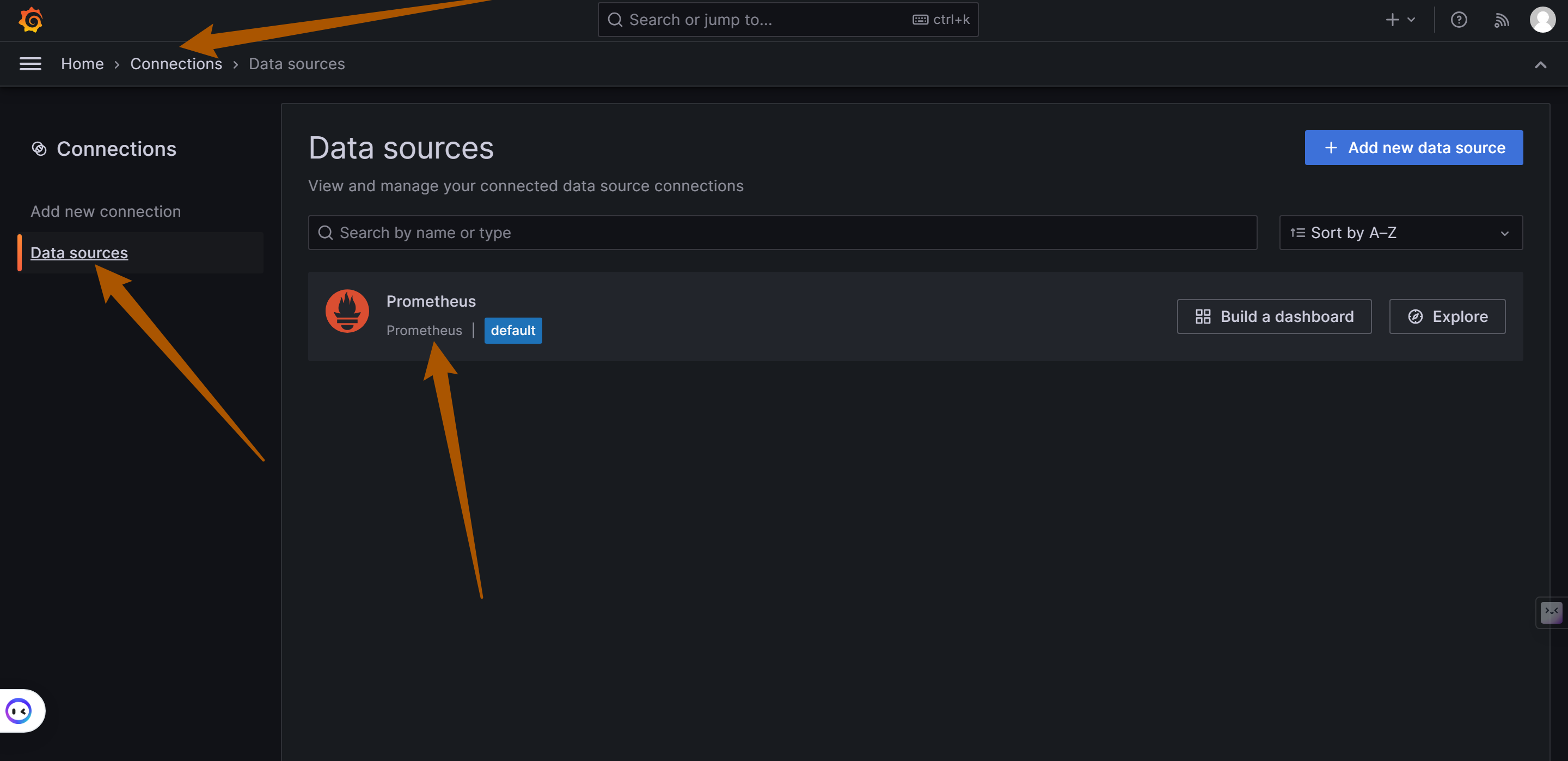
|
||||
|
||||
Click `Add New connection` to add more data sources, such as Loki (responsible for log storage and query processing).
|
||||
|
||||
5. **Configure the Prometheus Data Source**:
|
||||
|
||||
+ On the configuration page, fill in the details of the Prometheus server. This typically includes the URL of the Prometheus service (e.g., if Prometheus is running on the same machine as OpenIM, the URL might be `http://172.28.0.1:19090`, with the address matching the `DOCKER_BRIDGE_GATEWAY` variable address). OpenIM and the components are linked via a gateway. The default port used by OpenIM is `19090`.
|
||||
+ Adjust other settings as needed, such as authentication and TLS settings.
|
||||
|
||||
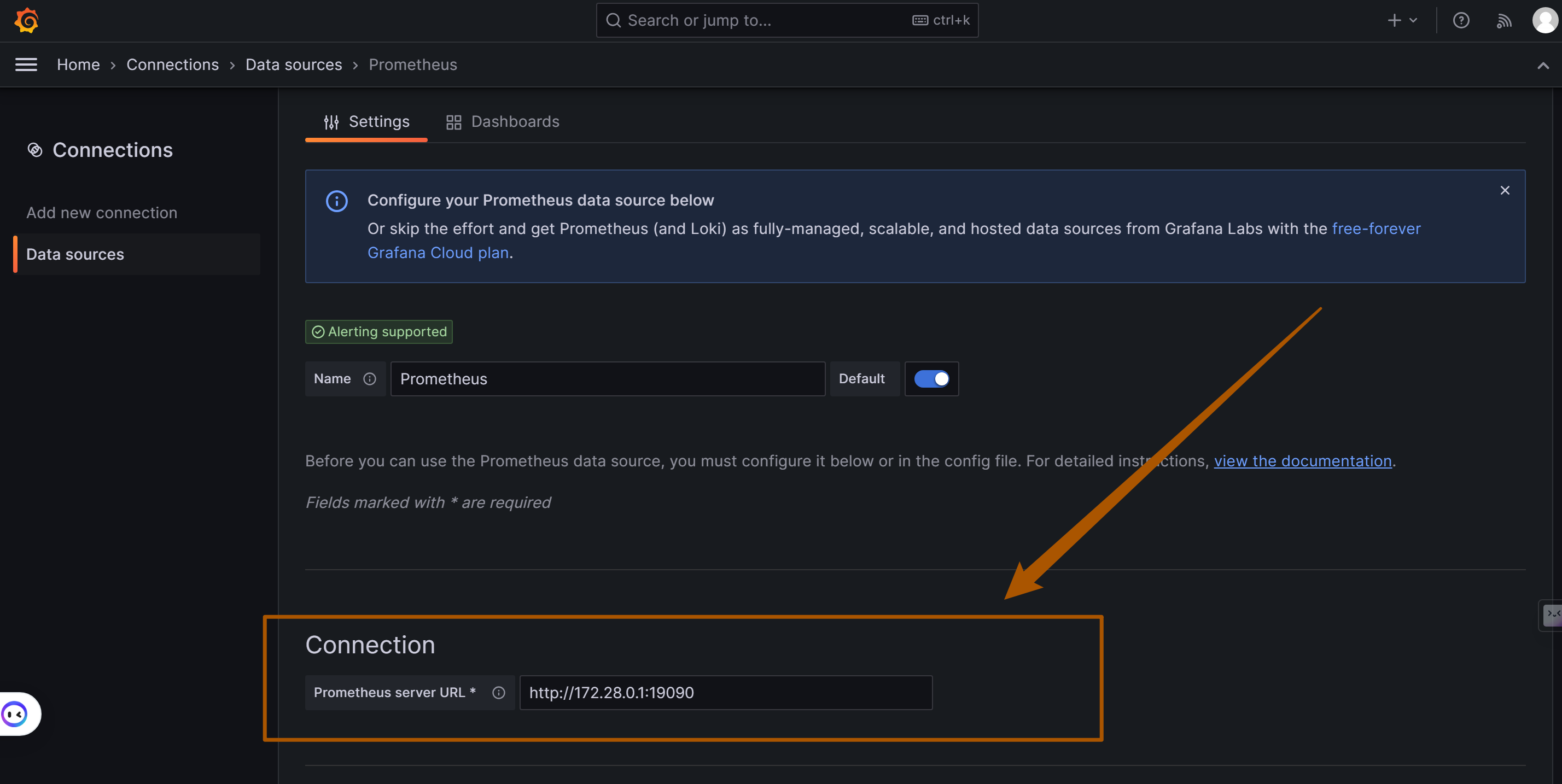
|
||||
|
||||
6. **Save and Test**:
|
||||
|
||||
+ After completing the configuration, click the "Save & Test" button to ensure that Grafana can successfully connect to Prometheus.
|
||||
|
||||
**Importing Dashboards in Grafana**
|
||||
|
||||
Importing Grafana Dashboards is a straightforward process and is applicable to OpenIM Server application services and Node Exporter. Here are detailed steps and necessary considerations:
|
||||
|
||||
**Key Metrics Overview and Deployment Steps**
|
||||
|
||||
To monitor OpenIM in Grafana, you need to focus on three categories of key metrics, each with its specific deployment and configuration steps:
|
||||
|
||||
1. **OpenIM Metrics (`prometheus-dashboard.yaml`)**:
|
||||
+ **Configuration File Path**: Located at `config/prometheus-dashboard.yaml`.
|
||||
+ **Enabling Monitoring**: Set the environment variable `export PROMETHEUS_ENABLE=true` to enable Prometheus monitoring.
|
||||
+ **More Information**: Refer to the [OpenIM Configuration Guide](https://docs.openim.io/configurations/prometheus-integration).
|
||||
2. **Node Exporter**:
|
||||
+ **Container Deployment**: Deploy the `quay.io/prometheus/node-exporter` container for node monitoring.
|
||||
+ **Get Dashboard**: Access the [Node Exporter Full Feature Dashboard](https://grafana.com/grafana/dashboards/1860-node-exporter-full/) and import it using YAML file download or ID import.
|
||||
+ **Deployment Guide**: Refer to the [Node Exporter Deployment Documentation](https://prometheus.io/docs/guides/node-exporter/).
|
||||
3. **Middleware Metrics**: Each middleware requires specific steps and configurations to enable monitoring. Here is a list of common middleware and links to their respective setup guides:
|
||||
+ MySQL:
|
||||
+ **Configuration**: Ensure MySQL has performance monitoring enabled.
|
||||
+ **Link**: Refer to the [MySQL Monitoring Configuration Guide](https://grafana.com/docs/grafana/latest/datasources/mysql/).
|
||||
+ Redis:
|
||||
+ **Configuration**: Configure Redis to allow monitoring data export.
|
||||
+ **Link**: Refer to the [Redis Monitoring Guide](https://grafana.com/docs/grafana/latest/datasources/redis/).
|
||||
+ MongoDB:
|
||||
+ **Configuration**: Set up monitoring metrics for MongoDB.
|
||||
+ **Link**: Refer to the [MongoDB Monitoring Guide](https://grafana.com/grafana/plugins/grafana-mongodb-datasource/).
|
||||
+ Kafka:
|
||||
+ **Configuration**: Integrate Kafka with Prometheus monitoring.
|
||||
+ **Link**: Refer to the [Kafka Monitoring Guide](https://grafana.com/grafana/plugins/grafana-kafka-datasource/).
|
||||
+ Zookeeper:
|
||||
+ **Configuration**: Ensure Zookeeper can be monitored by Prometheus.
|
||||
+ **Link**: Refer to the [Zookeeper Monitoring Configuration](https://grafana.com/docs/grafana/latest/datasources/zookeeper/).
|
||||
|
||||
|
||||
|
||||
**Importing Steps**:
|
||||
|
||||
1. Access the Dashboard Import Interface:
|
||||
|
||||
+ Click the `+` icon on the left menu or in the top right corner of Grafana, then select "Create."
|
||||
+ Choose "Import" to access the dashboard import interface.
|
||||
|
||||
2. **Perform Dashboard Import**:
|
||||
+ **Upload via File**: Directly upload your YAML file.
|
||||
+ **Paste Content**: Open the YAML file, copy its content, and paste it into the import interface.
|
||||
+ **Import via Grafana.com Dashboard**: Visit [Grafana Dashboards](https://grafana.com/grafana/dashboards/), search for the desired dashboard, and import it using its ID.
|
||||
3. **Configure the Dashboard**:
|
||||
+ Select the appropriate data source, such as the previously configured Prometheus.
|
||||
+ Adjust other settings, such as the dashboard name or folder.
|
||||
4. **Save and View the Dashboard**:
|
||||
+ After configuring, click "Import" to complete the process.
|
||||
+ Immediately view the new dashboard after successful import.
|
||||
|
||||
**Graph Examples:**
|
||||
|
||||
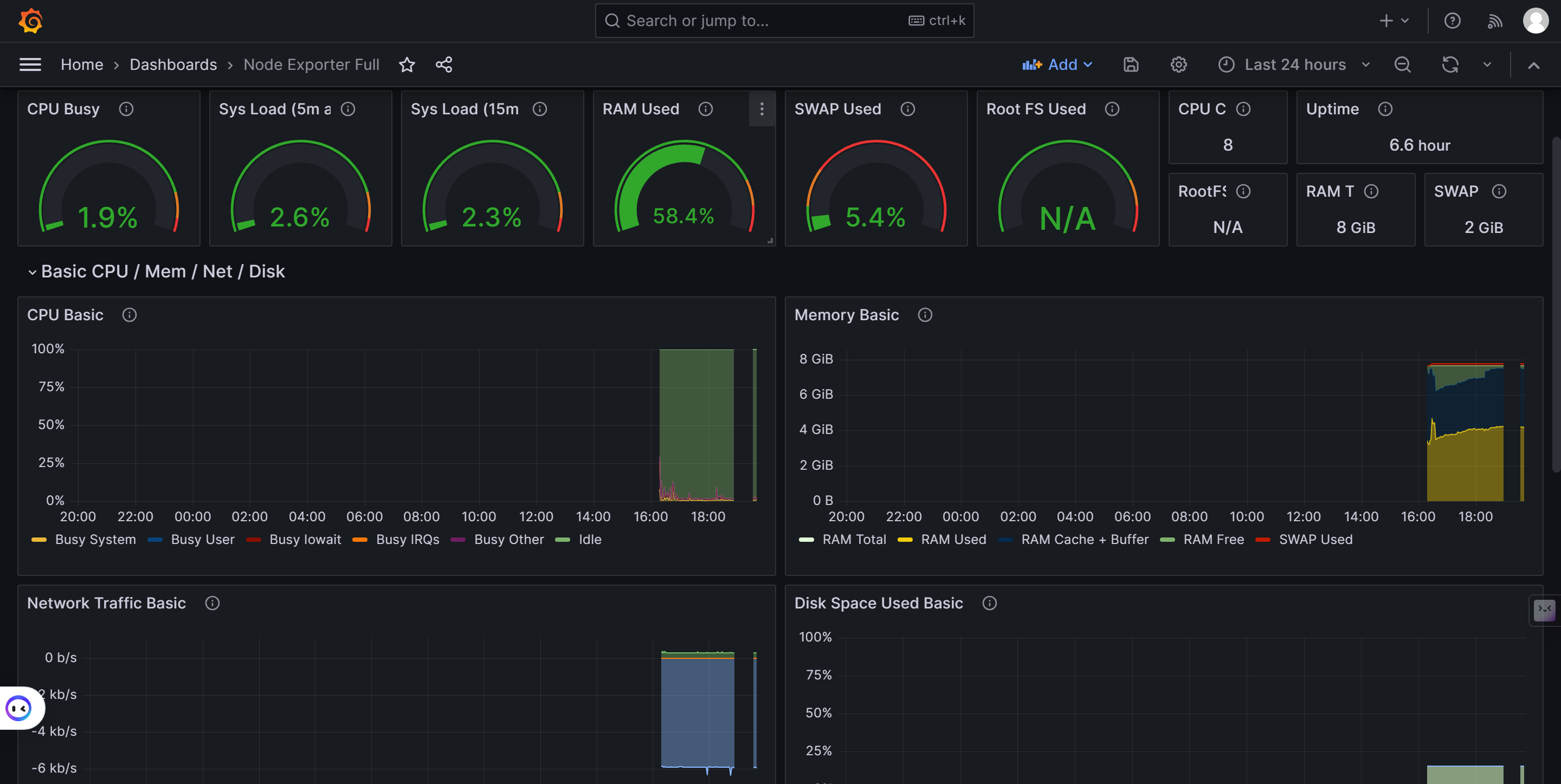
|
||||
|
||||
|
||||
|
||||
### 1.3. <a name='MonitoringRunninginDockerGuide'></a>Monitoring Running in Docker Guide
|
||||
|
||||
#### 1.3.1. <a name='Introduction'></a>Introduction
|
||||
|
||||
This guide provides the steps to run OpenIM using Docker. OpenIM is an open-source instant messaging solution that can be quickly deployed using Docker. For more information, please refer to the [OpenIM Docker GitHub](https://github.com/openimsdk/openim-docker).
|
||||
|
||||
#### 1.3.2. <a name='Prerequisites'></a>Prerequisites
|
||||
|
||||
+ Ensure that Docker and Docker Compose are installed.
|
||||
+ Basic understanding of Docker and containerization technology.
|
||||
|
||||
#### 1.3.3. <a name='Step1:ClonetheRepository'></a>Step 1: Clone the Repository
|
||||
|
||||
First, clone the OpenIM Docker repository:
|
||||
|
||||
```bash
|
||||
git clone https://github.com/openimsdk/openim-docker.git
|
||||
```
|
||||
|
||||
Navigate to the repository directory and check the `README` file for more information and configuration options.
|
||||
|
||||
#### 1.3.4. <a name='Step2:StartDockerCompose'></a>Step 2: Start Docker Compose
|
||||
|
||||
In the repository directory, run the following command to start the service:
|
||||
|
||||
```bash
|
||||
docker-compose up -d
|
||||
```
|
||||
|
||||
This will download the required Docker images and start the OpenIM service.
|
||||
|
||||
#### 1.3.5. <a name='Step3:UsetheOpenIMWebInterface'></a>Step 3: Use the OpenIM Web Interface
|
||||
|
||||
+ Open a browser in private mode and access [OpenIM Web](http://localhost:11001/).
|
||||
+ Register two users and try adding friends.
|
||||
+ Test sending messages and pictures.
|
||||
|
||||
#### 1.3.6. <a name='RunningEffect'></a>Running Effect
|
||||
|
||||
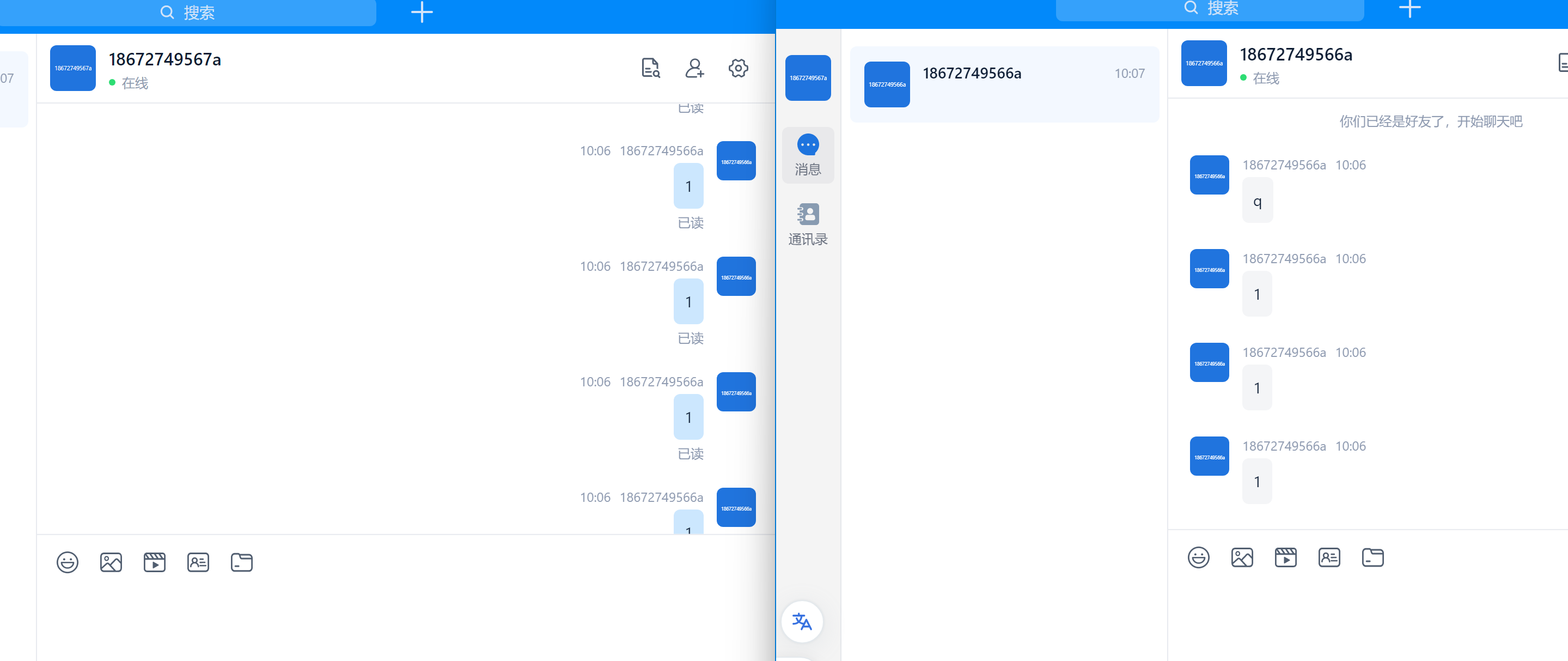
|
||||
|
||||
#### 1.3.7. <a name='Step4:AccesstheAdminPanel'></a>Step 4: Access the Admin Panel
|
||||
|
||||
+ Access the [OpenIM Admin Panel](http://localhost:11002/).
|
||||
+ Log in using the default username and password (`admin1:admin1`).
|
||||
|
||||
Running Effect Image:
|
||||
|
||||
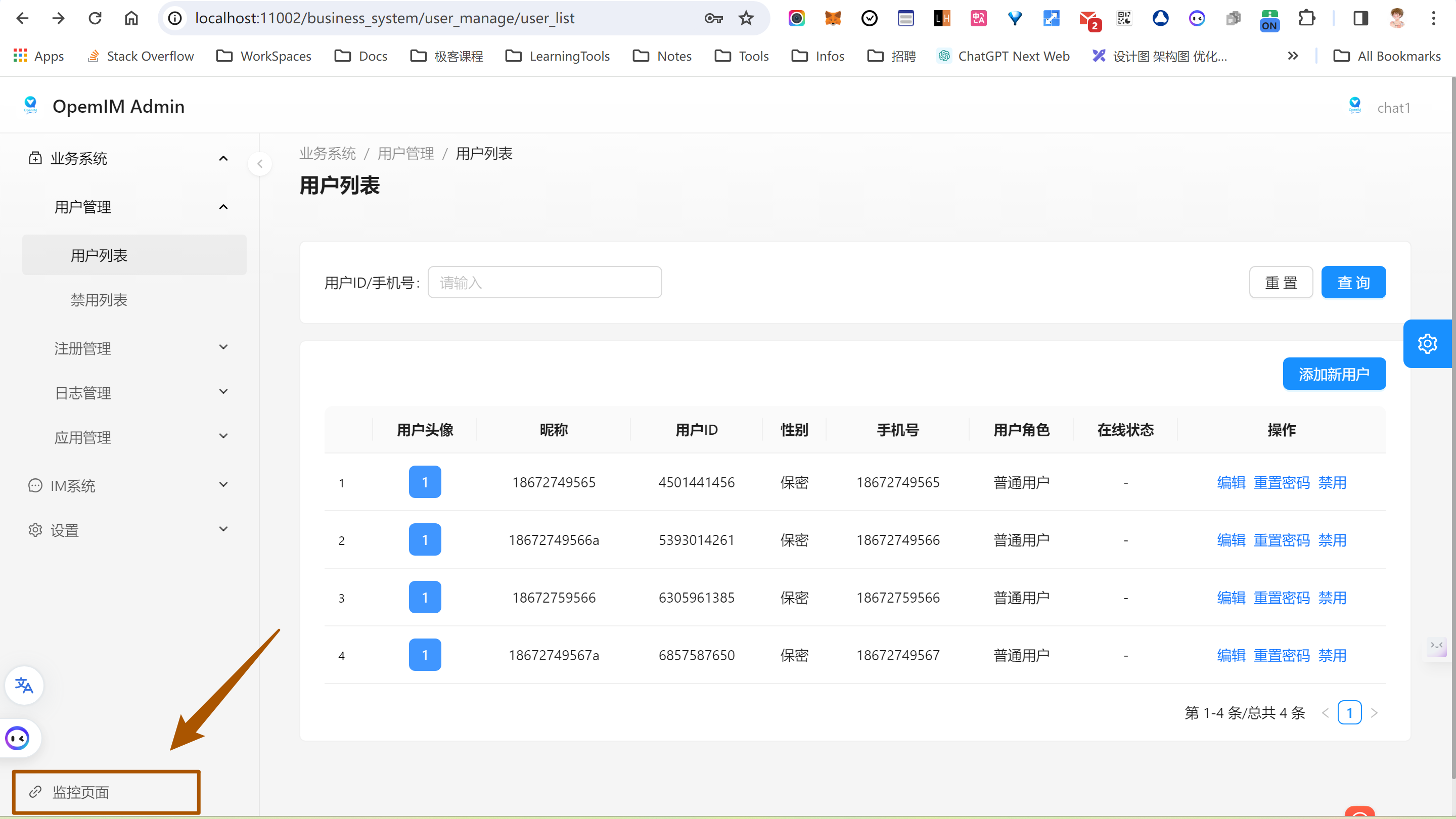
|
||||
|
||||
#### 1.3.8. <a name='Step5:AccesstheMonitoringInterface'></a>Step 5: Access the Monitoring Interface
|
||||
|
||||
+ Log in to the [Monitoring Interface](http://localhost:3000/login) using the credentials (`admin:admin`).
|
||||
|
||||
#### 1.3.9. <a name='NextSteps'></a>Next Steps
|
||||
|
||||
+ Configure and manage the services following the steps provided in the OpenIM source code.
|
||||
+ Refer to the `README` file for advanced configuration and management.
|
||||
|
||||
#### 1.3.10. <a name='Troubleshooting'></a>Troubleshooting
|
||||
|
||||
+ If you encounter any issues, please check the documentation on [OpenIM Docker GitHub](https://github.com/openimsdk/openim-docker) or search for related issues in the Issues section.
|
||||
+ If the problem persists, you can create an issue on the [openim-docker](https://github.com/openimsdk/openim-docker/issues/new/choose) repository or the [openim-server](https://github.com/openimsdk/open-im-server/issues/new/choose) repository.
|
||||
|
||||
|
||||
|
||||
## 2. <a name='Kubernetes'></a>Kubernetes
|
||||
|
||||
Refer to [openimsdk/helm-charts](https://github.com/openimsdk/helm-charts).
|
||||
|
||||
When deploying and monitoring OpenIM in a Kubernetes environment, you will focus on three main metrics: middleware, custom OpenIM metrics, and Node Exporter. Here are detailed steps and guidelines:
|
||||
|
||||
### 2.1. <a name='MiddlewareMonitoring'></a>Middleware Monitoring
|
||||
|
||||
Middleware monitoring is crucial to ensure the overall system's stability. Typically, this includes monitoring the following components:
|
||||
|
||||
+ **MySQL**: Monitor database performance, query latency, and more.
|
||||
+ **Redis**: Track operation latency, memory usage, and more.
|
||||
+ **MongoDB**: Observe database operations, resource usage, and more.
|
||||
+ **Kafka**: Monitor message throughput, latency, and more.
|
||||
+ **Zookeeper**: Keep an eye on cluster status, performance metrics, and more.
|
||||
|
||||
For Kubernetes environments, you can use the corresponding Prometheus Exporters to collect monitoring data for these middleware components.
|
||||
|
||||
### 2.2. <a name='CustomOpenIMMetrics'></a>Custom OpenIM Metrics
|
||||
|
||||
Custom OpenIM metrics provide essential information about the OpenIM application itself, such as user activity, message traffic, system performance, and more. To monitor these metrics in Kubernetes:
|
||||
|
||||
+ Ensure OpenIM application configurations expose Prometheus metrics.
|
||||
+ When deploying using Helm charts (refer to [OpenIM Helm Charts](https://github.com/openimsdk/helm-charts)), pay attention to configuring relevant monitoring settings.
|
||||
|
||||
### 2.3. <a name='NodeExporter'></a>Node Exporter
|
||||
|
||||
Node Exporter is used to collect hardware and operating system-level metrics for Kubernetes nodes, such as CPU, memory, disk usage, and more. To integrate Node Exporter in Kubernetes:
|
||||
|
||||
+ Deploy Node Exporter using the appropriate Helm chart. You can find information and guides on [Prometheus Community](https://prometheus.io/docs/guides/node-exporter/).
|
||||
+ Ensure Node Exporter's data is collected by Prometheus instances within your cluster.
|
||||
|
||||
|
||||
|
||||
## 3. <a name='SettingUpandConfiguringAlertManagerUsingEnvironmentVariablesandmakeinit'></a>Setting Up and Configuring AlertManager Using Environment Variables and `make init`
|
||||
|
||||
### 3.1. <a name='Introduction-1'></a>Introduction
|
||||
|
||||
AlertManager, a component of the Prometheus monitoring system, handles alerts sent by client applications such as the Prometheus server. It takes care of deduplicating, grouping, and routing them to the correct receiver. This document outlines how to set up and configure AlertManager using environment variables and the `make init` command. We will focus on configuring key fields like the sender's email, SMTP settings, and SMTP authentication password.
|
||||
|
||||
### 3.2. <a name='Prerequisites-1'></a>Prerequisites
|
||||
|
||||
+ Basic knowledge of terminal and command-line operations.
|
||||
+ AlertManager installed on your system.
|
||||
+ Access to an SMTP server for sending emails.
|
||||
|
||||
### 3.3. <a name='ConfigurationSteps'></a>Configuration Steps
|
||||
|
||||
#### 3.3.1. <a name='ExportingEnvironmentVariables'></a>Exporting Environment Variables
|
||||
|
||||
Before initializing AlertManager, you need to set environment variables. These variables are used to configure the AlertManager settings without altering the code. Use the `export` command in your terminal. Here are some key variables you might set:
|
||||
|
||||
+ `export ALERTMANAGER_RESOLVE_TIMEOUT='5m'`
|
||||
+ `export ALERTMANAGER_SMTP_FROM='alert@example.com'`
|
||||
+ `export ALERTMANAGER_SMTP_SMARTHOST='smtp.example.com:465'`
|
||||
+ `export ALERTMANAGER_SMTP_AUTH_USERNAME='alert@example.com'`
|
||||
+ `export ALERTMANAGER_SMTP_AUTH_PASSWORD='your_password'`
|
||||
+ `export ALERTMANAGER_SMTP_REQUIRE_TLS='false'`
|
||||
|
||||
#### 3.3.2. <a name='InitializingAlertManager'></a>Initializing AlertManager
|
||||
|
||||
After setting the necessary environment variables, you can initialize AlertManager by running the `make init` command. This command typically runs a script that prepares AlertManager with the provided configuration.
|
||||
|
||||
#### 3.3.3. <a name='KeyConfigurationFields'></a>Key Configuration Fields
|
||||
|
||||
##### a. Sender's Email (`ALERTMANAGER_SMTP_FROM`)
|
||||
|
||||
This variable sets the email address that will appear as the sender in the notifications sent by AlertManager.
|
||||
|
||||
##### b. SMTP Configuration
|
||||
|
||||
+ **SMTP Server (`ALERTMANAGER_SMTP_SMARTHOST`):** Specifies the address and port of the SMTP server used for sending emails.
|
||||
+ **SMTP Authentication Username (`ALERTMANAGER_SMTP_AUTH_USERNAME`):** The username for authenticating with the SMTP server.
|
||||
+ **SMTP Authentication Password (`ALERTMANAGER_SMTP_AUTH_PASSWORD`):** The password for SMTP server authentication. It's crucial to keep this value secure.
|
||||
|
||||
#### 3.3.4. <a name='ConfiguringSMTPAuthenticationPassword'></a>Configuring SMTP Authentication Password
|
||||
|
||||
The SMTP authentication password can be set using the `ALERTMANAGER_SMTP_AUTH_PASSWORD` environment variable. It's recommended to use a secure method to set this variable to avoid exposing sensitive information. For instance, you might read the password from a secure file or a secret management tool.
|
||||
|
||||
#### 3.3.5. <a name='UsefulLinksforCommonEmailServers'></a>Useful Links for Common Email Servers
|
||||
|
||||
For specific configurations related to common email servers, you may refer to their respective documentation:
|
||||
|
||||
+ Gmail SMTP Settings:
|
||||
+ [Gmail SMTP Configuration](https://support.google.com/mail/answer/7126229?hl=en)
|
||||
+ Microsoft Outlook SMTP Settings:
|
||||
+ [Outlook Email Settings](https://support.microsoft.com/en-us/office/pop-imap-and-smtp-settings-8361e398-8af4-4e97-b147-6c6c4ac95353)
|
||||
+ Yahoo Mail SMTP Settings:
|
||||
+ [Yahoo SMTP Configuration](https://help.yahoo.com/kb/SLN4724.html)
|
||||
|
||||
### 3.4. <a name='Conclusion'></a>Conclusion
|
||||
|
||||
Setting up and configuring AlertManager with environment variables provides a flexible and secure way to manage alert settings. By following the above steps, you can easily configure AlertManager for your monitoring needs. Always ensure to secure sensitive information, especially when dealing with SMTP authentication credentials.
|
||||
Some files were not shown because too many files have changed in this diff Show More
Reference in New Issue
Block a user